
In diesem Beitrag
Suchen Sie nach dem besten mehrsprachigen WordPress-Plugin? Falls dem so ist, wissen wir, dass es schwer ist, aber keine Sorge – du bist hier genau richtig.
Es ist kein Geheimnis, dass das Übersetzen eines WordPress-Website in mehrere Sprachen Das kann einen in den Wahnsinn treiben, vor allem, wenn man es zum ersten Mal macht.
Aber…
Ein WordPress-Mehrsprachigkeits-Plugin kann viel für Ihre Website tun, besonders wenn Sie Ihr Geschäft international ausbauen und Ihre Seiten in mehreren Sprachen veröffentlichen möchten.
In diesem schnellen Vergleich stellen wir die besten mehrsprachigen WordPress-Plugins vor und zeigen Ihnen, wie Sie das ideale Plugin für Ihre spezifischen Anforderungen auswählen. Wir besprechen auch deren Funktionen, Preise sowie Vor- und Nachteile.
Mit anderen Worten: Wir helfen Ihnen bei der Auswahl des besten mehrsprachigen WordPress-Plugins, damit Sie Ihre gesamte Website wie ein Profi übersetzen können.
Klingt das nicht gut? Super. Dann legen wir los. 👇
Worauf Sie bei Ihrem besten mehrsprachigen WordPress-Plugin achten sollten

Die Auswahl des besten mehrsprachigen WordPress-Plugins für Ihre Website sollte kein Problem darstellen, vor allem, wenn Sie wissen, worauf Sie achten müssen.
Wenn man zunächst darüber nachdenkt, erwartet man von einem Mehrsprachen-Plugin vor allem, dass es einem einfach ermöglicht, die Inhalte der eigenen WordPress-Website zu übersetzen.
Ganz einfach, oder? Nun, ich fürchte, dazu gibt es noch mehr zu sagen. Aber keine Sorge, wir werden es einfach halten.
Die meisten Nutzer werden von diesen Funktionen und allgemeinen Eigenschaften profitieren, die einige der besten mehrsprachigen WordPress-Plugins bieten:
1. Frontend-Übersetzungsschnittstelle
Es gibt drei Hauptmethoden, mit denen die besten mehrsprachigen WordPress-Plugins Ihnen die Übersetzung Ihrer Inhalte ermöglichen:
- im Backend – Die Übersetzung erfolgt über wp-admin – direkt im WordPress-Dashboard;
- im Frontend – Die Übersetzung lässt sich visuell vornehmen, indem Sie sich die Vorschau Ihrer Website so ansehen, wie sie den Besuchern angezeigt wird;
- in der Cloud-Oberfläche des Plugins – Die Übersetzung erfolgt in einer vom Plugin bereitgestellten Benutzeroberfläche von Drittanbietern.
Die benutzerfreundlichste und intuitivste Art der Benutzeroberfläche ist die Frontend-Übersetzung. Diese Option ermöglicht es Ihnen, Ihre Übersetzungen in Echtzeit zu sehen und zu beobachten, wie sich die neue Sprache auf das Website-Design auswirkt.
2. Manuelle vs. automatische Übersetzungen
Mit Ihrem idealen, besten mehrsprachigen WordPress-Plugin können Sie Ihre Übersetzungen auf eine der beiden folgenden Arten (oder auf beide) bearbeiten:
- sie von Hand schreiben – der natürlichste und intuitivste Ansatz;
- automatisch erledigen lassen – unter Verwendung von Tools wie Google Übersetzer, DeepL, oder KI-gestützte Übersetzungsprogramme wie TranslatePress AI.
Außerdem möchten Sie alle Ihre automatischen Übersetzungen anpassen können, da diese nie 100% perfekt sind. Stellen Sie sicher, dass Ihr WordPress-Plugin für mehrere Sprachen dies ermöglicht.
3. Kontrolle über Ihre Übersetzungen
Häufig stellen sich zwei Fragen bezüglich der Kontrolle über Ihre Übersetzungen:
- Wo werden Ihre Übersetzungen gespeichert?
- Was passiert, wenn man die Gebühren für den Dienst nicht mehr bezahlt?
Idealerweise möchten Sie, dass Ihre Übersetzungen lokal auf dem Webserver der Website gespeichert werden. Dies ist der einzige Weg, die vollständige Kontrolle über sie zu haben und sicherzustellen, dass sie nicht verschwinden.
Sie sollten außerdem Plugins vermeiden, bei denen Sie ein Abonnement weiter bezahlen müssen, damit Ihre Übersetzungen weiterhin funktionieren.
4. SEO-Funktionen
Wir alle wissen, wie wichtig SEO für die Sichtbarkeit jeder Website ist. Allerdings ist nicht jedem bewusst, dass jede Sprachversion Ihrer Website in den Augen von Google mehr oder weniger eine eigene Website darstellt.
Das ist richtig, Google und andere Suchmaschinen betrachten Ihre Übersetzungen als eine separate Version Ihrer Website.
Das bedeutet, dass jede Ihrer Sprachversionen über eigene SEO-Einstellungen und Metadaten verfügen sollte, die Sie anpassen können.
Das beste mehrsprachige WordPress-Plugin ermöglicht es Ihnen, diese anzupassen.
👉 Du kannst Erfahren Sie hier mehr über mehrsprachige SEO.
5. WooCommerce-Kompatibilität
WooCommerce ist das beliebteste E-Commerce-Plugin für WordPress, dem weltweit Millionen von Unternehmen vertrauen.
Nicht jede mehrsprachige Website muss mit WooCommerce kompatibel sein. Wenn Ihre Website dies jedoch sein muss, dann ist dies auch erforderlich. Es sei denn natürlich, Sie verwenden ein anderes E-Commerce-Plugin.
Wenn Sie Ihre Produkte international verkaufen, benötigen Sie das beste mehrsprachige WordPress-Plugin, das mit WooCommerce funktioniert.
👉 Wir haben dieses Thema in einem separaten Leitfaden behandelt. Schauen Sie ihn sich an, um zu erfahren So wählen Sie das beste WooCommerce-Mehrsprachigkeits-Plugin aus.
6. Übersetzungen von Theme- und Plugin-generierten Inhalten
Jede WordPress-Website enthält eine ganze Menge an Inhalten, die Sie nicht selbst erstellt haben, sondern die von dem Theme oder den auf der Website installierten Plugins generiert werden.
Das können allerlei kleine Textschnipsel oder Nachrichten sein. Vielleicht ist es eine Beschriftung neben einem Widget, der “In den Warenkorb”-Button oder vielleicht der “Zuletzt aktualisiert”-Hinweis neben Ihren Beiträgen usw.
Das Problem bei dieser Art von Text ist, dass einige mehrsprachige Plugins sie gar nicht erst anfassen. Das bedeutet, dass Sie am Ende in all Ihren verschiedenen Sprachen denselben Text haben können. Und glauben Sie mir, solche Texte fallen dann wie ein bunter Hund auf.
Sie möchten, dass Ihr bestes mehrsprachiges WordPress-Plugin in der Lage ist, die dynamischen Inhalte zu verarbeiten, die Ihr Theme und Ihre Plugins generieren.
Beste WordPress-Mehrsprachigkeit-Plugins: 7 Top-Tools im Vergleich
Nachdem wir das geklärt haben, wollen wir uns nun die besten verfügbaren WordPress-Plugins für Mehrsprachigkeit ansehen und prüfen, wie gut sie unsere Funktionswünsche erfüllen.
1. TranslatePress
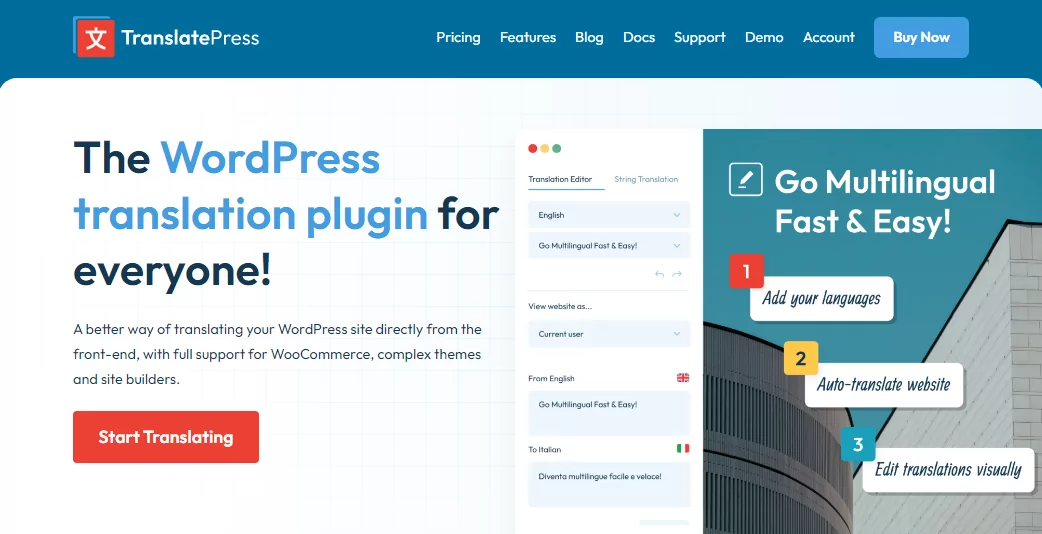
Man könnte mir zwar Voreingenommenheit vorwerfen, aber TranslatePress ist eines der besten mehrsprachigen WordPress-Plugins, die es gibt.
Präsentiert von den großartigen Leuten von Cozmoslabs löst dieses Übersetzungs-Plugin viele Probleme, mit denen mehrsprachige WordPress-Benutzer seit langem zu kämpfen haben.
Erstens lässt sich TranslatePress einfach installieren und bedienen, und man benötigt keinerlei technische Kenntnisse.
Aktivieren Sie das Plugin, wählen Sie Ihre Sprachen und aktivieren Sie die automatischen Übersetzungen, und schon läuft alles wie geschmiert. Fragen Sie ruhig herum, noch nie war das Übersetzen einer WordPress-Website so einfach.
Eine der besten Funktionen, die Sie lieben werden, ist TranslatePress AI, mit dem Sie Ihre Website innerhalb weniger Minuten mithilfe neuronaler maschineller Übersetzungsdienste wie Google Translate, DeepL und Microsoft Translator übersetzen können.
Hier ist ein kurzes Video darüber, wie einfach der Prozess ist:
Könnte die Übersetzung Ihrer WordPress-Website noch einfacher sein? Ich glaube nicht. Es gibt keine komplexen Einstellungen, an denen Sie herumhantieren müssen, oder APIs, die Sie verwirren. Es ist von Anfang an mühelos.
Hauptmerkmale:
- Dieses Plugin ermöglicht es Ihnen, die gesamte Seite auf einmal zu übersetzen, einschließlich der Ausgaben von Themes, Plugins, Shortcodes, Formularen und Page Buildern;
- Unterstützung für dynamische Strings (gettext), die von WordPress, Plugins und Themes hinzugefügt wurden;
- Automatische und manuelle Übersetzung;
- Anpassbarer Sprachumschalter;
- WooCommerce-Support;
- Mehrsprachige SEO;
- Hervorragender Kundenservice.
TranslatePress wird Sie umhauen, wenn Sie bisher vergeblich nach dem besten mehrsprachigen WordPress-Plugin gesucht haben.
Was macht es zum besten mehrsprachigen WordPress-Plugin?
Kurz gesagt: TranslatePress erfüllt alle Kriterien aus der Liste der Must-have oder auch Netto-Gewinn Funktionen.
Es ist eine All-in-One-Lösung, die sich in die nativen WordPress-Panels integriert und Ihnen eine intuitive Übersetzungsoberfläche bietet.
Sie können direkt vom Frontend aus an Ihren Übersetzungen arbeiten – das bedeutet, dass Sie Ihre Website so betrachten, wie Ihre Besucher sie sehen.
Um ein Element zu übersetzen, klicken Sie einfach auf das Stift-Symbol daneben und geben Sie Ihre Übersetzung in der Seitenleiste ein.
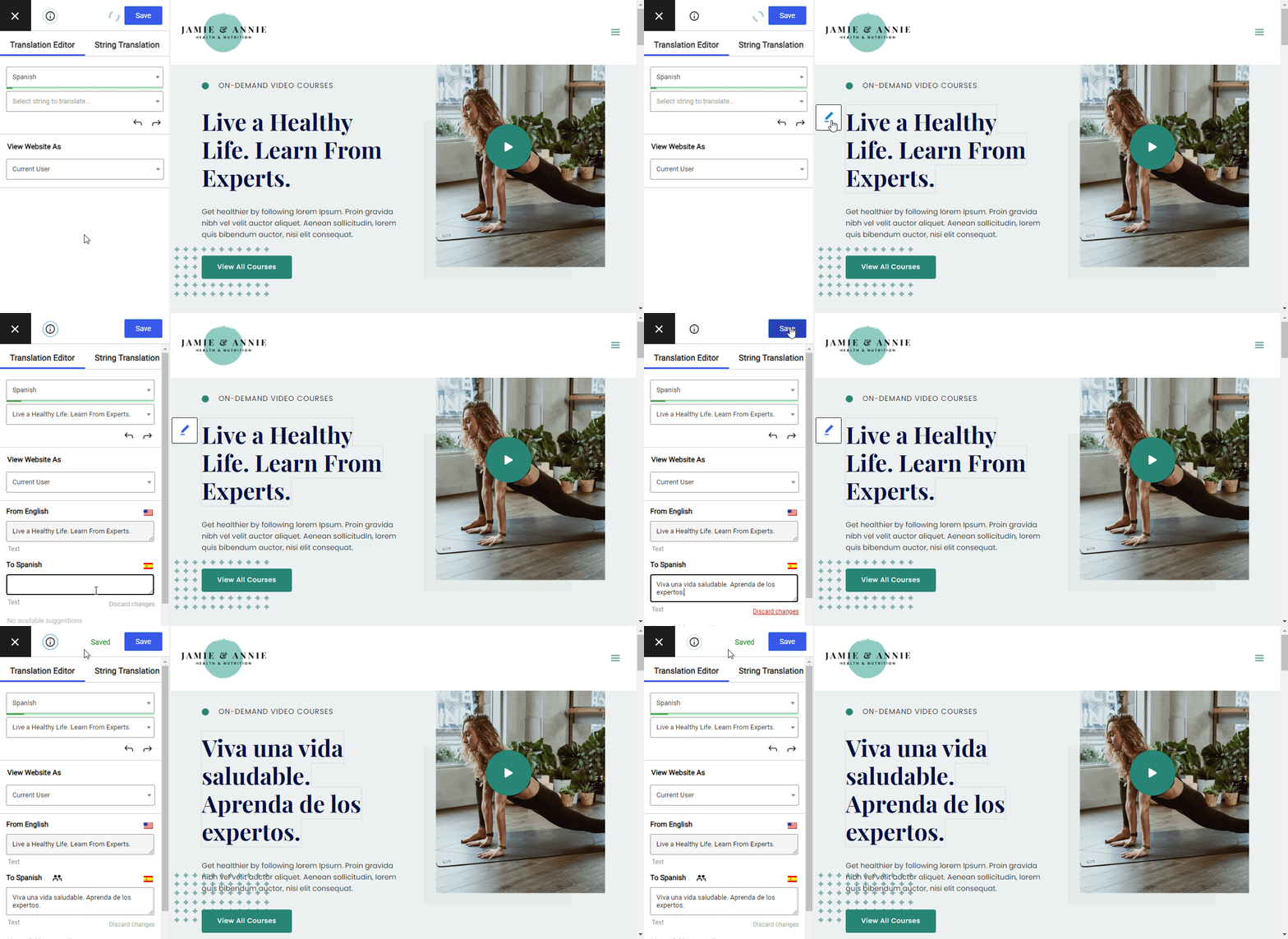
Ich meine damit, dass man jedes “Element” mit TranslatePress übersetzen kann, da das Plugin nicht nur mit den Standard-Textinhalten Ihrer Website funktioniert, sondern Ihnen auch viele weitere Möglichkeiten bietet, wie zum Beispiel:
- Anpassen der SEO-Meta-Tags für jede Sprachversion;
- Ersetzen von Bildern aus einer Sprachversion zum anderen;
- das Verwandeln Ihres Mehrsprachiger WooCommerce-Shop;
- alles übersetzen vom Theme und Plugin generiert Texte.
Mit TranslatePress haben Sie außerdem die Wahl, Ihre Übersetzungen manuell zu erstellen oder die Website mit gängigen APIs für automatische Übersetzungen zu verknüpfen (kompatibel mit Google Translate und DeepL).
Das Besondere an der automatischen Übersetzungsfunktion von TranslatePress ist, dass Sie alle diese automatischen Übersetzungen auch später noch manuell anpassen können. So bleiben Sie nicht auf seltsam klingenden Sätzen sitzen.
Der Sprachumschalter Die Box selbst ist ebenfalls ziemlich raffiniert und bietet Ihnen mehrere Optionen, wie zum Beispiel eine schwebende Box mit dem immer sichtbaren Sprachumschalter oder einen klassischen Menülink.
Schließlich behalten Sie die vollständige Kontrolle über Ihre Übersetzungen, da alles in der lokalen Datenbank Ihrer Website gespeichert wird.
Aber warten Sie … es gibt noch mehr …
💳 Und das Beste daran: TranslatePress bietet ein kostenlose Version das zwingt Sie nicht dazu, für irgendetwas zu bezahlen, wenn Sie das nicht möchten. Alle grundlegenden Funktionen sind vorhanden, und Sie können eine voll funktionsfähige, mehrsprachige Website mit zwei verschiedenen Sprachversionen erstellen.
Wenn Sie weitere Sprachen benötigen oder einige der erweiterten Funktionen wie mehrsprachiges SEO, Übersetzerkonten, DeepL-Integration und mehr nutzen möchten, können Sie wechseln zu TranslatePress Pro
👉 Lesen Sie dies, um mehr über die Unterschiede zwischen TranslatePress Free vs. Pro und wie man die richtige für dein Projekt auswählt.
2. Polylang
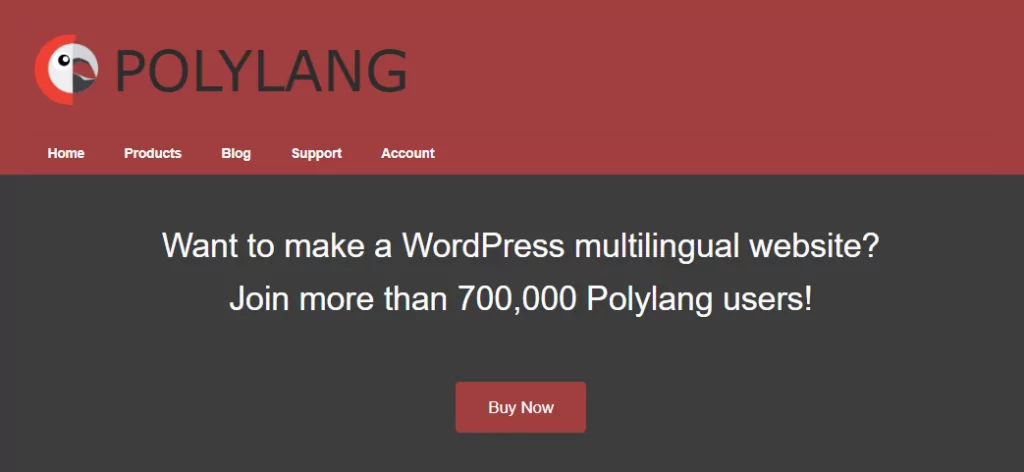
Laut seiner Website ist Polylang mit mehr als 700.000 Nutzern wohl eines der beliebtesten WordPress-Plugins für Mehrsprachigkeit.
Die Arbeit mit diesem Plugin unterscheidet sich jedoch ein wenig von der Arbeit mit TranslatePress, wie Sie gleich erfahren werden. Aber zunächst zu den wichtigsten Funktionen.
Hauptmerkmale:
- Einfach zu bedienen;
- Manuelle Übersetzung nur;
- Übersetzungen sind in Ihrer Datenbank gespeichert, Sie haben also die volle Kontrolle;
- Mehrsprachige SEO;
- WooCommerce-Kompatibilität;
- Kompatibel mit Themes und Plugins: nein
Nachdem das nun geklärt ist: Inwiefern unterscheidet sich die Arbeit mit Polulang von der mit TranslatePress?
Erstens erledigen Sie Ihre gesamte Arbeit im Backend der Website – also im wp-admin –, anstatt sie sich durch die Augen der Besucher anzusehen.
Auch das Hinzufügen der Übersetzungen selbst unterscheidet sich stark. Polylang konzentriert sich darauf, dass Sie komplett neue Versionen jeder Ihrer Seiten erstellen, diese mit übersetzten Inhalten füllen und sie erst danach als neue Sprachversionen bereits existierender Seiten kennzeichnen.
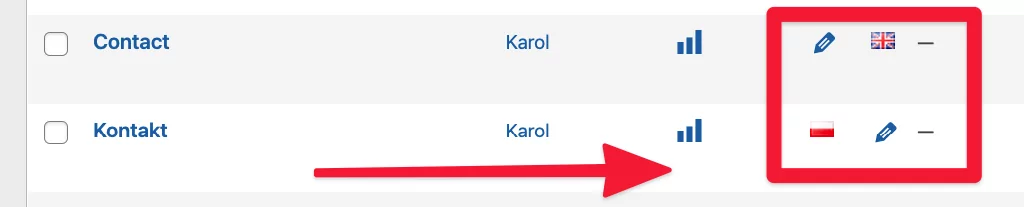
Das bedeutet, dass Sie mit Polylang eine völlig eigenständige Sprachversion Ihrer Website erstellen können, bei der nicht jede Seite ein Pendant in der neuen Sprache haben muss. Polylang ist daher eine gute Wahl für Websites, die verschiedene Sprachversionen benötigen, die wesentlich unabhängiger voneinander sind.
Die Tatsache, dass Sie für jede Sprachversion Ihrer Website neue Seiten erstellen, gibt Ihnen zudem mehr Freiheit bei der Anpassung der Layouts: Sie können entscheiden, wo Bilder in den verschiedenen Sprachversionen platziert werden sollen, welche Bilder ersetzt werden sollen usw.
Dies bedeutet auch, dass Polylang eine integrierte Kompatibilität mit beliebten SEO-Plugins bietet.
💳 Es gibt ein kostenlose Version von Polylang, das voll funktionsfähig ist, und Sie können es problemlos für einfache mehrsprachige Websites verwenden. Polylang unterstützt in dieser kostenlosen Version sogar mehrere Sprachen.
Die Pro-Add-ons beginnen ab 99 EUR. Sie benötigen dieses Pro-Upgrade, wenn Sie Ihre WooCommerce-Shop-Inhalte (Produkte, Warenkorb, andere Hauptseiten) übersetzen möchten.
👉 Mehr zu Günstigere Polylang-Alternativen für WooCommerce hier.
3. WPML
WPML ist ein weiteres Backend-basiertes Plugin auf dieser Liste der besten mehrsprachigen WordPress-Plugins. Es bietet zudem einen weiteren originellen Ansatz für die Übersetzung einer WordPress-Website, der sich von den oben vorgestellten Plugins unterscheidet.
WPML bietet einen schrittweisen Prozess für die Übersetzung Ihrer Website, anstatt Sie dazu zu zwingen, zu verschiedenen Bereichen des Admin-Dashboards zu navigieren und dort selbst herauszufinden, wie es funktioniert.
Hauptmerkmale:
- Backend-Übersetzungsschnittstelle;
- Manuelle und automatische Übersetzung;
- Übersetzungen sind in Ihrer Datenbank gespeichert, Sie haben also die volle Kontrolle;
- Mehrsprachige SEO;
- WooCommerce-kompatibelle;
- Theme- und Plugin-kompatibel: manche
- Kostenlos oder kostenpflichtig: nur kostenpflichtig
Es gibt eine übersichtliche Einführungsanleitung, die Sie durch alle Schritte zur Umstellung Ihrer Website auf mehrere Sprachen führt. Zunächst wählen Sie die Hauptsprache der Website aus und anschließend die Sprachen, die Sie hinzufügen möchten. Als Nächstes können Sie die Art des Sprachumschalters auswählen, den Sie verwenden möchten, und einige Kompatibilitätsoptionen festlegen.
Sobald dies erledigt ist, können Sie mit der Arbeit an Ihren Übersetzungen beginnen. WPML fügt Ihrer Seitenübersicht eine neue Spalte hinzu, in der angezeigt wird, welche Übersetzungen noch fehlen und welche bereits vorhanden sind. Anhand dieser Ansicht können Sie auf einen Blick erkennen, an welchen Seiten noch gearbeitet werden muss.
Sobald Sie eine Sprachversion für die Erstellung auswählen, zeigt WPML Ihnen alle Textstrings, die auf dieser Seite erscheinen, nebeneinander zusammen mit leeren Eingabefeldern, in denen Sie Ihre Übersetzungen hinzufügen können.
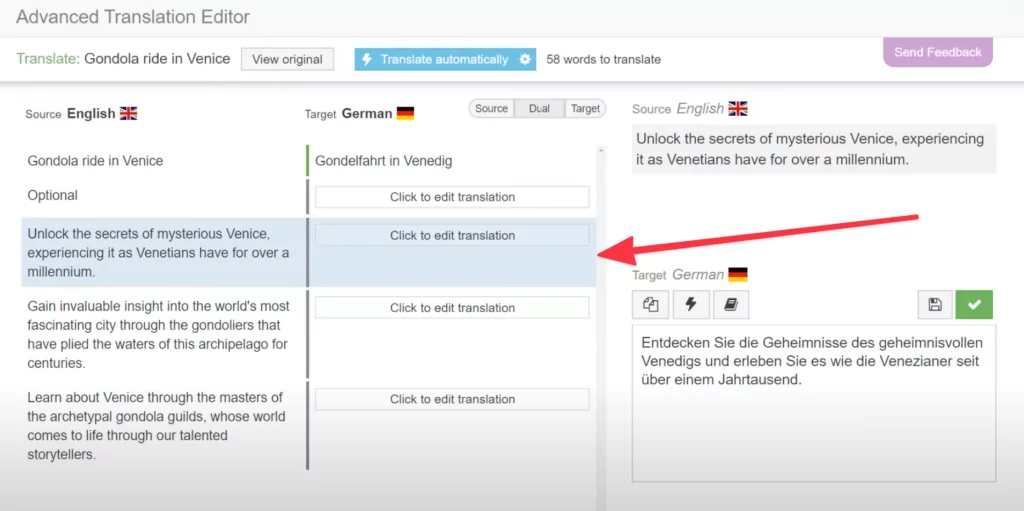
Auf dieser Stufe können Sie auch automatische Übersetzungen aktivieren, wenn Sie nicht alles von Hand machen möchten.
WPML ist mit SEO-Plugins kompatibel und ermöglicht es Ihnen, Ihre SEO-Meta-Tags und die URLs Ihrer übersetzten Seiten anzupassen. Es funktioniert auch mit WooCommerce.
Eine der interessantesten Funktionen von WPML ist das integrierte Netzwerk von Fachleuten, die Ihre Inhalte für Sie übersetzen können. Direkt über die Benutzeroberfläche Ihrer Website können Sie die zu übersetzenden Seiten und die Zielsprachen auswählen, alles in einen Warenkorb legen und diesen dann an Übersetzer weiterleiten, die die Übersetzungen für Sie erstellen.
Das WPML-Marketingmaterial besagt, dass das Plugin mit den meisten beliebten Themes und Plugins kompatibel ist. Diese Kompatibilität jedoch tatsächlich kommt darauf an zu dem Thema, dass Theme-/Plugin-Entwickler zusätzlichen Code hinzufügen zu machen ihre Produkte kompatibel zu machen. Nicht alle Entwickler nehmen sich die Mühe.
💳 WPML ist ein Nur für Premium-Mitglieder Plugin. Die Preise beginnen bei 39 EUR für die “Blog”-Stufe. Diese unterstützt einfache Websites ohne WooCommerce-Unterstützung, ohne Unterstützung für Page-Builder-Plugins, keine Übersetzungen von Widgets, keine Theme- und Plugin-Inhalte und einige weitere Einschränkungen. Um eine funktionalere Version zu erhalten, die für die meisten Unternehmenswebsites geeignet ist, müssen Sie 99 EUR bezahlen.
👉 Lesen Sie hier mehr über die besten WPML-Alternativen.
4. GTranslate
GTranslate ist im Vergleich zu den anderen mehrsprachigen WordPress-Plugins auf dieser Liste nicht nur originell. Es ist völlig anders.
Das Plugin ist die einzige SaaS-Lösung auf dieser Liste und basiert vollständig auf der Cloud. Das hat Vor- und Nachteile.
Einer der Hauptvorteile besteht darin, dass Ihre Server nicht durch die Durchführung der Übersetzungen belastet werden. Stattdessen wird alles von den GTranslate-Servern und deren Translation Delivery Network abgerufen.
Hauptmerkmale:
- Cloudbasiert;
- Automatische Übersetzung;
- Übersetzungssteuerung: Übersetzungen, die auf GTranslate-Servern gespeichert werden, funktionieren, solange Sie abonniert sind;
- Mehrsprachige SEO;
- Theme- und Plugin-kompatibel: einige;
- Kostenlos oder kostenpflichtig: kostenlos + kostenpflichtiges Upgrade.
GTranslate bietet zudem eine der schnellsten Möglichkeiten, Ihre Website mehrsprachig zu machen – solange es Ihnen nichts ausmacht, nur wenig Kontrolle über diese Übersetzungen zu haben.
Die Funktionsweise von GTranslate ist einzigartig. Im Grunde erfolgen alle Übersetzungen in Echtzeit. Das bedeutet: Immer wenn ein Besucher eine andere Sprachversion einer Ihrer Seiten anfordert, nimmt GTranslate Ihren Inhalt und leitet ihn blitzschnell durch Google Translate. Dies dauert nur den Bruchteil einer Sekunde. Sobald die Übersetzung fertig ist, wird sie automatisch per JavaScript ersetzt, und Ihr Besucher kann sie sehen.
Der kostenlose Version von GTranslate speichert diese Übersetzungen nirgendwo. Auch das geschieht jedes Mal im Handumdrehen, wenn ein neuer Besucher eine anderssprachige Version anfordert. Das bedeutet auch, dass die Suchmaschinen die Übersetzungen nicht indexieren.
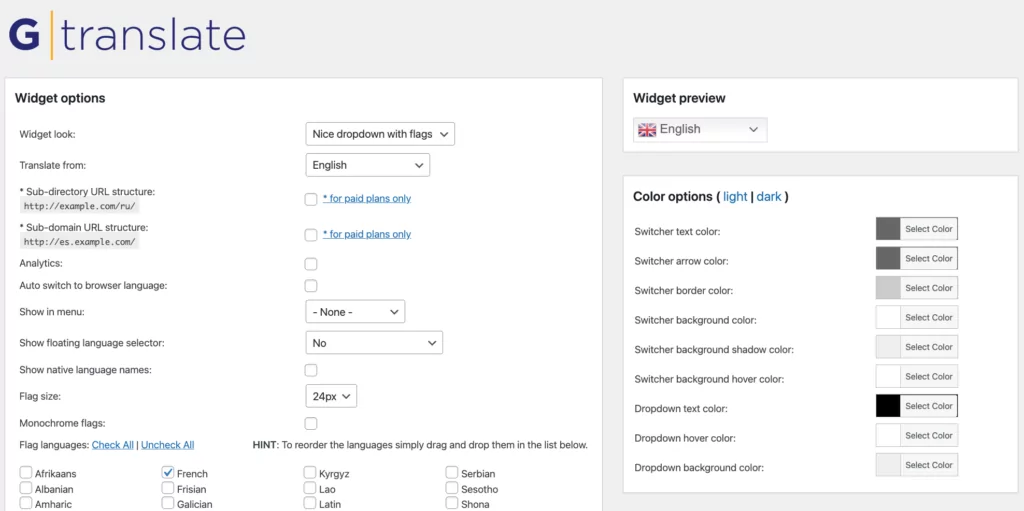
Aber reicht das?
Kurz gesagt: Wenn sich das für Sie gut anhört und Sie nicht die Möglichkeit benötigen, Ihre Übersetzungen von Hand anzupassen, dann ist die kostenlose Version von GTranslate vielleicht genau das Richtige für Sie.
💳 Wenn Sie jedoch mehr Kontrolle wünschen und zudem die Möglichkeit haben möchten, Ihre Übersetzungen fein abzustimmen, müssen Sie auf eine der kostenpflichtigen Versionen von GTranslate umsteigen. Die Preise beginnen bei $9,99/Monat. Diese Einstiegsstufe bietet Ihnen Unterstützung für zwei Sprachen, die Indizierung Ihrer übersetzten Inhalte durch Suchmaschinen sowie die Möglichkeit, Übersetzungen über die Cloud-Oberfläche von GTranslate zu bearbeiten.
Wenn Sie mehr als zwei Sprachen benötigen oder auch die Kontrolle über die URL-Struktur der übersetzten Seiten haben möchten, steigt der Preis recht schnell auf $19,99/Monat, $29,99/Monat und sogar $39,99/Monat.
Obwohl GTranslate im Vergleich zu den anderen besten mehrsprachigen WordPress-Plugins auf dieser Liste etwas teuer ist, ist es dennoch eine interessante Lösung für Nutzer, die eine eher automatische bzw. unkomplizierte Art der Übersetzung ihrer Website schätzen.
5. MultilingualPress
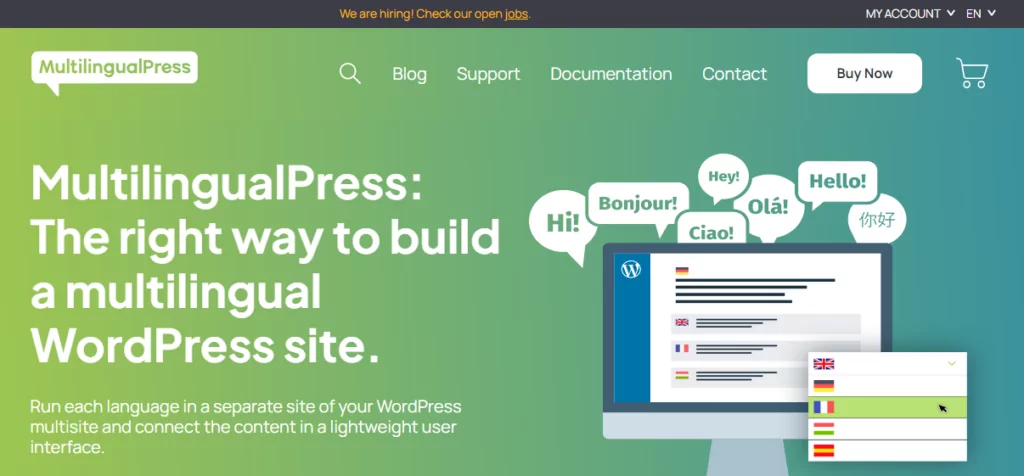
Als Nächstes haben wir MultilingualPress, ein leistungsstarkes WordPress-Multisprach-Plugin, das einen Multisite-Ansatz verfolgt. Es bietet zudem zentrales Übersetzungsmanagement und optimierte Leistung.
Das Plugin ermöglicht es Ihnen, jede Sprache als separate Website Ihres WordPress-Multisite-Netzwerks zu betreiben. Dies steht im Gegensatz zum Ansatz mit Unterverzeichnissen oder Subdomains, den viele mehrsprachige Plugins verfolgen.
Hauptmerkmale:
- WooCommerce-kompatibel;
- Nahtlose SEO für mehrsprachige Websites;
- Kompatibilität mit Ihren Lieblings-Plugins, einschließlich Advanced Custom Fields, Yoast SEO und Page-Buildern;
- Benutzerdefinierter Sprachwechsler;
- Automatische Sprachumleitung;
MultilingualPress ist ein Premium-WordPress-Übersetzungs-Plugin ohne kostenlose Version. Der Standard-Tarif kostet 99,00 EUR jährlich für drei Sprachen, was schade ist. Der Agency-Tarif kostet 599,00 EUR pro Jahr für 18 Sprachen, was wiederum einschränkend ist.
Wenn Sie ein knappes Budget haben, ist MultilingualPress möglicherweise nicht die richtige Wahl für Sie.
6. WPGlobus
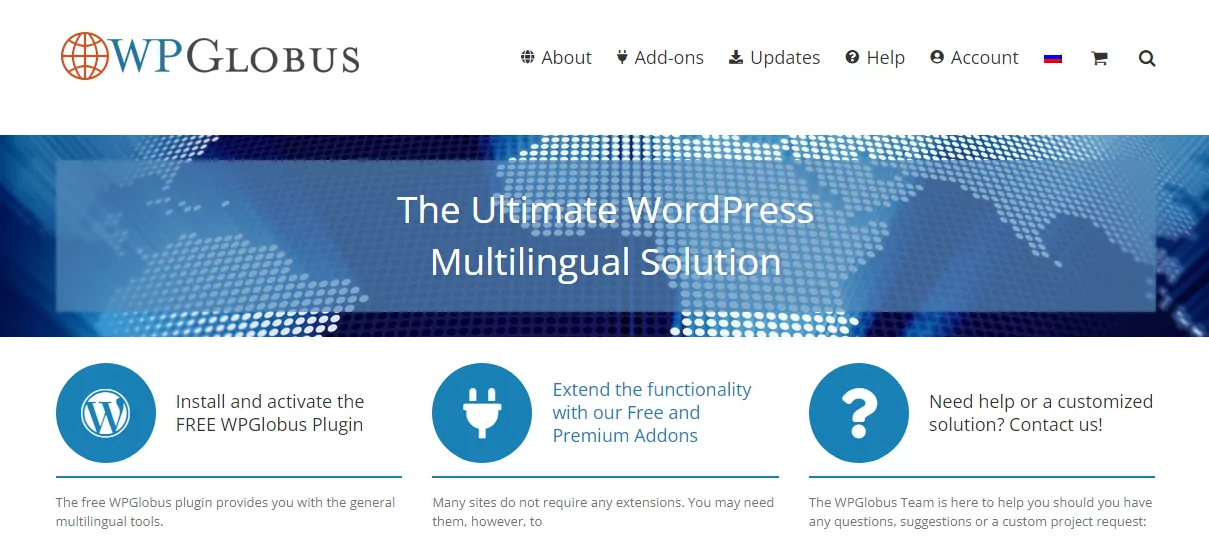
Zu guter Letzt haben wir WPGlobus, ein Freemium-WordPress-Plugin für Mehrsprachigkeit, mit dem Sie die Seiten Ihrer Website in mehreren Sprachen bearbeiten und Ihre Website-Besucher die Sprache im Handumdrehen wechseln lassen können!
Der Hauptnachteil ist, dass WPGlobus keine automatische Übersetzung bietet. Sie müssen Ihre Übersetzungen manuell bearbeiten. Darüber hinaus verlieren Sie alle Ihre Übersetzungen, wenn Sie das Plugin deinstallieren. Und im Gegensatz zu MultilingualPress unterstützt es keine WordPress-Multisite.
Hauptmerkmale:
- Manuelle Übersetzung;
- Fügen Sie Ihrem WP-Blog/Ihrer WP-Website eine oder mehrere Sprachen hinzu, indem Sie benutzerdefinierte Kombinationen aus Landesflaggen, Gebietsschemata und Sprachnamen verwenden;
- Aktivieren Sie die mehrsprachigen SEO-Funktionen des Yoast SEO-Plugins;
- Wechseln Sie die Sprachen im Frontend mit: einer Dropdown-Menü-Erweiterung und/oder einem anpassbaren Widget mit verschiedenen Anzeigeoptionen;
- Wechseln Sie die Sprache der Administrator-Oberfläche über einen Auswahlschalter in der oberen Leiste;
- Unterstützung für Gutenberg und WPBakery Page Builder. Eingeschränkte bis gar keine Unterstützung für andere Page Builder.
Das kostenlose WPGlobus-Plugin bildet die Grundlage für die anderen Plugins dieser Produktfamilie. Die meisten der coolen Funktionen sind als Premium-Erweiterungen erhältlich. Ich spreche hier von Funktionen wie der WooCommerce-Unterstützung ($119,00/Jahr), WPGlobus Plus ($99,00/Jahr) für die Feinabstimmung von URLs und SEO, mobile Menüs ($14,00/Jahr) und vieles mehr.
Wenn es Ihnen nichts ausmacht, Ihre Website manuell zu übersetzen und für Premium-Funktionen etwas mehr zu bezahlen, ist WPGlobus eine gute Option. Wenn Sie automatische Übersetzungen und alle Funktionen wünschen, die bei anderen Plugins normalerweise kostenlos sind (wie WooCommerce-Unterstützung), suchen Sie nach etwas anderem.
Welches ist das beste mehrsprachige WordPress-Plugin?
Wie Sie oben gesehen haben, bietet die Landschaft der mehrsprachigen WordPress-Plugins eine Menge. Interessanterweise ist keine der Top-Lösungen eine Kopie der anderen, sondern vielmehr ein völlig neuer Ansatz dafür, wie die Übersetzung einer WordPress-Website gestaltet werden kann.
Ganz gleich, ob du lieber am Front-End arbeitest und deine Website mit den Augen der Besucher betrachtest oder die Back-End-Oberfläche mehr schätzt, auf dieser Liste wirst du ein Plugin finden, das deinen Bedürfnissen entspricht.
Das wird Sie wohl nicht überraschen, aber wir sind der Meinung, dass TranslatePress die optimale Lösung für die meisten gängigen Szenarien ist, in denen Nutzer “ihre Website übersetzt.” Das Plugin ist einfach zu bedienen, bietet Ihnen die nützlichsten Funktionen kostenlos und erfordert nicht, dass Sie verstehen, was eigentlich unter der Haube vor sich geht.
Wenn Sie es ausprobieren möchten, können Sie TranslatePress kostenlos herunterladen oder direkt über Ihr WordPress-Dashboard installieren.
TranslatePress Mehrsprachig
Haben Sie noch Fragen dazu, welches das beste mehrsprachige WordPress-Plugin für Sie ist? Lassen Sie es uns in den Kommentaren wissen!
Wenn Sie diesen Beitrag hilfreich fanden, schauen Sie sich bitte unsere an YouTube-Kanal, wo wir ständig kurze und leicht verständliche Video-Tutorials hochladen. Sie können uns auch folgen auf Facebook und X um der Erste zu sein, der jedes Mal Bescheid weiß, wenn wir etwas posten.


Vielen Dank Karol, dies ist eines der ersten Male, dass ich mich entscheide, einen Kommentar zu schreiben.
Deine Arbeit war wirklich hilfreich für mich, danke!