
In this post
DeepL is one of the best and most popular translation tools, known for its translation quality and natural-sounding output. Yet, there are legitimate reasons to look for alternatives, especially its cost at scale and lack of native website localization functionality.
In this, I’ll walk you through why you might want a substitute to DeepL, what features to look for, and the best alternative options for translating your WordPress site.
So if you’re translating a WordPress site and DeepL’s pricing, language coverage, or lack of a website workflow is getting in the way, this comparison is for you.
Quick Answer: The best DeepL alternatives for translating a website are LLMs like ChatGPT and Claude, Google Translate, Microsoft Translator, OpenL, and Supertext. All of them translate text, but none handle the website side: hreflang tags, translated URLs, a language switcher, or syncing content updates. On WordPress, TranslatePress adds that layer and can use DeepL or other engines behind it.
Why Look for an Alternative? DeepL Pros and Cons
Let’s quickly cover what’s great about DeepL, and why you may still consider other tools.
Benefits of Using DeepL
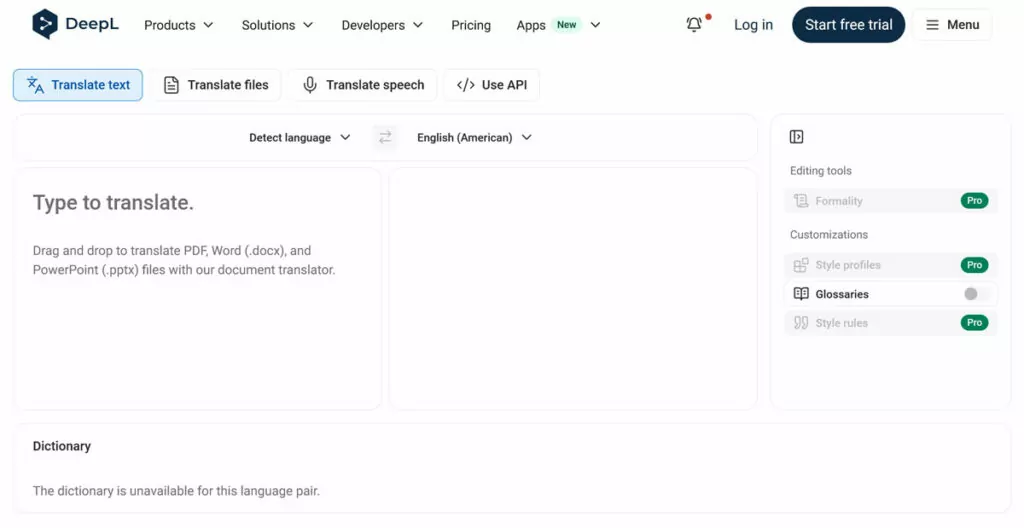
DeepL is consistently reviewed as one of the most accurate translation sites, especially for European languages, and even in direct comparison. It can translate to and from 110 languages and language variants and offers an easy-to-use online translator.
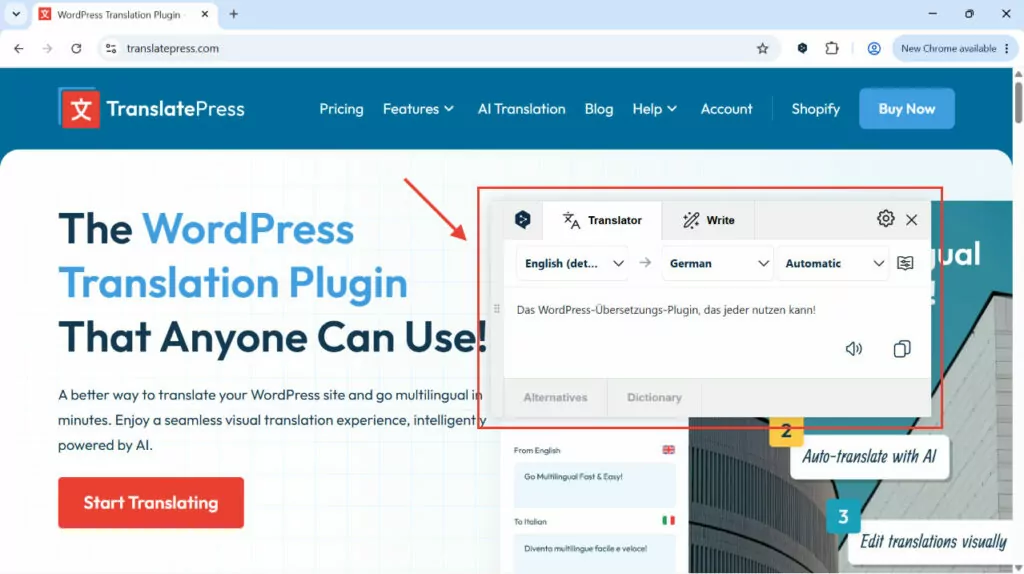
Additionally, there’s a Chrome extension that helps you translate your website in context.
Additionally, DeepL has a clean, configurable, and well-documented API. It offers a free tier with a one-time credit of 1 million characters, one glossary, and one style rule list.
Besides that, when you opt for DeepL Pro, you get:
- The ability to change text formality
- AI writing assistance tools
- Glossaries
- Style rules
- Translation memory
Finally, as a European company, DeepL emphasizes security and privacy. It comes with TLS encryption, ISO 27001 certification, and even stricter safety measures on paid plans.
Weak Points of DeepL
The free version of DeepL can be pretty limited. Its online translator only processes 1,500 characters at a time and 50,000 per month. A 2,000-word blog post alone has between 10,000 and 14,000 characters (including spaces, which DeepL counts), so that’s not enough for content-heavy websites. Additionally, the free edition allows just five glossary entries per language.
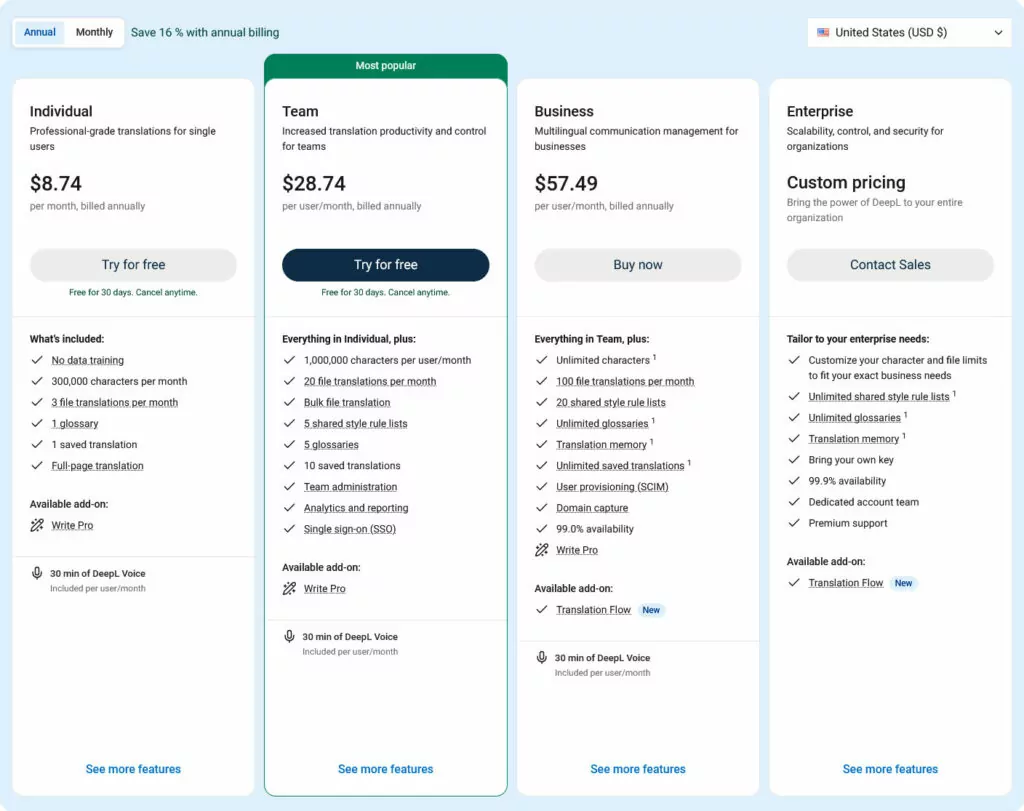
Paid plans start from $8.74/month (with an annual subscription), with the lowest offering 300,000 characters/month and one glossary. If you want more, you need at least a Team account, which more than triples the price — per user.
What’s more, competitors provide translation for well over 200 languages and variants. DeepL has about half of that.
For website owners specifically, the service doesn’t come with native CMS integration. While there are workarounds like the Translation with DeepL API plugin, to use it past the first million characters, you need a Growth plan ($26.00/month).
Most importantly, DeepL offers translation only. It does not include a website localization workflow for creating hreflang tags, translated URL slugs, a language switcher, syncing content changes across translations, etc. You still need to set that up yourself if you want to translate your website with DeepL.
What to Look for in a DeepL Replacement
If you’re going to replace DeepL with an alternative, it’s important to be clear about what you’re looking for so you can make the right choice.
Quality Across Your Target Languages
Your number one criteria should be to find a solution that covers the language pair(s) you want to translate your website from and to. Don’t just look at the overall language count but the quality of the specific language combinations you need.
This is especially important if there are low-resource languages among them, meaning languages that typically don’t come with a lot of training material. That’s often the case outside the most used languages online.
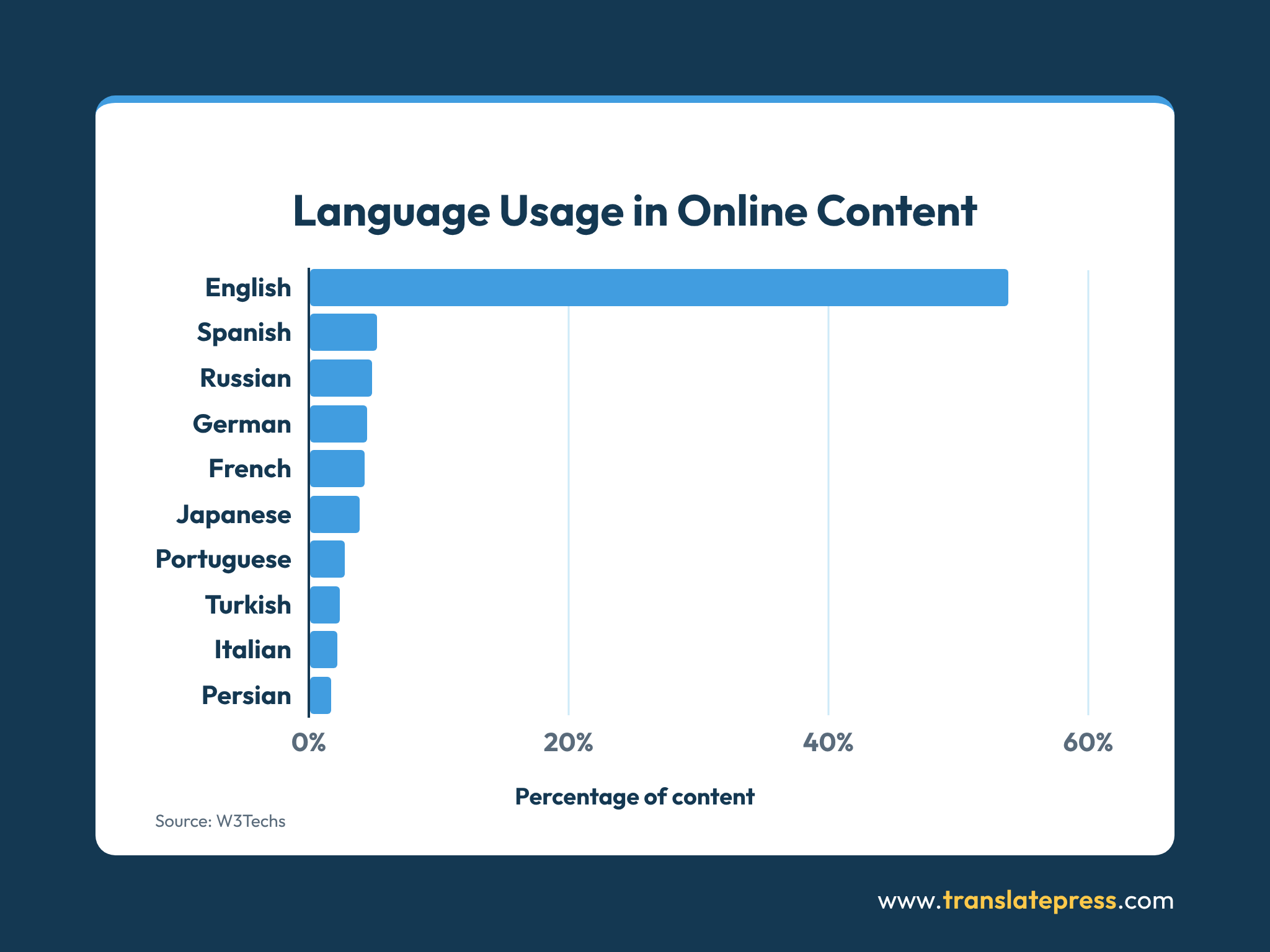
If your site comes in particularly hard languages to translate, tool quality matters as well.
Do a few test runs with your own content and check the results, especially across difficult things to translate, such as idioms, tone, or brand-specific copy. Make sure any included glossaries work, even across longer content.
Cost Structure
Cost at scale is a frequent reason users consider changing away from DeepL. If that’s true for you, make sure you avoid an out-of-the-frying-pan-into-the-fire scenario and look at the pricing models of the DeepL alternatives you’re considering.
Do they charge per character, per word, per seat, or a flat subscription? To get an accurate understanding of what costs to expect, model your real volume, including re-translations when source content changes. Additionally, watch for hidden costs such as premium tiers for glossaries, translation memory, or higher quality models.
Additionally, factor in the cost of human review. A cheaper engine that needs more post-editing can end up costing more.
API Availability
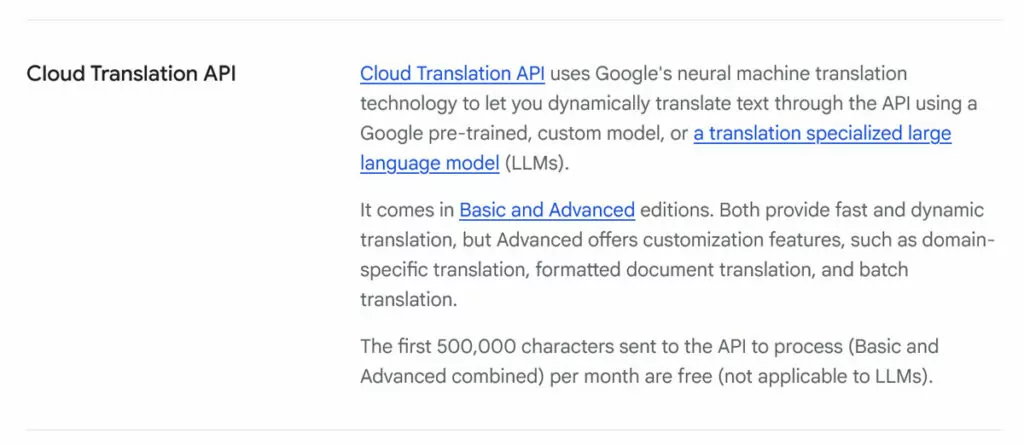
If you’re looking to set up a programmatic solution for website translation, check for a well-documented API that supports your technology stack. Pay attention to rate limits, batch sizes, and character caps per request as they affect large-scale or bulk translation.
Additionally, confirm support for the formats you actually use, such as HTML, XLIFF, JSON, or Markdown. If possible, take advantage of a free tier or sandbox to kick the tires before committing.
Fit Within Your Translation Workflow
To avoid turning your website’s translation into a copy-and-paste-click-fest, examine your DeepL alternatives for integrations with your CMS (e.g. as a WordPress plugin) or wider translation workflow.
For one, check whether the tool you’re considering handles site needs like multi-language infrastructure and multilingual SEO. Additionally, see if there is a workflow for detecting changes in content so you don’t pay for entire page re-translations for small adjustments.
Aside from that, consider advanced tools like glossaries or image localization. Collaboration features, such as approval steps and easy handoff to human editors, may also be important.
Best DeepL Alternatives: A Comparison
Enough preamble, here are the best options to translate your website besides DeepL.
1. LLMs (ChatGPT, Claude, Gemini, etc.)
Their very nature makes AI tools like ChatGPT and Claude great solutions for website translation. Broad training data means they can deal with a lot of different content across most major languages, such as support docs, blog posts, or sales pages. Their contextual awareness makes them good at catching nuanced language like idioms or cultural norms.
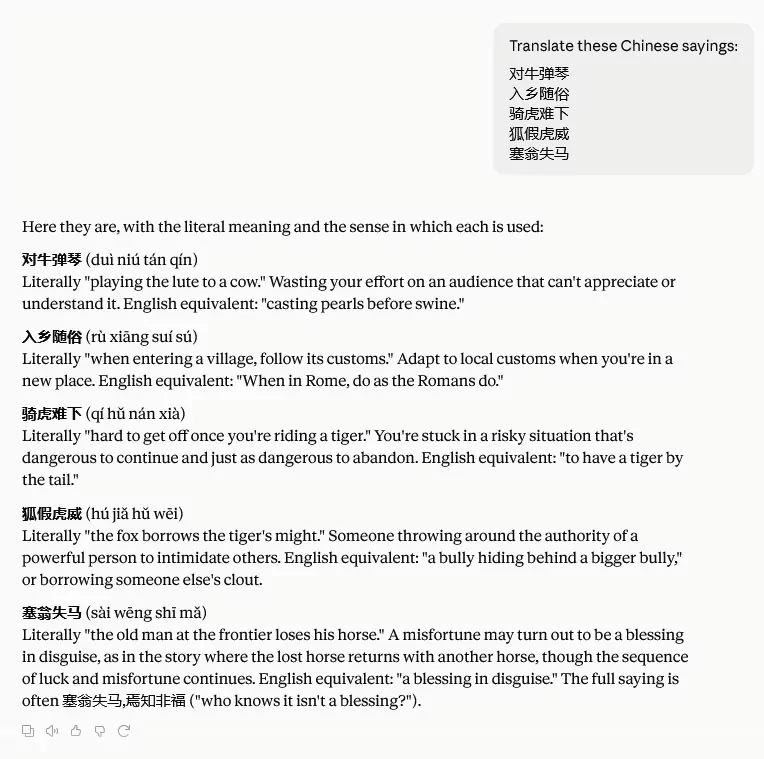
You can use them as collaborators and ask to make changes to the translation output or adjust the tone. It’s possible to include style guides and glossaries as part of the prompt and LLMs are pretty good at maintaining the formatting of the source material. Some of them can even directly translate images.

At the same time, you have to watch out for hallucinations, low-resource language performance, and the tendency to forget instructions when tasks take longer.
Thanks to MCPs, it’s possible to connect your website directly to an LLM, pull content for translation, and even push the new language version back to the site. However, it takes a bit of setup and doesn’t include the necessary infrastructure to run a multilingual site (e.g. linking different language versions of the same content, automatically translating updates). While possible, it can be elaborate to assemble.
On the other hand, costs are mostly reasonable. All tools have a free tier with limited output, paid plans are around $20/month. Only enterprise-level websites will likely run into token costs that make this solution unfeasible.
The final caveat is privacy. LLMs frequently save information you input into them and use it for model training unless on specific plans.
2. Google Translate
Probably the most well-known online translator (with a long history) and one of the most accurate, Google Translate offers almost 250 languages and dialects.
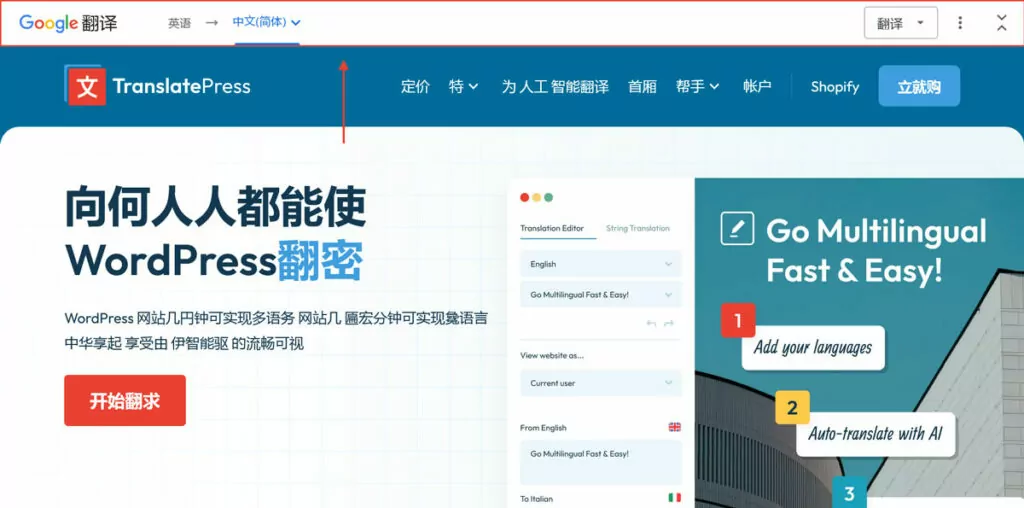
The online translator can convert text, images, documents, or websites via overlay. In theory, you can use the latter option to convert your web pages to another language and copy the translated version over. All of this is available free of charge.
Additionally, there is the Google Translate Cloud API. It comes with 500,000 free characters per month, afterward it costs $20 per million characters. There are different tiers and services, some of them using AI models to improve accuracy beyond neural machine translation (NMT).
Privacy wise, the online translator is not GDPR compliant, but the API is. This can be important for confidential information you want to translate.
3. Microsoft Translator
The machine translation tool from Redmond offers close to 200 languages. Its online version gives you the option to adjust the tone of your translated content and also integrates with AI for corrections and rewrites.
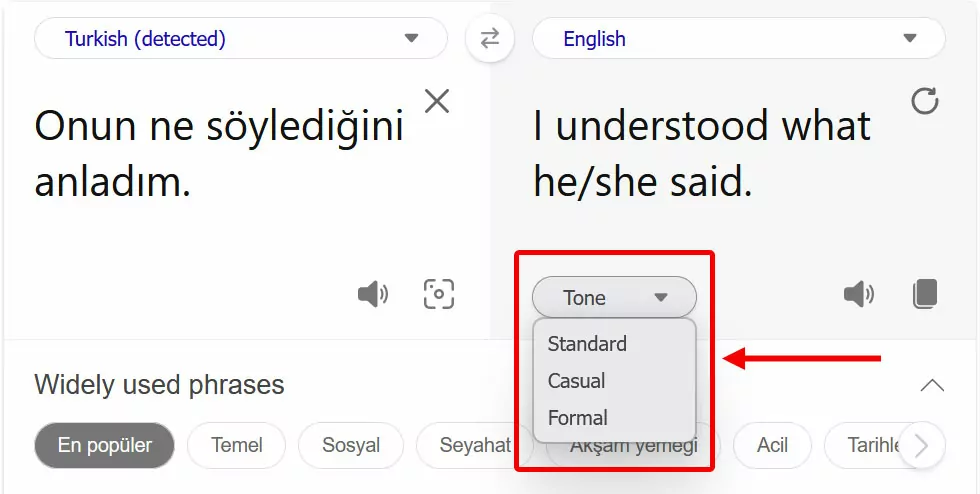
In my tests, the results were very good. Yet, the online version is only suitable for the manual translation of smaller websites, even if it’s completely free.
Microsoft Translator also has an API specifically for website localization, however, it’s missing an official plugin for WordPress. Consequently, you’d have to implement it manually if you want to use it on your site.
One advantage is the cost: The API has a free tier up to two million characters per month and costs $10 per million characters after that.
Microsoft Translator API is fully privacy compliant, including GDPR. On the other hand, the information you input into the online translator may be used to further improve the tool and train AI models.
Overall, it’s a solid and affordable DeepL alternative.
4. OpenL
OpenL is a lesser known machine translation tool. It works with AI models in the background, which makes for pretty good translation quality.
The tool covers almost 200 languages and language variants (among them less useful but fun ones like Middle English, Literary Chinese, Klingon, and Dothraki) and can do direct text translation as well as translate documents, images, and audio recordings.
What’s most useful is that OpenL has a dedicated tool for website translation. It allows you to input a web address and spits out the content from that web page in your chosen language with the formatting preserved in Markdown.
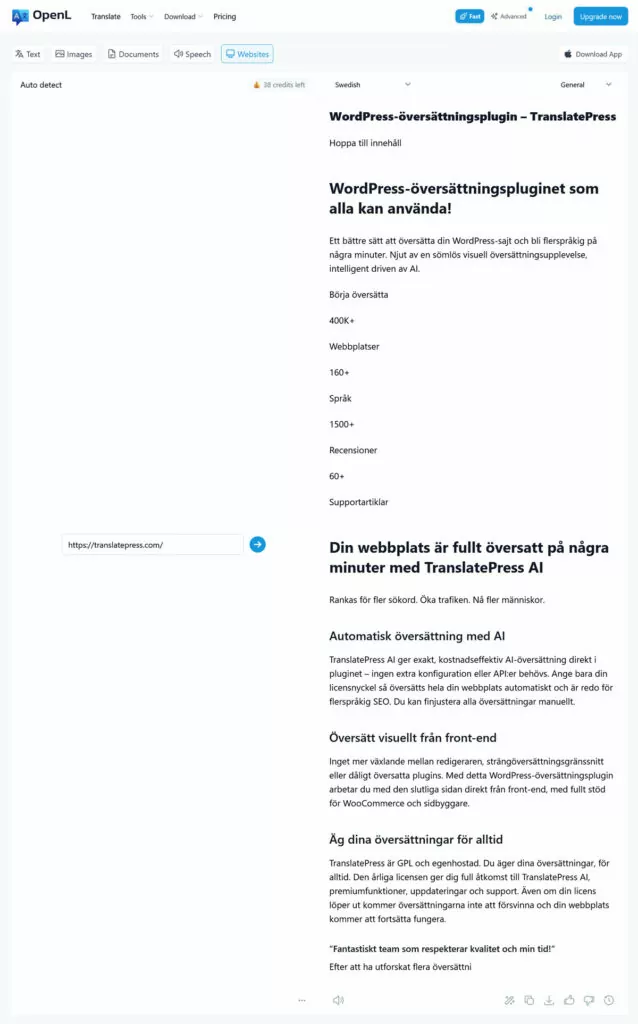
That makes it almost ready to copy and paste, saving a lot of time. Just note that in my test it did not translate the entire page content. This may be because I was using the free plan and may be different when you’re paying.
OpenL doesn’t have an API, so you’re limited to the online tool. Within it, you can choose different styles for your output, such as general, professional, medical, or legal, and there’s a range of other tools too, including a grammar fixer, AI detector, and summarizer.
On the free tier, you get 40 credits per day to try it out (one credit is one translation), paid plans start from $8.90/month.
5. Supertext
Like DeepL, Supertext is a non US-based tool. It’s hosted in Switzerland and comes with a strong focus on privacy and GDPR-compliance. Language wise, Supertext covers 28 languages and dialects, with a focus on the European market.
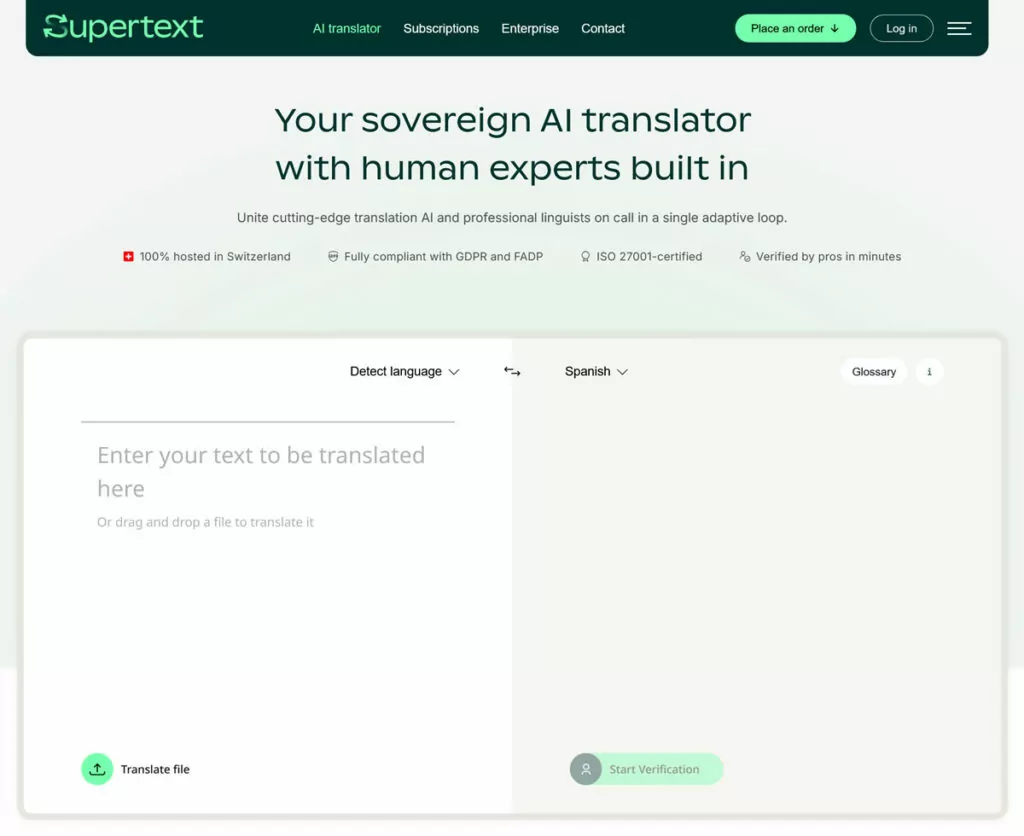
The translation quality seems decent, if a bit slow to generate. You can choose between formal and informal tone and have an option to pass your translation on to a professional for verification.
The free tier translates up to 3,000 characters at a time. Paid plans start from €9.90/month, but glossaries are only available from the Advanced plan (€24.90/month).
Supertext also has a fairly priced API (€4.90/month, plus €20 per million characters), but is lacking dedicated integrations. For example, while there is a WordPress plugin, it hasn’t been updated in a while and is also an add-on to the Polylang translation plugin, not a standalone solution.
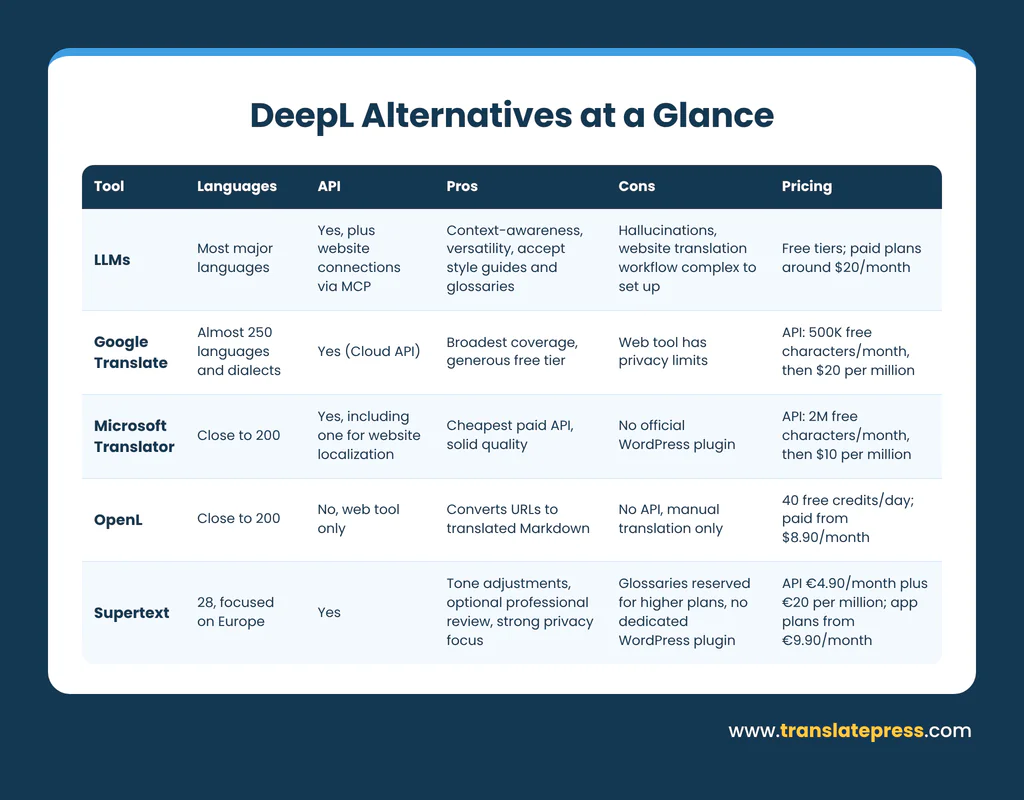
Summary Table of All DeepL Alternatives
TranslatePress: An Alternative to DeepL for Website Translation
DeepL is a very good translation engine. What it doesn’t give you is a website. You still need something to find every string on your site, put the translations in the right places, handle hreflang and a language switcher, and keep everything current when your content changes. That’s the gap TranslatePress fills, and it’s why I’d treat it as the sixth option on this list: it replaces the workflow around DeepL, and it can still use DeepL as the engine.
No API keys or separate engine accounts
With DeepL, Google, or Microsoft, you create an account with the engine, generate an API key, paste it into your site, and keep an eye on a separate usage bill. TranslatePress AI skips all of that. It’s built into the plugin, and it picks the most suitable engine for each language pair, so there’s nothing to set up beyond switching on automatic translation. You still use AI credits, so it isn’t free, but you have one plan to track instead of two.
DeepL still works inside TranslatePress
If you prefer DeepL’s output for certain languages, switching doesn’t mean giving it up. Add your DeepL API key under Alternative Engines (it requires a TranslatePress license) and the plugin sends your content to DeepL. You keep the engine you like and gain the website layer it’s missing: translated URLs, hreflang tags, a language switcher, and an editor where you can review and fix translations on the live page.
You don’t re-translate whole pages when something changes
This is the cost issue that matters most at scale. TranslatePress detects new and changed content across your site and translates only what changed, instead of sending a full page back through the engine because you fixed a typo. Combined with unlimited manual edits, you can correct a string yourself without spending a single credit.
TranslatePress Multilingual
How to Set Up TranslatePress as Your DeepL Alternative
Setup takes a few minutes, and most of the features that matter for a DeepL replacement are only a click or two away. Here’s the order I’d go in.
Step 1: Add Your Languages
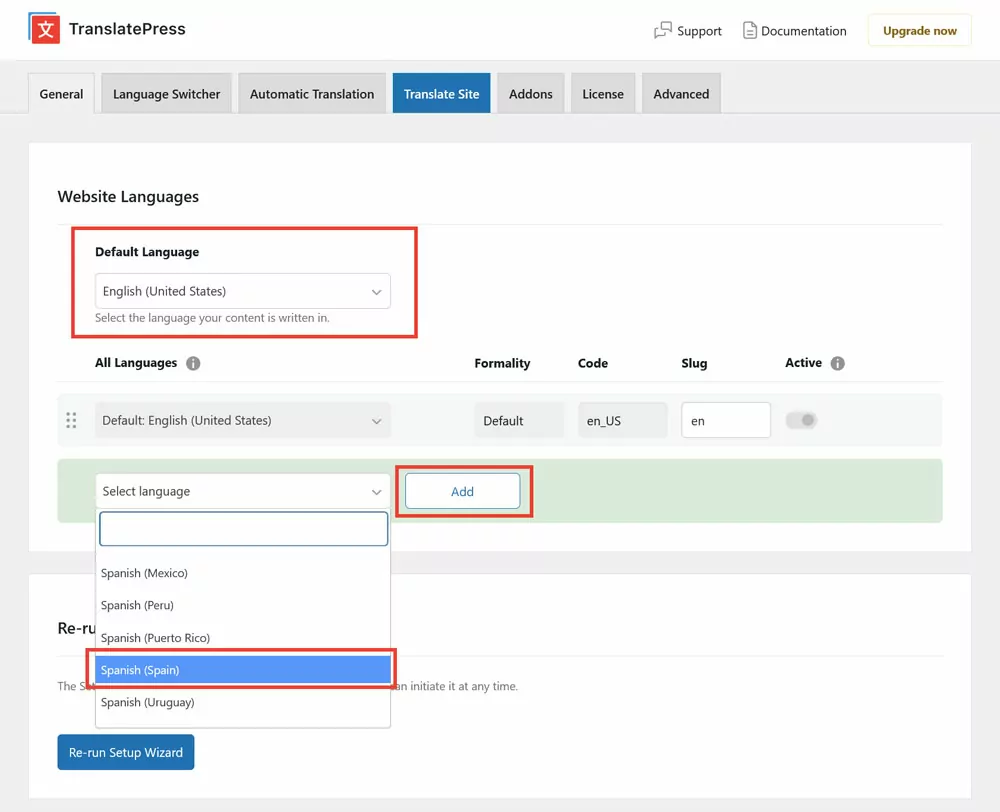
Go to Settings → General and choose your default language at the top. Then pick the languages you want to translate into under All Languages, click Add, and save your changes at the bottom.
Step 2.1: Turn On Automatic Translation
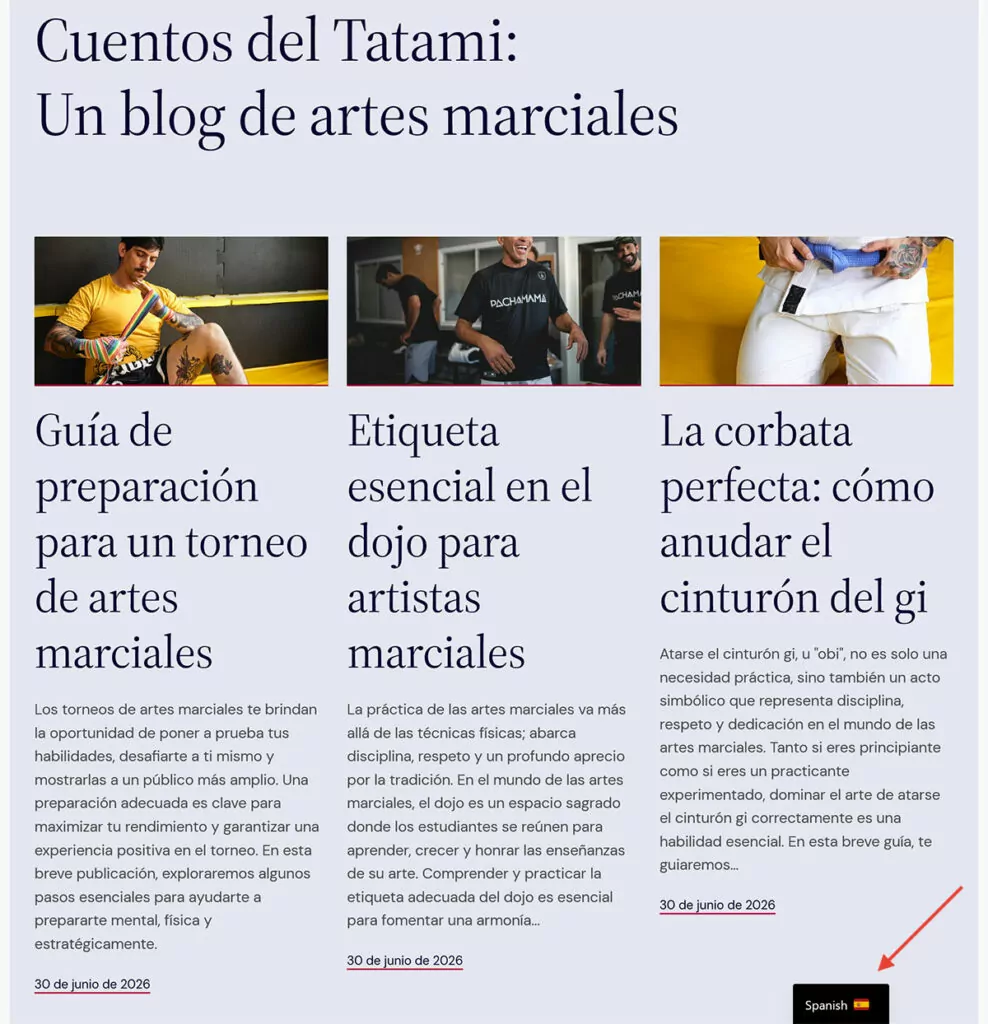
Open the Automatic Translation tab, enable automatic translation, and save. TranslatePress AI starts translating straight away, including menus, themes, plugins, and SEO metadata. Open your front end and switch languages, and the translation is already there.
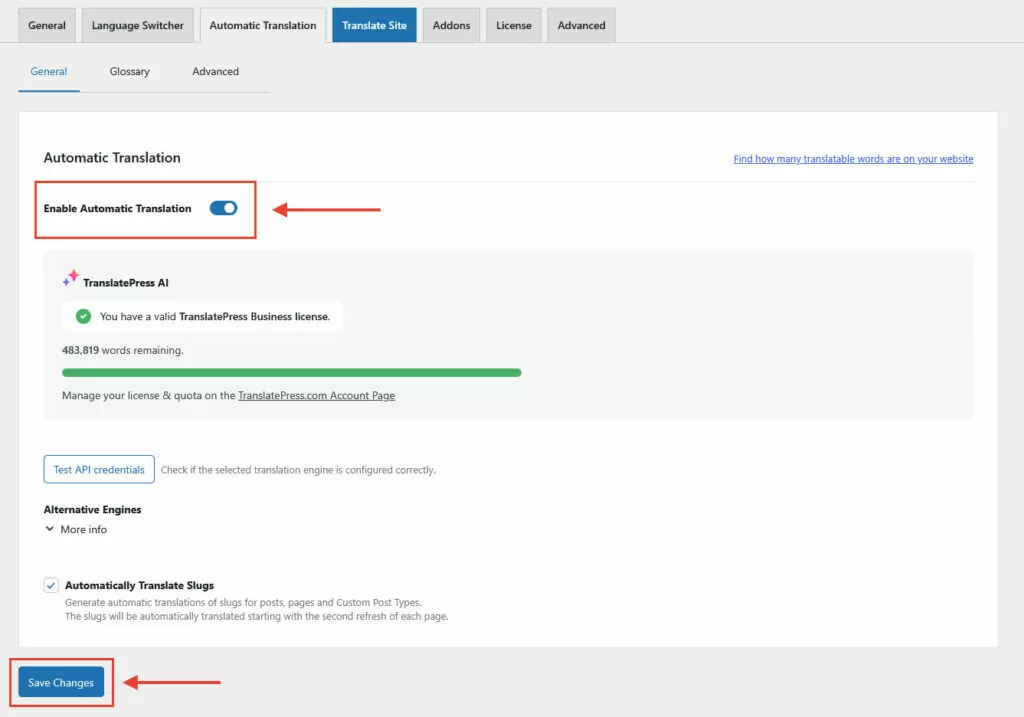
TranslatePress AI connects to several translation engines and it automatically chooses the most suitable one for your chosen language pairs and uses artificial intelligence to ensure maximum accuracy.
This isn’t just for your main content. TranslatePress AI translates every part of your website, from menus and themes to plugins and even SEO metadata.
(Note: To take advantage of TranslatePress AI, you need a TranslatePress license and AI credits.)
Finally, the translation engine also detects new content or content changes on your site and automatically translates them as well.
Step 2.2. Use Google Translate and DeepL as Alternatives if you Prefer
If you’d rather use DeepL as the engine, this is also where you’d choose it under Alternative Engines and add your API key.
Other machine translation options are available here; you can even choose Google Translate as an option, which requires no TranslatePress license.

After you obtain an API key (instructions for Google Translate and for DeepL), the rest of the process is the same as above.
Step 3: Add Glossary Terms
Under TranslatePress → Settings → Automatic Translation → Glossary, enter a term in your site’s main language, add your preferred translation for each target language, and click Add Term. I’d start with brand names, product names, and anything an engine tends to translate inconsistently.
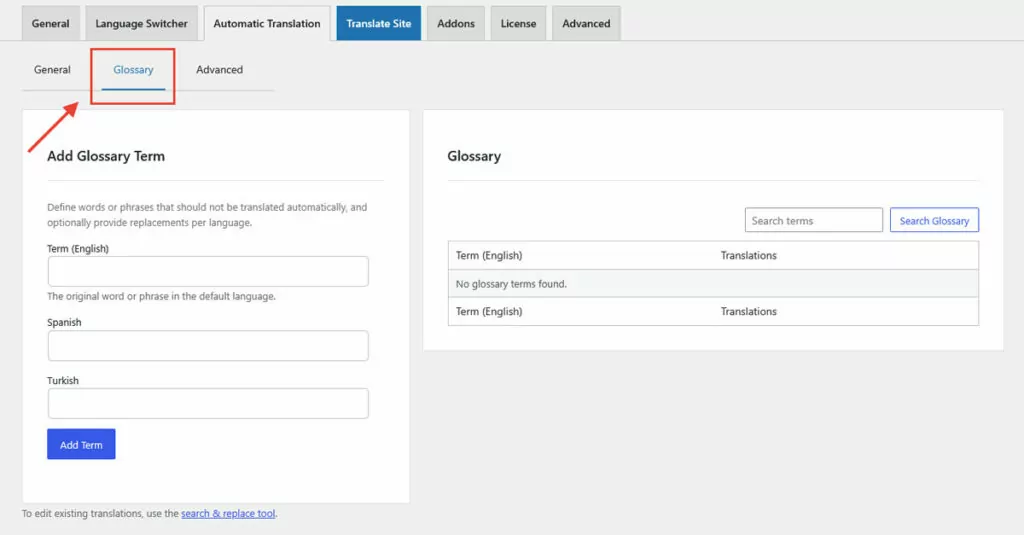
Usage is simple: Add the original term in your website’s main language on the left, then supply your preferred translation for all target languages. Click Add Term to add it to the glossary.
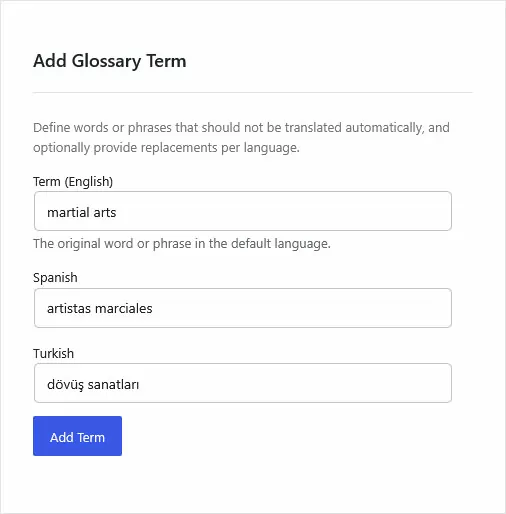
If you’re using DeepL or Google as the engine, their own glossaries apply instead.
Step 4: Review and Edit in the Visual Editor
To make manual changes to (automatic) translations, access the TranslatePress translation interface by clicking Translate Site in the settings or the WordPress taskbar.
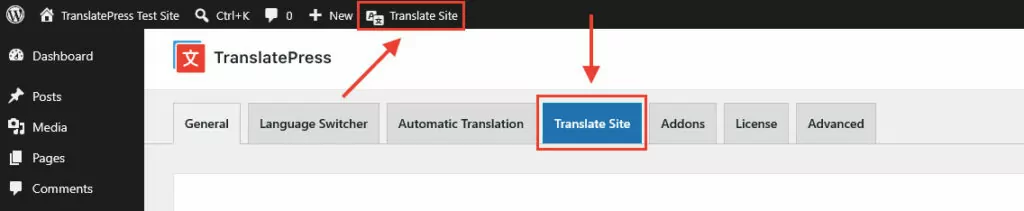
The interface consists of a preview of your site on the right and translation tools on the left. To make things easier, first switch it to the language you want to correct using the drop-down menu.
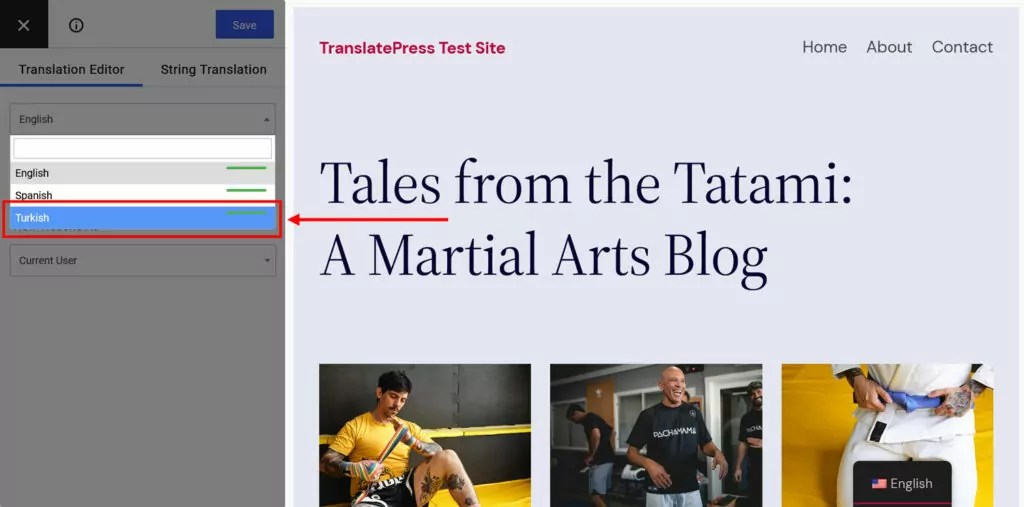
After that, click any text on the page, edit the translation, and Save (Cmd/Ctrl+S works too)
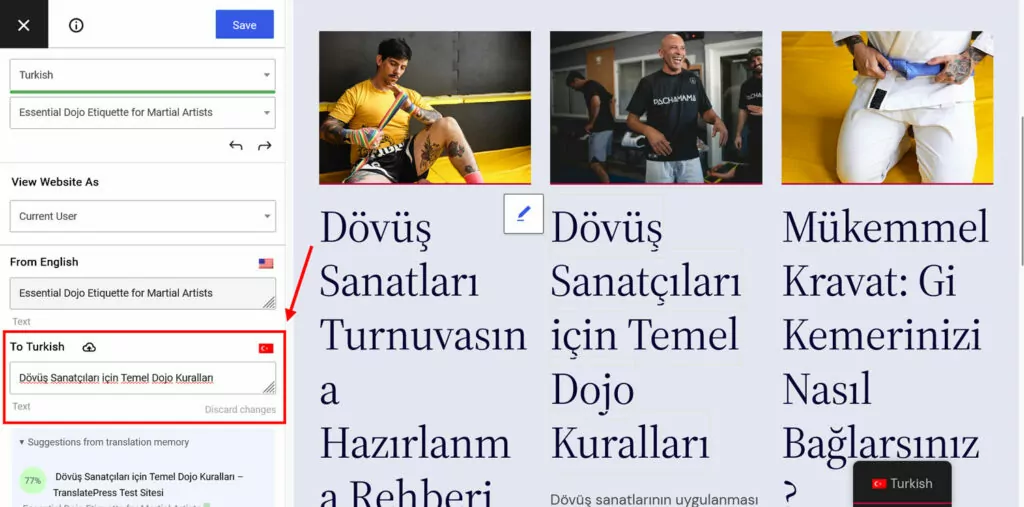
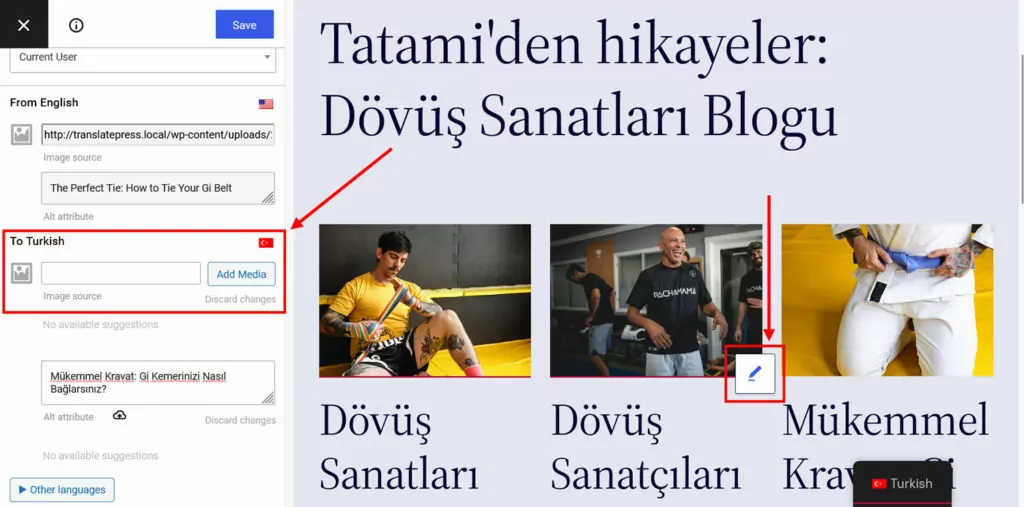
The process also works for localizing images. Click on a visual, then provide a link to its translated version or pick it from your WordPress media library.
Step 5: Check Your Multilingual SEO
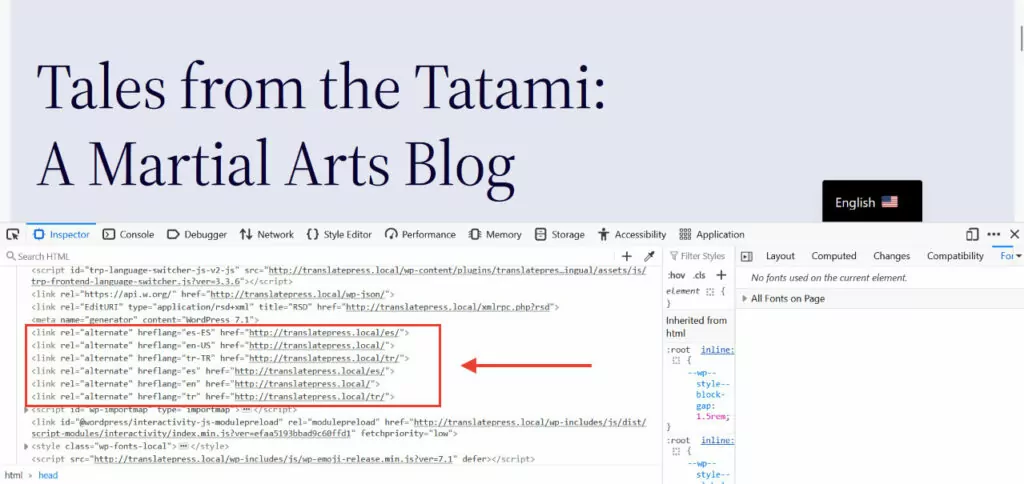
TranslatePress also supports you in setting up multi-language SEO. It automatically implements the correct hreflang tags for every language you add to your site, so your content can rank in the correct language markets.
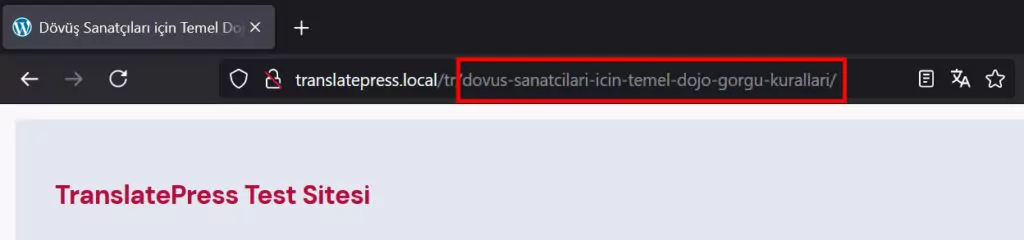
TranslatePress Pro includes the SEO pack add-on. It adds options to translate page URLs, SEO titles, meta descriptions, ALT tags, and other important SEO metadata.
The SEO Pack add-on also automatically creates multilingual sitemaps for the most popular SEO plugins.
Frequently Asked Questions
Is there a free alternative to DeepL?
Yes, several. Google Translate and Microsoft Translator both have free online versions, and their APIs include free monthly allowances (500,000 and 2 million characters, per the figures in this post). LLMs like ChatGPT and Claude have free tiers too. They work for smaller sites, but you’ll still be copying content in and out by hand unless you pair them with a plugin.
Is Google Translate or DeepL more accurate?
DeepL is often rated higher for European languages and natural-sounding output. Google Translate covers far more languages, which matters if your site includes less common ones. Test both with a sample of your own content, since results vary by language pair.
Can I use DeepL on a WordPress website?
DeepL has no native WordPress integration, so you need a plugin that connects to its API. TranslatePress supports DeepL as an alternative engine (with a TranslatePress license) and adds the website side that DeepL doesn’t: translated URLs, hreflang tags, a language switcher, and an editor for reviewing translations.
What is the best DeepL alternative for website translation?
It depends on what you’re replacing. If you only need a different engine, Google Translate and Microsoft Translator are the most practical options. If the real problem is the manual workflow, TranslatePress handles everything around the engine, including detecting changed content, and can use DeepL or other engines behind it.
Replace DeepL With an Option That Works for You
DeepL is not the only high-quality translation engine out there. From NMT solutions such as Google Translate and LLMs to hybrid approaches like OpenL, you have plenty of options to pick a tool that fits your requirements, abilities, and budget.
If you want the power of the best DeepL alternatives (and DeepL itself) for your WordPress site without the technical setup, go for TranslatePress and test it risk-free with the15-day money-back guarantee.
TranslatePress Multilingual