
In this post
Search for translation tools, and you’ll quickly find that the category covers a lot of ground. Machine translation APIs, translation management systems, Computer Assisted Translation (CAT) tools, SaaS proxies, WordPress plugins — the list goes on. Each of these belongs to different types of translation tools, and each one solves a different problem.
If you run a WordPress site and want to reach an international audience, this guide is for you — specifically the part where you’re trying to figure out which category of tool to reach for before you start comparing prices or signing up for trials.
The wrong tool type can cost you in setup time, SEO performance, and long-term flexibility. I want to take some time to explain what each category of the best online translation tools actually does, so you can make a decision based on what your site needs rather than what a vendor’s landing page says.
Quick Answer: There are five main types of translation tools: machine translation APIs, CAT tools, translation management systems (TMS), SaaS translation services, and WordPress translation plugins. For WordPress site owners who need multilingual SEO and content ownership, server-side plugin-based tools are the most practical fit. Machine translation APIs work best as a component inside a plugin, not as a standalone solution.
Why picking the right tool category matters
Most guides to translation tools start by listing products and comparing features. This one starts a level higher. Before you compare prices or sign up for a trial, you need to understand which type of tool you’re actually looking for. The wrong category will fail you regardless of how many features it has.
In the same way a surgeon and a carpenter both use drills, translation tools will also differ. So, a tool built for professional linguists managing enterprise document workflows will solve a different problem than a tool built to publish multilingual web pages that rank in search. Picking between them is a matter of fit rather than preference.
The decision also has downstream consequences. Consider the following:
- How your multilingual SEO performs.
- Whether you own your translated content.
- How much setup and maintenance your team can handle.
- What happens if you switch tools at a later date.
All of these depend on which category of tool you start with, but it can also be confusing as to why these tools exist in different formats in the first place.
Why so many types of translation tools exist
Translation as a discipline predates the web by decades. The professional translation industry has typically built its own software (such as computer-assisted translation (CAT) tools, translation memories, or ‘termbases’) to manage large volumes of text with consistency. However, these tools are for professional translators rather than multilingual site owners.
APIs developed alongside the web in general to automate translations. SaaS platforms followed, which abstracts the API layer into managed services. Next, Content Management System (CMS) plugins packaged all of this inside a familiar admin interface.
TranslatePress Multilingual
Each layer was built to solve a real problem, but the result is a market where tools built for completely different users sit side-by-side under the same search results.
This also explains why translation terminology can be confusing. “Translation management” means one thing to an enterprise Language Server Protocol (LSP) running a big team and another to a WordPress site owner who wants to automatically translate a site. In a nutshell, the category shapes the tool and the tool shapes what’s possible.
How translation is delivered: client-side vs. server-side
Before I get into the types of translation tools, it’s worth understanding one foundational distinction that cuts across all of them. Whether translation is delivered client-side or server-side affects SEO more than almost any other technical decision.
Here’s a quick overview of each of them:
- Client-side translation loads your page in the original language and uses JavaScript to swap out text strings after the page renders in the browser. The translation happens on the user’s device. However, because search engine crawlers don’t reliably execute JavaScript the way a browser does, they may only ever index your original-language content.
- Server-side translation stores content on the server and delivers it as pre-rendered HTML. So, when Google crawls your French version, it receives a complete French page without needing to execute any scripts. This is reliable, indexable, and predictable.
Translated pages can become invisible to search engines or get indexed inconsistently with client-side translation, which creates hreflang and duplicate content headaches. Server-side translation, by contrast, delivers consistent and crawlable HTML — the strongest foundation for multilingual SEO.
This distinction matters because while some categories are server-side by default, others are client-side. A few give you a choice, but this comes with trade-offs.
The types of translation and localization tools you’ll encounter
There are five main categories of translation tools. Here’s a summary before we go into each one.
| Type | Tool Examples | Pros | Cons |
|---|---|---|---|
| Machine Translation APIs | Google Translate API, DeepL API | Fast, scalable, low cost per character | No website management layer; requires a plugin or custom dev |
| CAT Tools | memoQ, SDL Trados, Smartcat | Strong translation memory; built for professional linguists | Not designed for managing a multilingual website |
| Translation Management Systems (TMS) | Phrase, Lokalise, Smartling | Workflow governance, team management, quality assurance | Complex setup, enterprise pricing, requires a WordPress connector |
| SaaS Translation Services | Cloud/proxy-based tools | Near-instant multilingual rollout | Content lives off your server; SEO and ownership risks |
| WordPress Translation Plugins | TranslatePress, and others | Native WordPress integration; server-side SEO; content ownership | Requires a WordPress installation |
Machine translation APIs
A machine translation API is a programmatic service that accepts text and returns a translation. Google’s Translation API and DeepL’s API are the two you’ll encounter most. Both use Neural Machine Translation (NMT) models, which produce output that is more fluent than the previous rule-based systems.
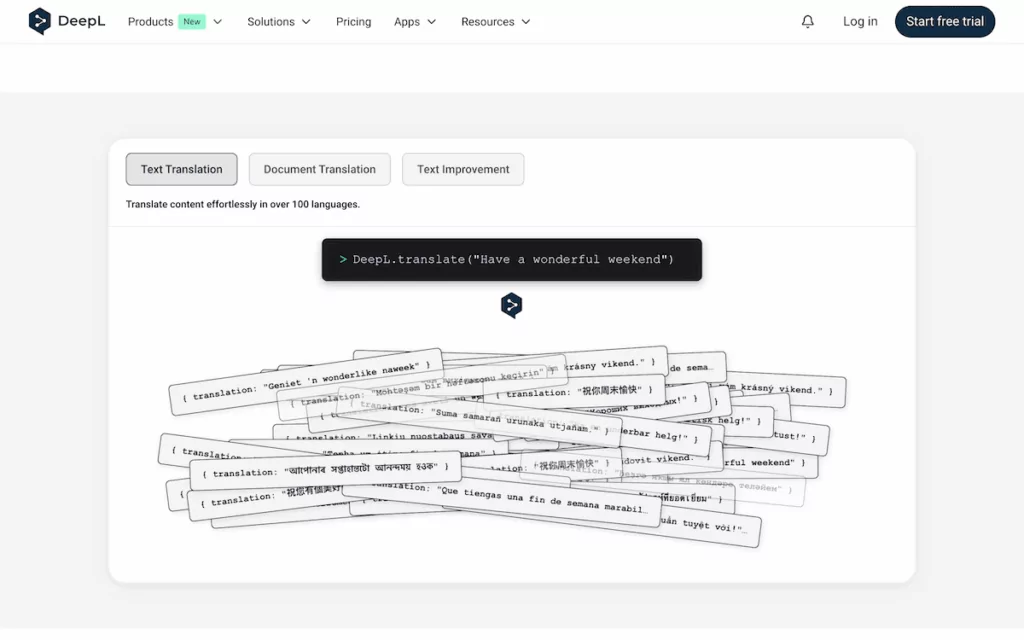
When developers talk about integrating translations into a product, this is often what they mean. However, the API doesn’t usually handle URL structure, SEO metadata, language switching, or content storage. Those responsibilities sit with whatever application is calling it.
For WordPress users, raw API access requires custom development to be useful as a standalone tool. Where these APIs earn their place is as a component inside a translation plugin: you connect within the plugin settings and get top translation quality without writing any code.
CAT tools and translation management systems
Professional linguists will often opt for desktop or cloud-based CAT tools. They segment source text for each sentence, maintain a translation memory database of previously translated strings, and surface suggestions as translators work. Platforms such as memoQ, SDL Trados, and Smartcat are the most established names.
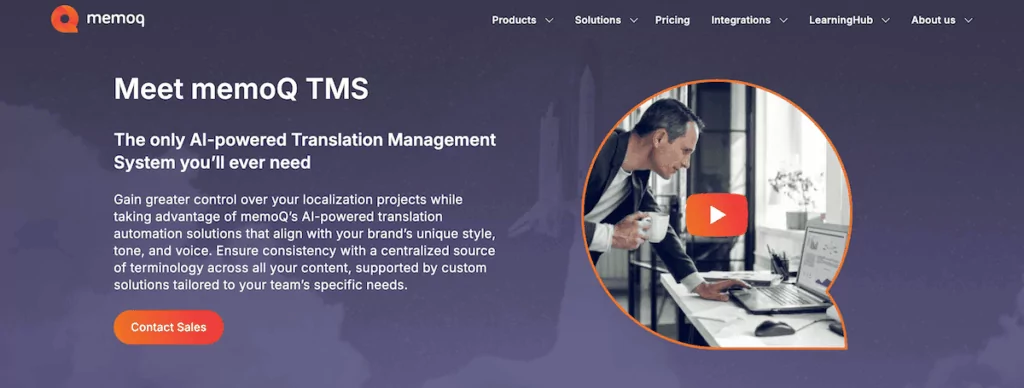
Translation management systems extend this further by adding workflow management: content assignment, review cycles, approval pipelines, and vendor coordination. If your multilingual content strategy is high-volume and involves teams of human translators and multiple file formats, a TMS might be how you manage that at scale.
However, for most WordPress site owners, these tools don’t generate multilingual URL structures, manage hreflang tags, or provide a language switcher. The exception is enterprise TMS connectors: plugins that send WordPress content to a TMS and pull approved translations back in.
Plugin-based vs. SaaS solutions
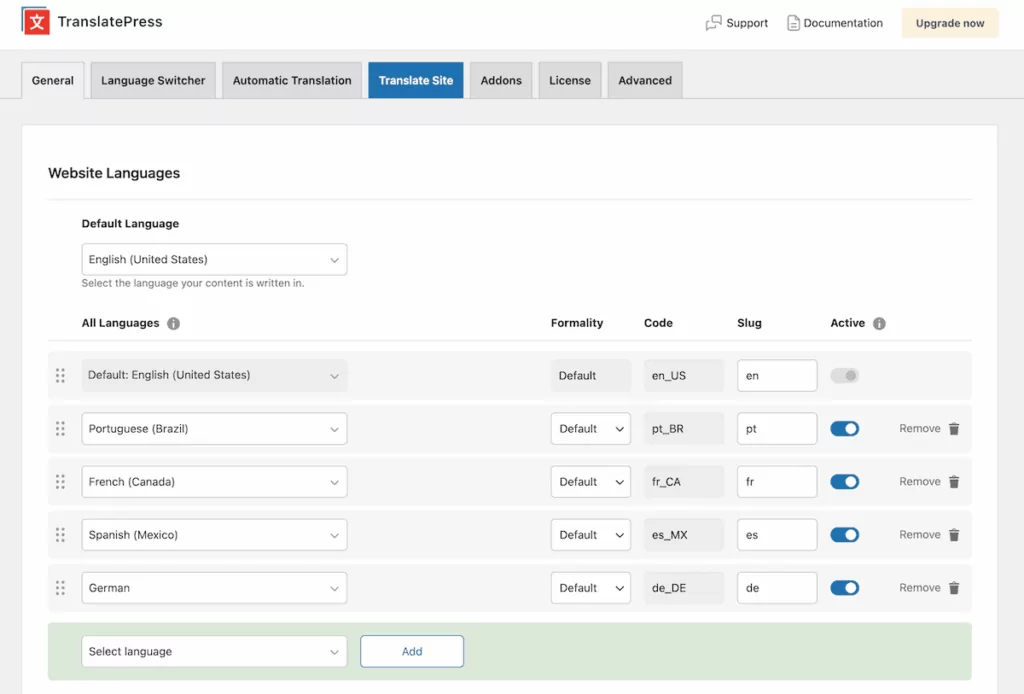
In short, plugin-based translation tools install within WordPress and handle everything locally:
- Translated content is stored in your WordPress database.
- Your hosting infrastructure serves the multilingual site.
- You control the data, and it remains yours regardless of your subscription status.
SaaS translation solutions operate outside of WordPress. They either deliver translations through a JavaScript snippet on your pages, or route your traffic through a server-side proxy hosted on its infrastructure. The key is that your translated content lives on the SaaS servers rather than in your database.
Because you can have a multilingual site running without touching your database or configuring WordPress URL structures, a SaaS approach is quick to set up. It’s great for a quick demonstration or a project with no long-term SEO requirements, but the trade-offs accumulate over time:
- If you cancel your subscription, you lose access to your translated content.
- Costs scale with word count, which becomes material on sites with large or frequently updated content.
- Translation delivery depends on a third-party infrastructure layer, which reduces your control over performance and uptime.
- Client-side SaaS delivery introduces SEO indexation risks.
For a business building a long-term multilingual presence, the plugin-based model offers more sustainable ownership and predictable multilingual SEO outcomes. The data stays in your database, the translated URLs are served by your own hosting, and nothing changes if you upgrade, downgrade, or switch plans. And moreover, there are low-maintenance, quick setup options here too.
The type of tool that’s right for your WordPress website
Once you factor in SEO, content ownership, and practical management requirements, the types of translation tools narrow:
- Machine translation APIs belong inside a tool rather than ‘in front’ of your site.
- CAT tools and enterprise TMS platforms require infrastructure and workflows that most WordPress sites don’t have or need.
- Client-side SaaS tools trade long-term SEO reliability for setup convenience, which is a trade-off worth understanding before committing.
That leaves server-side, plugin-based tools as the practical foundation for a multilingual WordPress site. They generate proper hreflang tags and translated URL slugs, store content in your database, and give you a management interface your team can use without a developer present.
To sum up, there are some straightforward requirements to consider when matching up your needs with a tool type:
- Whether your translated pages need to rank in search engines in each target language.
- Whether your team needs to review and refine machine translation output on the front end.
- Whether you run a WooCommerce store with product, cart, and checkout content to translate.
- Whether content ownership and portability matter if you ever need to migrate or change plans.
For most WordPress sites, all four of these apply. Server-side, plugin-based translation is the category that covers them.
Frequently Asked Questions
What is the difference between a translation plugin and a translation API?
A translation API (like Google Translate or DeepL) is a service that accepts text and returns a translated version — it has no website management layer of its own. A translation plugin installs inside WordPress and handles URL structure, language switching, hreflang tags, and content storage. Most good WordPress translation plugins connect to translation APIs under the hood, so you get both.
Are SaaS translation tools bad for SEO?
Not always, but client-side SaaS tools carry real SEO risk. Because they deliver translations via JavaScript after the page loads, search engine crawlers may only ever index your original-language content. Server-side solutions — whether SaaS proxy or plugin-based — are more reliable. For long-term multilingual SEO, plugin-based tools that store content in your own database are the most predictable option.
What is a CAT tool, and do I need one for my WordPress site?
A CAT (Computer-Assisted Translation) tool is a desktop or cloud software designed for professional linguists. It segments text, maintains translation memory, and surfaces suggestions as translators work. For most WordPress site owners, a CAT tool isn’t necessary — a translation plugin with a visual editor and machine translation integration covers the same ground at far lower complexity.
Which type of translation tool is best for multilingual SEO?
Server-side, plugin-based translation tools are the strongest foundation for multilingual SEO. They generate proper hreflang tags, create translated URL slugs, and deliver pre-rendered HTML that search engines can crawl reliably. Client-side tools and some SaaS proxies can create indexation gaps that hurt localized rankings.
TranslatePress covers all the translation bases
When it comes to server-side plugin translation, TranslatePress brings together the strengths of several tool types. First, it connects directly with the top translation engines (like Google Translate and DeepL) and LLMs (like ChatGPT and Gemini) for machine translation at scale, so you get the speed of neural translation for the first pass without leaving WordPress.
It stores all translations within your database using a server-side delivery model, so every translated URL is pre-rendered and indexable by search engines. The SEO Pack add-on handles hreflang tags, translated metadata, and URL slugs automatically.
The visual Translation Editor lets you and your team refine any string directly on the front end of the site, which brings the editorial review capability of a TMS workflow to support into a WordPress-specific format.
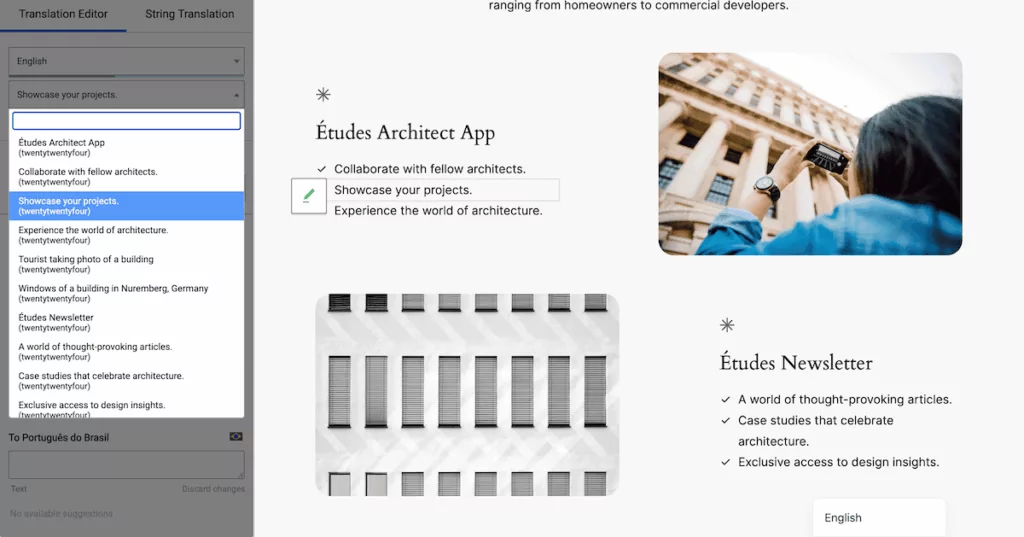
For WooCommerce stores, product descriptions, attributes, and categories all get translated, along with any dynamic text (such as checkout, cart messages, and confirmation emails). The translation memory builds over time to reuse approved strings wherever they appear.
The result is that you don’t need to combine a machine translation API, a separate TMS, and a WordPress SEO plugin to cover your translation needs. The machine translation layer, content storage model, SEO infrastructure, and editorial review interface are all in one place.
The right category matters more than the right feature list
When you evaluate translation tools, it is easy to get drawn into feature comparisons such as translation memory, API integrations, role-based access, and glossary support. They matter, but only in context. A CAT tool with best-in-class translation memory is still the wrong choice for a WordPress site owner who needs multilingual SEO and a language switcher in the navigation.
For a WordPress multilingual site, a server-side plugin with native WordPress integration and machine translation support (such as TranslatePress) gives you the foundation to build on. Everything else follows from there.
TranslatePress Multilingual
What types of translation tools are you currently using for your WordPress site, and do they fit what you actually need? I’d love to hear about it in the comments section below!