In this post
At some point, one translator and a spreadsheet stop being enough — and that’s when a translation workflow management system earns its place.
Scaling up a multilingual WordPress site with more languages means it’s harder to keep everything in sync. However, a translation workflow management system gives your team a repeatable, structured process for taking content from a single source language through to published, reviewed translations in every market you serve.
Quick Answer: A translation workflow management system is a structured process that takes content from a single source language through to published, reviewed translations in every market you serve. TranslatePress handles the full workflow in one place — automatic translation, translation memory, translator accounts, and update detection — so your team has a repeatable system that scales.
If you’re running a content team that needs a translation workflow, come along as I walk you through how to build that system using TranslatePress as the foundation.
What a Translation Workflow Management System Actually Does
If you compare Statista’s metric for the most used content languages, this is completely different to the languages users primarily speak in. In short, the web uses English, whereas the ‘real world’ has billions of combined Spanish, Chinese, and South Asian speakers. As such, publishing only in English means you skip over an audience that cannot fully engage with your content.
A translation workflow is a structured process that organizes how content moves from its original language into one or more target languages. Good setups will cover who has translation and review responsibility, in what order that happens, and how the workflow handles changes when you update source content.
On its own, a translation plugin handles technical aspects, such as storing strings, displaying content in different languages, and connecting to machine translation engines. Your translation workflow management system goes a layer above this to define the process your team follows, set quality control, and help you manage the ongoing responsibility. In lots of cases, the plugin you choose will be at the center of the system.
Why Translation Workflows Break Down Without a System
In the early stages, a quality translation plugin might mean you don’t even need a workflow. You’ll usually have one or two languages, a small content library, and maybe a translator who knows the site.
However, consider what happens when you try to scale beyond this:
- A blog post goes live in English without a corresponding German translation…
- …your pricing page gets updated while the French version stays out of date…
- …two translators work on the same language without a shared glossary and produce inconsistent terminology across different sections of the site.
The cost of fixing these problems after the fact (such as re-translating content, correcting errors on live pages, or reconciling inconsistent terminology) will be higher than building the system earlier. What’s more, while none of these failures are the result of bad intentions, it does clear up with a scalable translation workflow.
Planning Multilingual Content From the Start
The most efficient translation workflow begins before you start writing. Often, treating translation as a post-publication step will slow down your process. For example, content not written with translation in mind will be harder to translate and have formatting that breaks in other languages.
I suggest treating each target language as a column in your content calendar (alongside the source). For every piece of planned content, move each language entry through four states: pending, in progress, in review, and published. It’s a quick way to visualize your translation status without needing other project management tools.
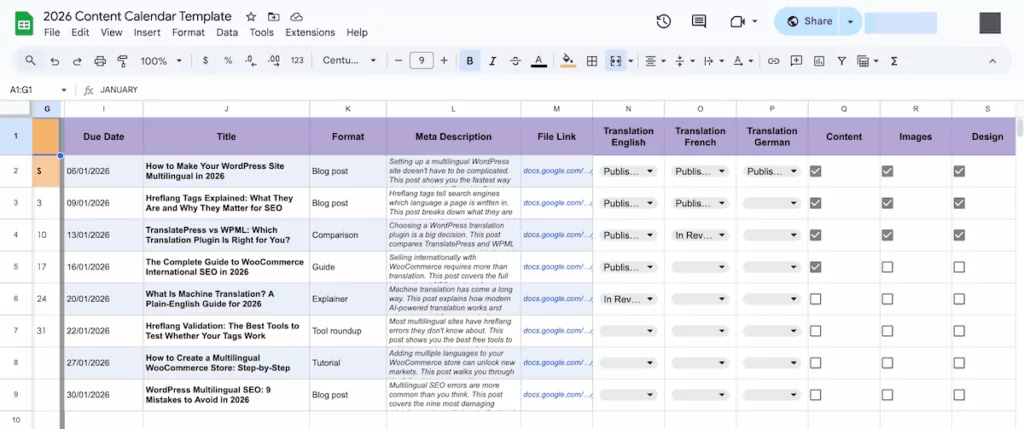
Because some content won’t suit all markets, the planning stage is also the right time to decide which languages the content gets translated into. You can get better results by prioritizing content:
- Core product and service pages directly affect purchasing decisions so will need precise translation and review.
- High-traffic landing pages and conversion-critical content comes next because these are the pages that drive measurable outcomes.
- Blog content and supporting articles expand your multilingual reach, but it benefits from being planned in batches rather than translated individually.
TranslatePress lets you publish each language independently, so you don’t have to publish half-translated pages. The process here is straightforward: work through your priority tiers, save translations in the editor, and publish a language when the batch is complete.
Keeping Translations in Sync When Source Content Changes
Source content will (or should!) change constantly, especially elements such as product descriptions or pricing pages. However, each change will create a new translation task across every language you support. Without a system for detecting and routing these updates, you end up with translated pages that no longer reflect the source.
It’s at this point where a manual translation workflow will often fall down. For this, TranslatePress AI detects changes in the source content and generates a new translation for the updated string in every active language. The updated translation will then be served on all subsequent page loads.
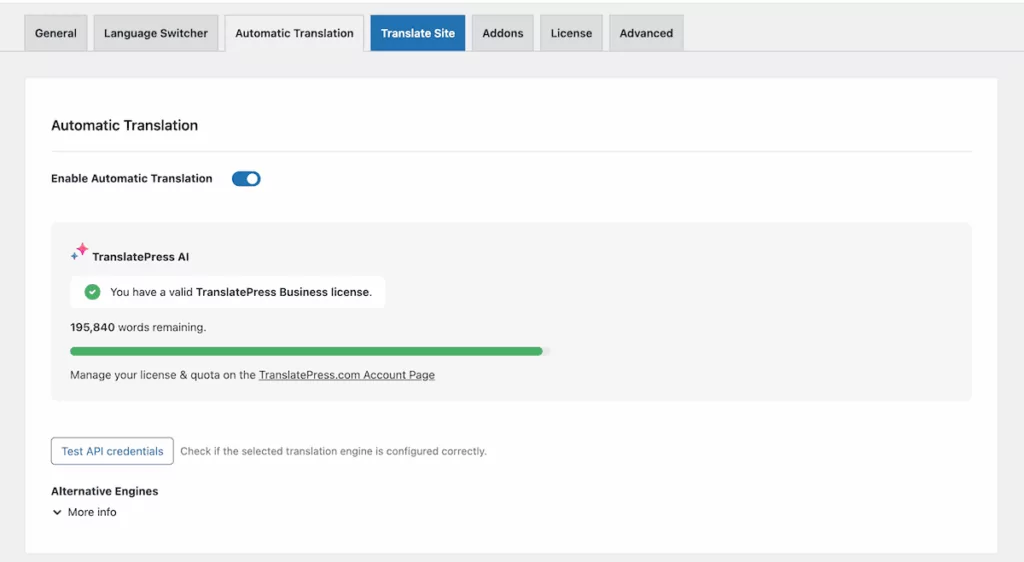
Translation memory can add another layer of efficiency here too. When an updated string is similar to one that has already been translated and approved, TranslatePress suggests it to you. This could even close the update without any additional work from you.
TranslatePress Multilingual
For content where you need a human review before an update goes live, you can review it, make adjustments, then save the final version. This keeps the update cycle moving without requiring a translator to write from scratch every time a source string changes.
Building Quality Assurance Into Your Translation Process
Quality assurance in a translation workflow is something you build into each stage of the process to catch errors before they end up on a live site. For most content teams, a two-stage review works well:
- Translation review. This is where the writer checks the translation against the source for accuracy and reads it in the context of the live page.
- Editorial review. Here, a native speaker or editor checks the translation for tone, brand voice, and consistency with cross-site terminology.
TranslatePress’ visual translation editor makes the translation review stage more reliable than a typical editing workflow because you can see exactly how the content appears on the page. Also, the translation memory stores every string that has been approved on your site. So, you can cross-reference new translations against the site’s existing language patterns and the memory will surface any inconsistencies.
How TranslatePress Powers Your Translation Workflow Management System
So far, I’ve only mentioned parts of TranslatePress that can help support a translation workflow management system. However, the plugin can run right the way through your planning, translation, review, and update processes.
The visual editor is where the day-to-day translation work happens. It presents your site as it appears to visitors, with a sidebar panel where you can select, translate, and save any string on the page. This includes content from posts, pages, custom post types, WooCommerce product data, theme strings, form labels, and page builders.
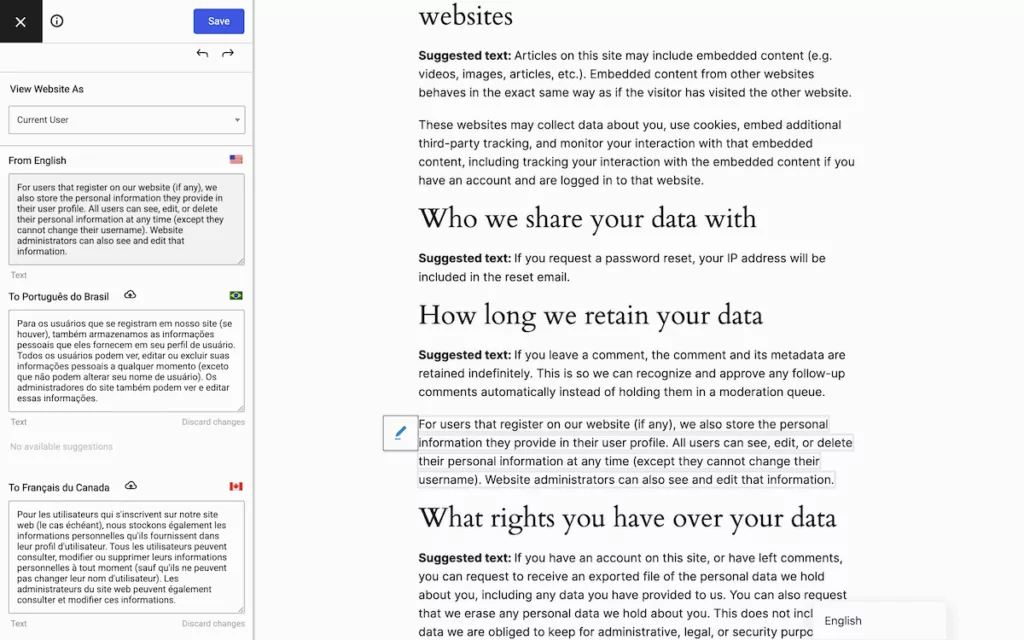
I’ve talked a little about TranslatePress AI, but this routes all your content through multiple neural engines (including AI engines, DeepL, Google Translate, and Microsoft Translator) to provide translations. You get a set number of tokens as part of your subscription, but you can also purchase additional words from your account at any time.
How to Collaborate With Professional Translators Using TranslatePress
You likely don’t have an in-house translator for every language you support, but you could have a freelancer or translation agency on hand. TranslatePress Business and Developer subscribers can use the Translator Accounts add-on, which offers a controlled way to bring team members into your translation workflow.
The custom Translator user role lets them log in and translate content without any access to other parts of your WordPress website. You can also restrict a translator to specific languages using a code-level filter, so contributors only see the language they are responsible for.
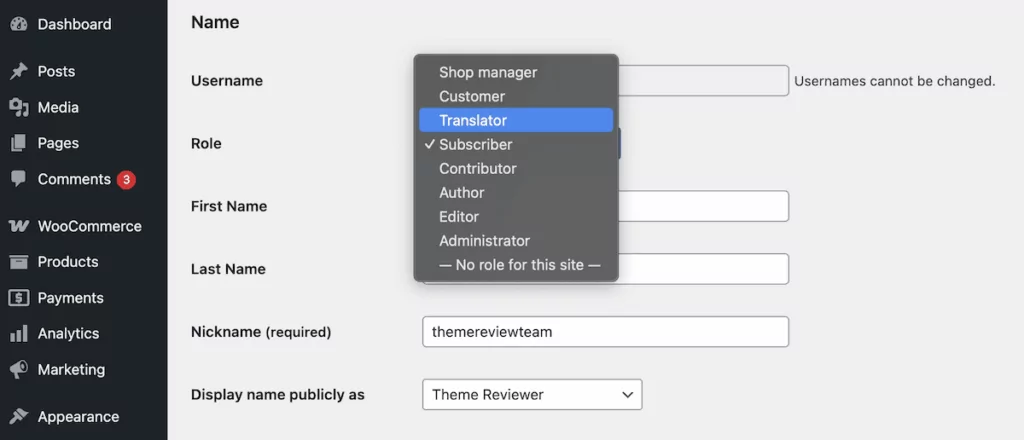
To use this, head to Users → Add New within WordPress and assign the new user the Translator role. Of course, you can also edit existing WordPress profiles and assign the role. It’s a great way to protect the rest of your site from accidental changes.
How to Write a Quality Translation Brief
A brief will be vital if you do work with outside team members: you won’t want a translator to make assumptions about your content’s meaning. A typical website translation project should cover a few areas:
- The target audience defines who your readers are, their familiarity with the subject, and the tone you use. A B2B software audience will be different than a consumer lifestyle brand, for instance.
- A glossary of terms lists product names, brand language, and industry vocabulary with the approved translation for each. TranslatePress lets you configure exclusion rules for strings you do not want translated, so this is something to point out as part of the brief.
- Your style guide will highlight preferences for formal versus informal language, sentence length, and any structural patterns that appear across your site.
- Reference materials in the form of already approved content are an excellent way to show how to produce translated content to your standards.
It also helps to specify decisions that translators would otherwise have to guess: whether to keep hyperlinks pointing to source-language pages, how to handle formatting such as bold or italics, and whether to adapt values such as currency or units of measurement. It’s also ideal to provide a scope and priorities for which pages to start with as well as deadlines.
Frequently Asked Questions (FAQs)
Before I wrap up, I want to go through some questions that highlight a few extra details about running a translation workflow with TranslatePress. If you have your own questions, feel free to ask in the comments section at the end of the post!
How do I handle translations when the source content changes frequently?
TranslatePress AI will detect changes and re-translate the updated strings for you. For content where you want a human review before publishing, you can find the updated machine translation in the visual editor.
Can I give each translator access to different languages in TranslatePress?
Yes! By default, a Translator user role has access to all active languages on your site. However, with some custom PHP within your theme’s functions.php file, you can enable per-language setups.
What’s the difference between translation memory and automatic translation?
In short, a translation memory stores translations you have already approved and suggests them when a matching or similar string appears elsewhere on your site. Automatic translation uses neural machine technology to generate new strings. TranslatePress checks the translation memory first and only calls the translation engine if there’s no similar match.
How do I keep terminology consistent across a large multilingual site?
This is the job of the translation memory. Every saved translation becomes part of the site’s memory, and by extension, available to TranslatePress. Pairing this with a glossary in your translator brief gives you coverage for terms and brand language.
Build a Translation Workflow That Grows With Your Site
A translation workflow management system is worth building early on in your multilingual journey.
The system I’ve outlined here is built around TranslatePress because it handles the full workflow in one place: automatic translations and memory, dedicated translator access, update detection, and much more. In addition, TranslatePress AI covers new content automatically. What remains is the work that benefits from human judgment: reviewing, briefing, and ensuring that every translated page represents your brand at its best.
The earlier you build this system, the less you’ll pay to fix the gaps it would have prevented.
TranslatePress Multilingual
Are you building a translation workflow from scratch, or trying to fix one that’s already breaking down? I’d love to hear your thoughts on it in the comments section below!