
In diesem Beitrag
Suchen Sie nach Übersetzungstools, werden Sie schnell feststellen, dass diese Kategorie ein breites Spektrum abdeckt. APIs für maschinelle Übersetzung, Übersetzungsmanagementsysteme (Translation Management Systems), Computergestützte Übersetzungstools (CAT-Tools), SaaS-Proxys, WordPress-Plugins – die Liste geht weiter. Jedes davon gehört zu einer anderen Art von Übersetzungstool, und jedes löst ein anderes Problem.
Wenn Sie eine WordPress-Website betreiben und ein internationales Publikum erreichen möchten, ist dieser Leitfaden genau das Richtige für Sie – insbesondere der Teil, in dem Sie herauszufinden versuchen, zu welcher Art von Tool Sie greifen sollten, bevor Sie Preise vergleichen oder Testversionen abschließen.
Der falsche Werkzeugtyp kann Sie Zeit bei der Einrichtung, SEO-Leistung und langfristige Flexibilität kosten. Ich möchte mir etwas Zeit nehmen, um zu erklären, was die einzelnen Kategorien der besten Online-Übersetzungstools tatsächlich tun, damit Sie eine Entscheidung treffen können, die auf den Bedürfnissen Ihrer Website basiert und nicht darauf, was die Landingpage eines Anbieters verspricht.
Schnelle Antwort: Es gibt fünf Haupttypen von Übersetzungswerkzeugen: maschinelle Übersetzungs-APIs, CAT-Tools, Übersetzungsmanagementsysteme (TMS), SaaS-Übersetzungsdienste und WordPress-Übersetzungsplugins. Für WordPress-Seitenbesitzer, die mehrsprachige SEO und Inhaltshoheit benötigen, sind serverseitige, plugin-basierte Tools die praktischste Wahl. Maschinelle Übersetzungs-APIs funktionieren am besten als Komponente innerhalb eines Plugins und nicht als eigenständige Lösung.
Warum die Wahl der richtigen Werkzeugkategorie wichtig ist
Die meisten Leitfäden zu Übersetzungswerkzeugen beginnen damit, Produkte aufzulisten und Funktionen zu vergleichen. Dieser hier setzt eine Ebene höher an. Bevor Sie Preise vergleichen oder sich für eine Testversion anmelden, müssen Sie verstehen, welche Typ des Tools, nach dem Sie eigentlich suchen. Die falsche Kategorie wird Ihnen nichts nützen, ganz gleich, wie viele Funktionen sie bietet.
So wie ein Chirurg und ein Tischler beide Bohrer verwenden, unterscheiden sich auch Übersetzungstools voneinander. Ein Tool, das für professionelle Linguisten entwickelt wurde, die Dokumenten-Workflows in Unternehmen verwalten, löst also ein anderes Problem als ein Tool, das dafür konzipiert ist, mehrsprachige Webseiten zu veröffentlichen, die in Suchmaschinen gut ranken. Die Wahl zwischen diesen Tools ist eher eine Frage der Eignung als der persönlichen Vorliebe.
Die Entscheidung hat auch weitreichende Folgen. Betrachten Sie Folgendes:
- Wie Ihr Mehrsprachige SEO führt aus.
- Ob Sie Eigentümer Ihrer übersetzten Inhalte sind.
- Wie viel Aufwand für Einrichtung und Wartung Ihr Team bewältigen kann.
- Was passiert, wenn Sie zu einem späteren Zeitpunkt zu einem anderen Tool wechseln?.
All dies hängt davon ab, mit welcher Tool-Kategorie man beginnt, aber es kann auch verwirrend sein, warum diese Tools überhaupt in verschiedenen Formaten vorliegen.
Warum gibt es so viele Arten von Übersetzungswerkzeugen?
Die Übersetzungswissenschaft existiert schon seit Jahrzehnten, lange bevor es das Internet gab. Die professionelle Übersetzungsbranche hat in der Regel ihre eigene Software entwickelt (wie beispielsweise computergestützte Übersetzungstools (CAT-Tools), Übersetzungsspeicher, oder ‘Terminologiedatenbanken’), um große Textmengen einheitlich zu verwalten. Diese Tools richten sich jedoch eher an professionelle Übersetzer als an Betreiber mehrsprachiger Websites.
APIs wurden parallel zur allgemeinen Entwicklung des Internets entwickelt, um Übersetzungen zu automatisieren. Es folgten SaaS-Plattformen, die die API-Ebene in verwaltete Dienste abstrahieren. Anschließend bündelten Plugins für Content-Management-Systeme (CMS) all dies in einer vertrauten Administrationsoberfläche.
TranslatePress Mehrsprachig
Jede Ebene wurde entwickelt, um ein konkretes Problem zu lösen, doch das Ergebnis ist ein Markt, auf dem Tools, die für völlig unterschiedliche Nutzer konzipiert wurden, in den Suchergebnissen nebeneinander auftauchen.
Das erklärt auch, warum die Terminologie im Übersetzungsbereich verwirrend sein kann. “Übersetzungsmanagement” bedeutet für einen unternehmensinternen Language Server Protocol (LSP), der ein großes Team leitet, etwas anderes als für den Betreiber einer WordPress-Website, der Eine Website automatisch übersetzen. Kurz gesagt: Die Kategorie bestimmt das Werkzeug, und das Werkzeug bestimmt, was möglich ist.
Wie Übersetzungen bereitgestellt werden: Client-side vs. Server-side
Bevor ich auf die verschiedenen Arten von Übersetzungstools eingehe, sollte man sich zunächst einen grundlegenden Unterschied bewusst machen, der für alle diese Tools gilt: Ob die Übersetzung clientseitig oder serverseitig bereitgestellt wird, hat einen größeren Einfluss auf die Suchmaschinenoptimierung (SEO) als fast jede andere technische Entscheidung.
Hier ist eine kurze Übersicht zu jedem von ihnen:
- Clientseitige Übersetzung lädt Ihre Seite in der Originalsprache und ersetzt Textzeichenfolgen mithilfe von JavaScript, nachdem die Seite im Browser gerendert wurde. Die Übersetzung erfolgt auf dem Gerät des Nutzers. Da Suchmaschinen-Crawler JavaScript jedoch nicht so zuverlässig ausführen wie ein Browser, indexieren sie möglicherweise ausschließlich Ihre Inhalte in der Originalsprache.
- Serverseitige Übersetzung speichert Inhalte auf dem Server und stellt sie als vorgerendertes HTML bereit. Wenn Google also Ihre französische Version crawlt, erhält es eine vollständige französische Seite, ohne dass Skripte ausgeführt werden müssen. Das ist zuverlässig, indexierbar und vorhersehbar.
Übersetzte Seiten können für Suchmaschinen unsichtbar werden oder bei einer clientseitigen Übersetzung uneinheitlich indexiert werden, was dazu führt, dass hreflang und Probleme mit doppelten Inhalten. Die serverseitige Übersetzung liefert dagegen konsistentes und crawlbares HTML – die solideste Grundlage für mehrsprachiges SEO.
Diese Unterscheidung ist wichtig, da einige Kategorien standardmäßig serverseitig sind, andere hingegen clientseitig. Bei einigen wenigen hat man die Wahl, doch dies ist mit Vor- und Nachteilen verbunden.
Die Arten von Übersetzungs- und Lokalisierungswerkzeugen, denen Sie begegnen werden
Es gibt fünf Hauptkategorien von Übersetzungstools. Bevor wir auf die einzelnen Kategorien eingehen, hier zunächst eine Übersicht.
| Typ | Beispiele für Werkzeuge | Vorteile | Kons |
|---|---|---|---|
| API-Schnittstellen für maschinelle Übersetzung | Google Translate-API, DeepL-API | Schnell, skalierbar, niedrige Kosten pro Zeichen | Keine Verwaltungsoberfläche für die Website; erfordert ein Plugin oder eine individuelle Entwicklung |
| CAT-Tools | memoQ, SDL Trados, Smartcat | Umfangreiches Übersetzungsspeicher; speziell für professionelle Linguisten entwickelt | Nicht für die Verwaltung einer mehrsprachigen Website konzipiert |
| Übersetzungsmanagementsysteme (TMS) | Phrase, Lokalise, Smartling | Workflow-Governance, Teammanagement, Qualitätssicherung | Komplexes Setup, Enterprise-Preise, erfordert einen WordPress-Connector |
| SaaS-Übersetzungsdienste | Cloud- oder Proxy-basierte Tools | Fast augenblickliche mehrsprachige Einführung | Inhalte befinden sich außerhalb Ihres Servers; SEO- und Eigentumsrisiken |
| WordPress-Übersetzungs-Plugins | TranslatePress und andere | Natives WordPress-Plugin; serverseitige SEO; vollständige Kontrolle über die Inhalte | Setzt eine WordPress-Installation voraus |
Maschinenübersetzungs-APIs
Eine maschinelle Übersetzungs-API ist ein programmierter Dienst, der Text annimmt und eine Übersetzung zurückgibt. Die Google-Übersetzungs-API und DeepL-API sind die beiden, denen du am häufigsten begegnen wirst. Beide verwenden Modelle zur neuronalen maschinellen Übersetzung (NMT), die flüssigere Ergebnisse liefern als die vorherigen regelbasierten Systeme.
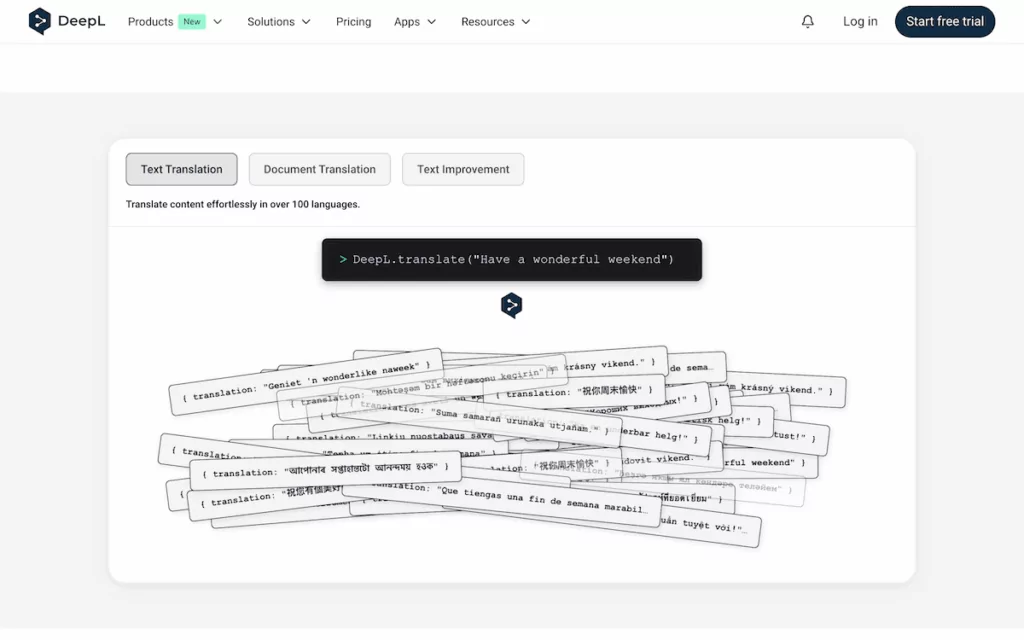
Wenn Entwickler über die Integration von Übersetzungen in ein Produkt sprechen, ist es oft genau das, was sie meinen. Die API übernimmt jedoch in der Regel weder die URL-Struktur, SEO-Metadaten, den Sprachwechsel noch die Speicherung von Inhalten. Diese Aufgaben liegen bei der jeweiligen Anwendung, die sie aufruft.
Für WordPress-Nutzer erfordert ein direkter API-Zugriff eine Individualentwicklung, um als eigenständiges Tool nützlich zu sein. Wo diese APIs ihren Platz verdienen, ist als Komponente innerhalb eines Übersetzungsplugins: Sie stellen in den Plugin-Einstellungen eine Verbindung her und erhalten erstklassige Übersetzungsqualität, ohne Code schreiben zu müssen.
CAT-Tools und Übersetzungsmanagementsysteme
Professionelle Linguisten entscheiden sich oft für Desktop- oder Cloud-basierte CAT-Tools. Sie segmentieren den Quelltext für jeden Satz und pflegen eine Übersetzungsspeicher Datenbank mit zuvor übersetzten Zeichenfolgen und Bereitstellung von Vorschlägen während der Arbeit der Übersetzer. Plattformen wie memoQ, SDL Trados, und Smartcat sind die etabliertesten Namen.
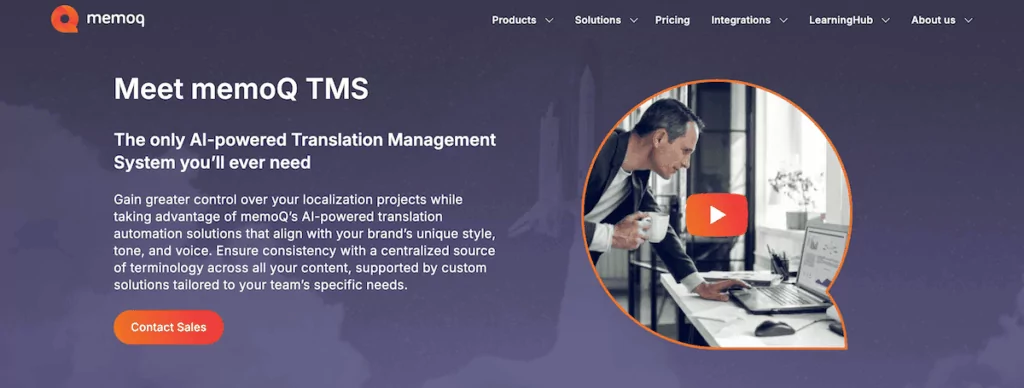
Übersetzungsmanagementsysteme Erweitern Sie dies weiter um ein Workflow-Management: Inhaltszuweisung, Überprüfungszyklen, Freigabepipelines und die Koordination von Dienstleistern. Wenn Ihre mehrsprachige Content-Strategie auf hohem Volumen basiert und Teams von menschlichen Übersetzern sowie mehrere Dateiformate umfasst, ist ein TMS möglicherweise die Art und Weise, wie Sie dies im großen Maßstab handhaben.
Für die meisten WordPress-Website-Besitzer generieren diese Tools jedoch keine mehrsprachigen URL-Strukturen, verwalten hreflang Schlagwörter, oder stellen Sie einen Sprachumschalter bereit. Die Ausnahme bilden Enterprise-TMS-Konnektoren: Plugins, die WordPress-Inhalte an ein TMS senden und freigegebene Übersetzungen wieder abrufen.
Plugin-basierte vs. SaaS-Lösungen
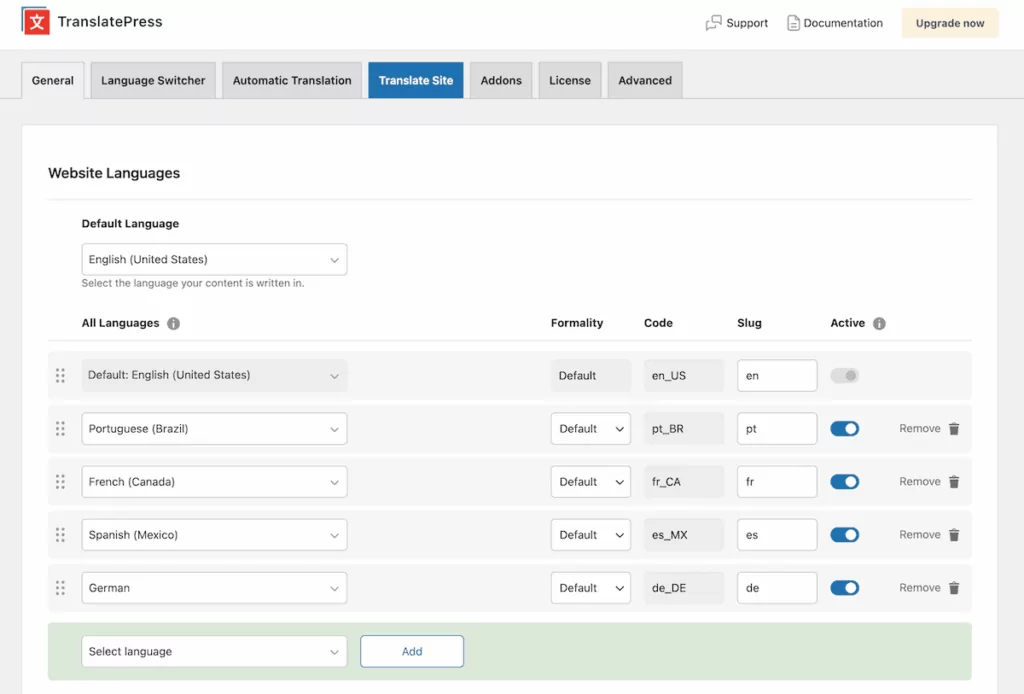
Kurz gesagt, Plug-in-basierte Übersetzungstools werden in WordPress installiert und verarbeiten alles lokal:
- Übersetzte Inhalte werden in Ihrer WordPress-Datenbank gespeichert.
- Ihre Hosting-Infrastruktur bedient die mehrsprachige Website.
- Sie behalten die Kontrolle über Ihre Daten, und sie bleiben unabhängig von Ihrem Abonnementstatus Ihr Eigentum.
SaaS-Übersetzungslösungen arbeiten außerhalb von WordPress. Sie liefern Übersetzungen entweder über ein JavaScript-Snippet auf Ihren Seiten oder leiten Ihren Traffic über einen serverseitigen Proxy, der auf ihrer Infrastruktur gehostet wird. Der entscheidende Punkt ist, dass Ihre übersetzten Inhalte auf den SaaS-Servern statt in Ihrer Datenbank liegen.
Da man eine mehrsprachige Website betreiben kann, ohne die Datenbank zu verändern oder die URL-Strukturen von WordPress anzupassen, lässt sich ein SaaS-Ansatz schnell einrichten. Das eignet sich hervorragend für eine schnelle Demonstration oder ein Projekt ohne langfristige SEO-Anforderungen, doch die Nachteile summieren sich mit der Zeit:
- Wenn Sie Ihr Abonnement kündigen, verlieren Sie den Zugriff auf Ihre übersetzten Inhalte.
- Die Kosten skalieren mit der Wortanzahl, was bei Websites mit großen oder häufig aktualisierten Inhalten ins Gewicht fällt.
- Die Lieferung der Übersetzung hängt von einer Infrastrukturschicht eines Drittanbieters ab, was Ihre Kontrolle über Leistung und Verfügbarkeit verringert.
- Die Bereitstellung von SaaS auf Client-Seite birgt Risiken für die SEO-Indexierung.
Für ein Unternehmen, das eine langfristige mehrsprachige Präsenz aufbaut, bietet das Plugin-basierte Modell ein nachhaltigeres Eigentum und vorhersehbare Mehrsprachige SEO Ergebnisse. Die Daten verbleiben in Ihrer Datenbank, die übersetzten URLs werden über Ihr eigenes Hosting ausgeliefert und bei einem Upgrade, Downgrade oder Tarifwechsel ändert sich nichts. Darüber hinaus gibt es auch hier wartungsarme und schnell einrichtbare Optionen.
Die Art von Tool, die zu Ihrer WordPress-Website passt
Wenn man SEO, Content-Ownership und praktische Management-Anforderungen berücksichtigt, schränkt sich die Auswahl an Übersetzungswerkzeugen ein:
- Maschinenübersetzungs-APIs gehören in ein Tool und nicht ‘vor’ Ihre Website.
- CAT-Tools und Enterprise-TMS-Plattformen erfordern eine Infrastruktur und Workflows, die die meisten WordPress-Websites weder haben noch benötigen.
- Clientseitige SaaS-Tools tauschen langfristige SEO-Zuverlässigkeit gegen Einrichtungskomfort ein, ein Kompromiss, den man vor einer Festlegung verstehen sollte.
Damit bleiben serverseitige, plugin-basierte Tools als die praktische Grundlage für eine mehrsprachige WordPress-Website. Sie generieren ordnungsgemäße hreflang Tags und übersetzte URL-Slugs, speichern Inhalte in Ihrer Datenbank und bieten Ihnen eine Verwaltungsoberfläche, die Ihr Team nutzen kann, ohne dass ein Entwickler anwesend ist.
Zusammenfassend lässt sich sagen, dass es einige einfache Anforderungen zu berücksichtigen gibt, wenn Sie Ihre Bedürfnisse mit einem Werkzeugtyp abgleichen:
- Ob Ihre übersetzten Seiten in jeder Zielsprache in den Suchmaschinen ranken müssen.
- Ob Ihr Team die Ausgabe maschineller Übersetzung im Frontend überprüfen und verfeinern muss.
- Egal, ob Sie einen WooCommerce-Shop mit Produkt-, Warenkorb- und Kasseninhalten zum Übersetzen betreiben.
- Ob Inhaltseigentum und Portabilität wichtig sind, falls Sie jemals migrieren oder den Tarif wechseln müssen.
Für die meisten WordPress-Websites treffen alle vier Punkte zu. Die serverseitige, plugin-basierte Übersetzung ist die Kategorie, die diese abdeckt.
Häufig gestellte Fragen
Was ist der Unterschied zwischen einem Übersetzungshotline und einer Übersetzungs-API?
Eine Übersetzungs-API (wie Google Translate oder DeepL) ist ein Dienst, der Text entgegennimmt und eine übersetzte Version zurückgibt – sie verfügt über keine eigene Website-Verwaltungsschicht. Ein Übersetzungs-Plugin wird in WordPress installiert und kümmert sich um die URL-Struktur, den Sprachwechsel, hreflang-Tags und die Speicherung der Inhalte. Die meisten guten WordPress-Übersetzungs-Plugins sind im Hintergrund mit Übersetzungs-APIs verbunden, sodass Sie von beidem profitieren.
Sind SaaS-Übersetzungstools schlecht für SEO?
Nicht immer, aber clientseitige SaaS-Tools bergen ein echtes SEO-Risiko. Da sie Übersetzungen erst nach dem Laden der Seite per JavaScript ausliefern, indexieren Suchmaschinen-Crawler möglicherweise nur Ihre Inhalte in der Originalsprache. Serverseitige Lösungen – sei es als SaaS-Proxy oder auf Plugin-Basis – sind zuverlässiger. Für langfristige mehrsprachige SEO sind Plugin-basierte Tools, die Inhalte in Ihrer eigenen Datenbank speichern, die berechenbarste Option.
Was ist ein CAT-Tool?, und brauche ich eine für meine WordPress-Website?
Ein CAT-Tool (Computer-Assisted Translation) ist eine Desktop- oder Cloud-Software, die für professionelle Linguisten entwickelt wurde. Sie segmentiert Text, verwaltet ein Translation Memory und zeigt während der Arbeit Vorschläge an. Für die meisten WordPress-Website-Besitzer ist ein CAT-Tool nicht erforderlich – ein Übersetzungs-Plugin mit visuellem Editor und maschineller Übersetzungsintegration deckt denselben Bereich bei weitaus geringerer Komplexität ab.
Welche Art von Übersetzungstool ist am besten für mehrsprachige SEO geeignet?
Server-seitige, plugin-basierte Übersetzungstools bilden das stärkste Fundament für mehrsprachige SEO. Sie generieren korrekte Hreflang-Tags, erstellen übersetzte URL-Slugs und liefern vorgerendertes HTML, das Suchmaschinen zuverlässig crawlen können. Client-seitige Tools und einige SaaS-Proxys können Indexierungslücken verursachen, die den lokalen Rankings schaden.
TranslatePress deckt alle Bereiche der Übersetzung ab
Wenn es um die serverseitige Plugin-Übersetzung geht, TranslatePress vereint die Stärken verschiedener Tool-Typen. Zum einen ist es direkt mit den führenden Übersetzungsengines (wie Google Translate und DeepL) und LLMs (wie ChatGPT und Gemini) verbunden, um maschinelle Übersetzungen in großem Umfang zu ermöglichen. So profitieren Sie bereits beim ersten Durchgang von der Geschwindigkeit der neuronalen Übersetzung, ohne WordPress verlassen zu müssen.
Es speichert alle Übersetzungen in Ihrer Datenbank unter Verwendung eines serverseitigen Bereitstellungsmodells, sodass jede übersetzte URL vorgerendert und von Suchmaschinen indexiert werden kann. SEO-Add-on Griffe hreflang Tags, übersetzte Metadaten und URL-Slugs automatisch.
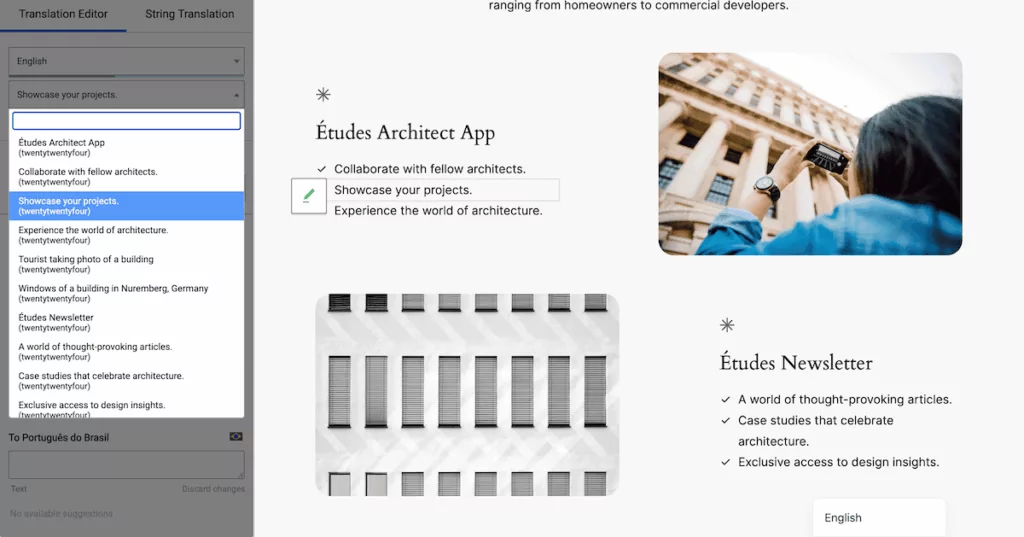
Der Visueller Übersetzungseditor ermöglicht es Ihnen und Ihrem Team, jeden Text direkt im Frontend der Website zu verarbeiten, wodurch die redaktionelle Review-Funktion eines TMS-Workflows in ein WordPress-spezifisches Format übertragen wird.
Für WooCommerce-Shops, Produktbeschreibungen, Attribute und Kategorien alles wird übersetzt, zusammen mit jedem dynamischen Text (wie Kasse, Warenkorbmeldungen und Bestätigungs-E-Mails). Die Übersetzungsspeicher wächst im Laufe der Zeit, um genehmigte Zeichenfolgen immer wieder zu verwenden, wo immer sie vorkommen.
Das Ergebnis ist, dass Sie keine Maschinenübersetzungs-API, kein separates TMS und kein WordPress-SEO-Plugin kombinieren müssen, um Ihre Übersetzungsanforderungen abzudecken. Die Maschinenübersetzungsebene, das Content-Speichermodell, die SEO-Infrastruktur und die Benutzeroberfläche für die redaktionelle Überprüfung befinden sich an einem Ort.
Die richtige Kategorie ist wichtiger als die richtige Funktionsliste
Bei der Evaluierung von Übersetzungstools lässt man sich leicht von Funktionsvergleichen wie Übersetzungsspeicher, API-Integrationen, rollenbasiertem Zugriff und Glossarunterstützung blenden. Diese sind wichtig, aber nur im Kontext. Ein CAT-Tool mit einem erstklassigen Übersetzungsspeicher ist für den Besitzer einer WordPress-Website, der mehrsprachige SEO und einen Sprachumschalter in der Navigation benötigt, dennoch die falsche Wahl.
Für eine mehrsprachige WordPress-Website bietet ein serverseitiges Plugin mit nativer WordPress-Integration und Unterstützung für maschinelle Übersetzung (wie beispielsweise TranslatePress) die Grundlage, auf der Sie aufbauen können. Alles Weitere ergibt sich dann von selbst.
TranslatePress Mehrsprachig
Welche Arten von Übersetzungstools verwenden Sie derzeit für Ihre WordPress-Website und entsprechen sie Ihren tatsächlichen Anforderungen? Ich freue mich darauf, davon im Kommentarbereich unten zu hören!