

En este artículo, voy a explicar cómo traducir un texto extenso de una sola vez utilizando TranslatePress. Para entender por qué te interesaría hacerlo, empecemos con un ejemplo.
Así que estás traduciendo tu página web con TranslatePress. Tu página web está escrita en inglés y tienes pensado hacer que sea multilingüe. Has instalado TranslatePress, configurar rápidamente Francés como idioma de traducción y ya estás traduciendo desde el Editor de traducción de vista previa en vivo.
Todo va bien hasta que te encuentras con el siguiente párrafo:
“Azul los ojos son hermosos.”
Ahora, la palabra Azul está enfatizado, lo que lo convierte en una cadena independiente. El resto de la oración es una cadena separada.
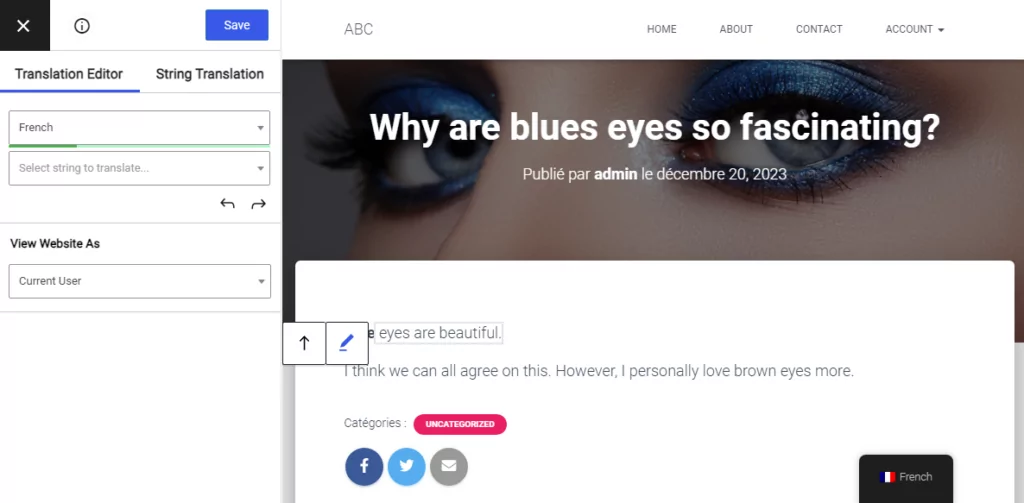
El problema es que la traducción al francés tiene el sustantivo “les yeux” (ojos) antes del adjetivo “bleus” (azules). La traducción se ve así:
“Los ojos azules son magníficos.”
Ahora la palabra enfatizada tiene que estar en el medio de la cadena porque ahí es donde está la palabra “bleus”. La estructura de esta oración es un poco diferente para el idioma francés, por lo que sería mucho más fácil simplemente de una vez.
Aquí es donde nuestra nueva función llamada Bloques de traducción resulta muy útil. Simplemente puedes hacer clic en el Fusionar icono  para crear un solo bloque a partir de toda la oración.
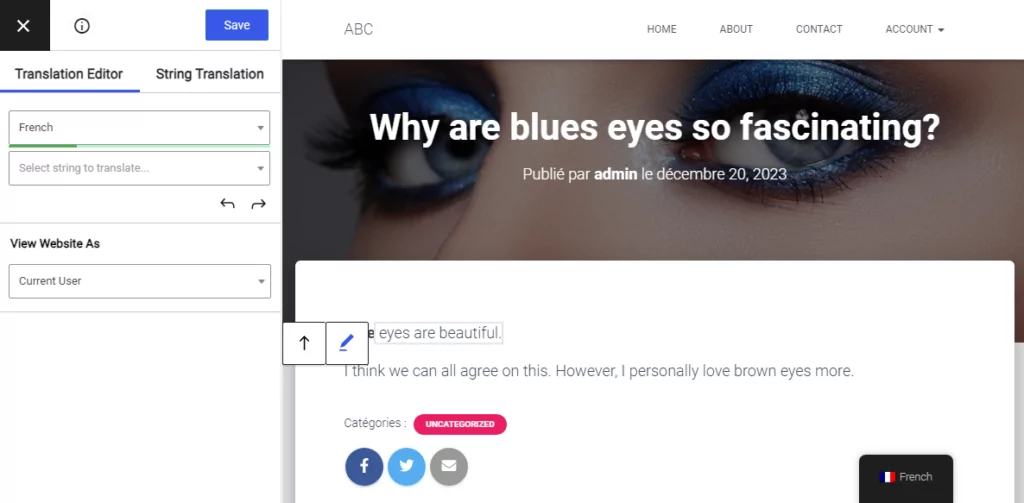
Luego puedes simplemente agregar la traducción para toda la oración añadiendo la palabra enfatizada exactamente donde se supone que debe estar.
Esta nueva herramienta facilita la traducción de fragmentos de texto más grandes a la vez, especialmente dado que los idiomas pueden ser muy diferentes en su estructura. Unir el texto es muy útil cuando el contenido contiene enlaces, palabras subrayadas y otros tipos de enriquecimiento añadidos al texto.
Si más adelante decides deshacer esta operación de fusión para traducir los pequeños fragmentos individualmente, puedes simplemente hacer clic en el Dividir botón  . La traducción del bloque completo estará disponible en cualquier momento al volver a fusionarlo.
¿Todavía tienes alguna pregunta sobre cómo traducir párrafos enteros o grandes fragmentos de texto? ¡Háznoslo saber en los comentarios de abajo!
Si encontraste útil esta publicación, por favor visita nuestro Canal de YouTube, donde subimos constantemente tutoriales en video cortos y fáciles de seguir. También puedes seguirnos en Facebook y Twitter ser el primero en enterarte cada vez que publicamos.
Relacionado: Traducir cadenas dinámicas en WordPress