
In this post
When you’re expanding your website to reach international markets, every detail matters. Given that the average time spent on a page is under three minutes, the length and structure of your content across different languages has a critical job. While multilingual Search Engine Optimization (SEO) is a high priority, I find that the right online word counter tool is an essential and undervalued companion for many writing jobs. These simple yet powerful tools can make the difference between content that either connects with your international audience or misses the mark.
Quick Answer: Counting the number of characters, words, and sentences within your content lets you make better multilingual design decisions. In the case of TranslatePress’ Website Word Counter tool, you can see the word count for each URL on your site along with the grand total of words to translate. This gives you a way to budget correctly and even choose the right TranslatePress plan for your needs.
I’m going to explore five online word counter tools and explain how they can enhance your multilingual SEO strategy. These solutions offer benefits that extend far beyond simply counting words, such as basic character count optimization for meta descriptions, managing translation costs, and more. I’ll also show off TranslatePress’ Website Word Counter tool that could help you retain more of your multilingual budget.
What an Online Word Counter Can Do For You
At its core, an online word counter is straightforward. It tallies the number of words, characters, sentences, and (sometimes) paragraphs in your text. However, modern word counters have evolved to become comprehensive content analysis tools that provide insights into readability, keyword density, and other SEO-relevant metrics.
For multilingual websites, these capabilities will have an added importance. For example, different languages have different space requirements: German and Finnish words tend to be longer than English ones, while many Asian languages use Kanji, scripts, and other unique characters rather than words.
Understanding these differences is crucial when you’re planning content layouts, estimating translation costs, or optimizing for search engines across multiple languages. This is something I’ll talk about in greater detail later on.
Where You Can Find Word Counter Tools
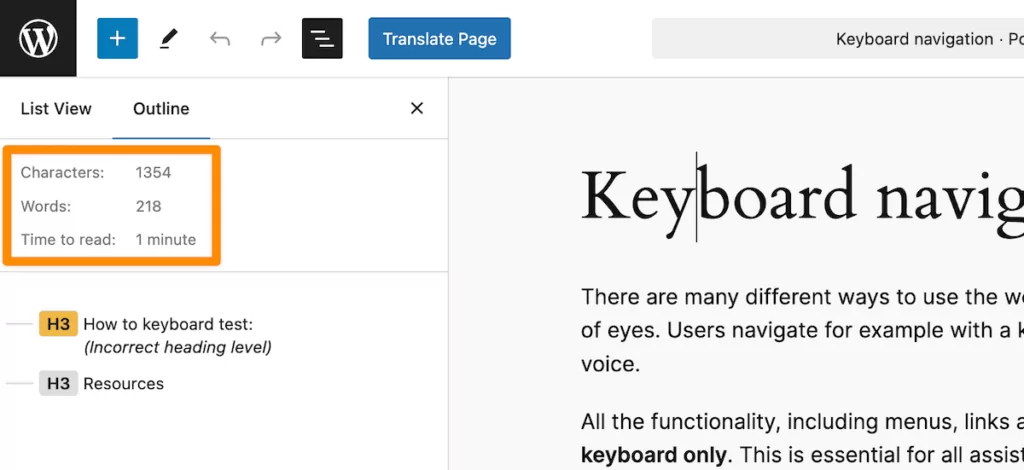
You’ll likely already have access to word counting functionality, as it’s available in many common applications you might already use. The WordPress Block Editor is one, as it includes a basic word counter in the information panel, showing you the number of words, characters, and paragraphs:
Similarly, Google Docs displays a word count through a shortcut and offers more detailed statistics than WordPress:
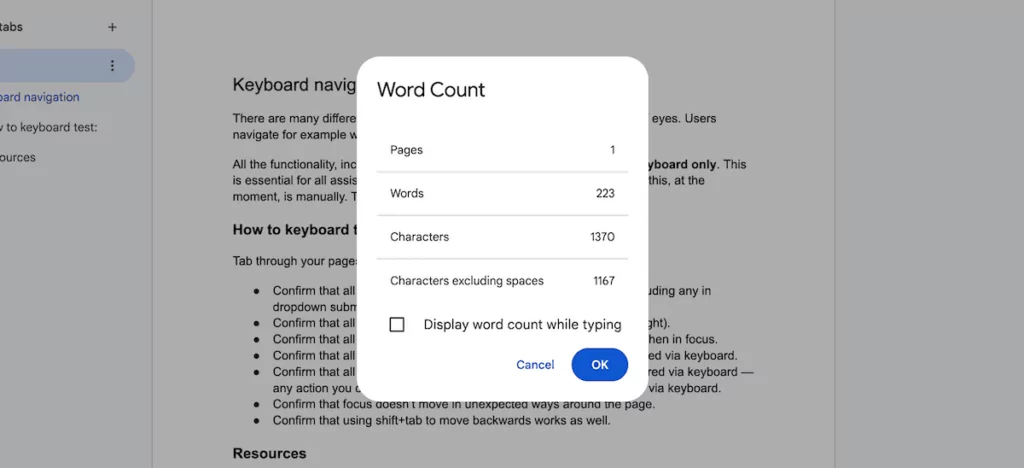
You can even find word counters in editing tools such as the Hemingway Editor. This not only counts words, but also analyzes readability and highlights potential improvements:
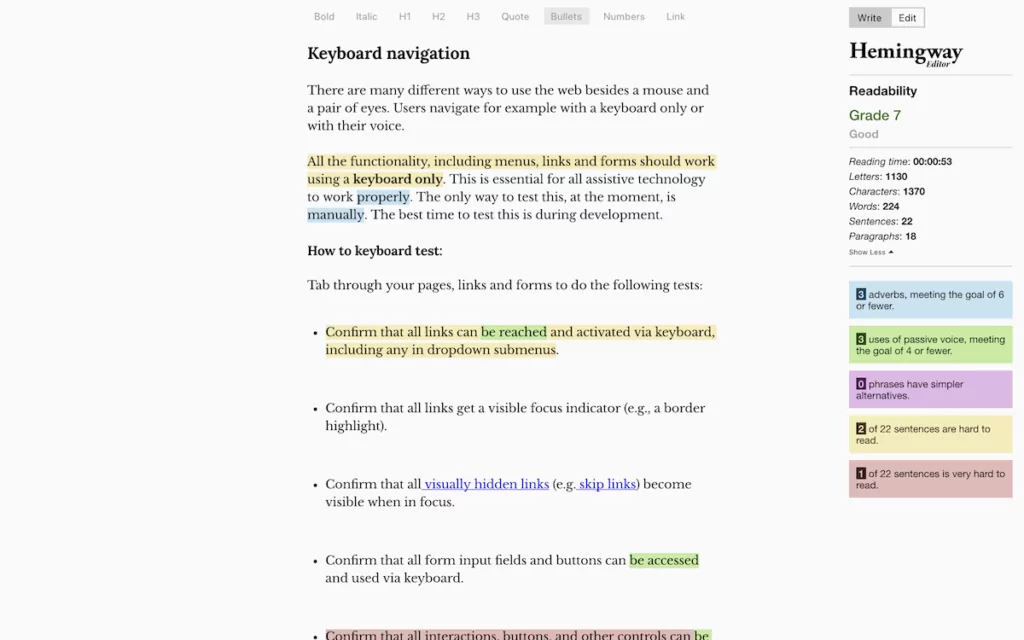
While these built-in counters are convenient and ideal for typical writing jobs, they often lack the specialized facets you’ll need for multilingual SEO work. For instance, they typically don’t account for language differences or provide the detailed metrics that dedicated online word counters offer.
It’s worth noting that while Artificial Intelligence (AI) writing assistants and Large Language Models (LLMs) can generate content in multiple languages, you shouldn’t rely on them for accurate word counting. This is because of the inherent ‘tokenization’ of characters, words, phrases, and chunks of content. You’ll understand this if you ever ask an LLM to generate content to a specific word count.
As such, precision (especially for multilingual work) means a dedicated word counter tool is your best option.
The Best Online Word Counters to Help Improve Your Multilingual SEO
You can access online word counters from any device with internet access, they require no software installation, and typically offer more comprehensive analysis than built-in counters.
I’ve researched and tested a number of word counting tools, and have five standouts to share that offer solid benefits for multilingual SEO work. Each has unique strengths that can help you optimize content across different languages, and I’ll give you all the details next.
TranslatePress’ Website Word Counter
Before I get into the list of five, let me introduce you to the Website Word Counter from TranslatePress! This works in a different way to the other solutions here because it doesn’t assess individual pages at a macro level. Instead, it works with your whole site’s content.
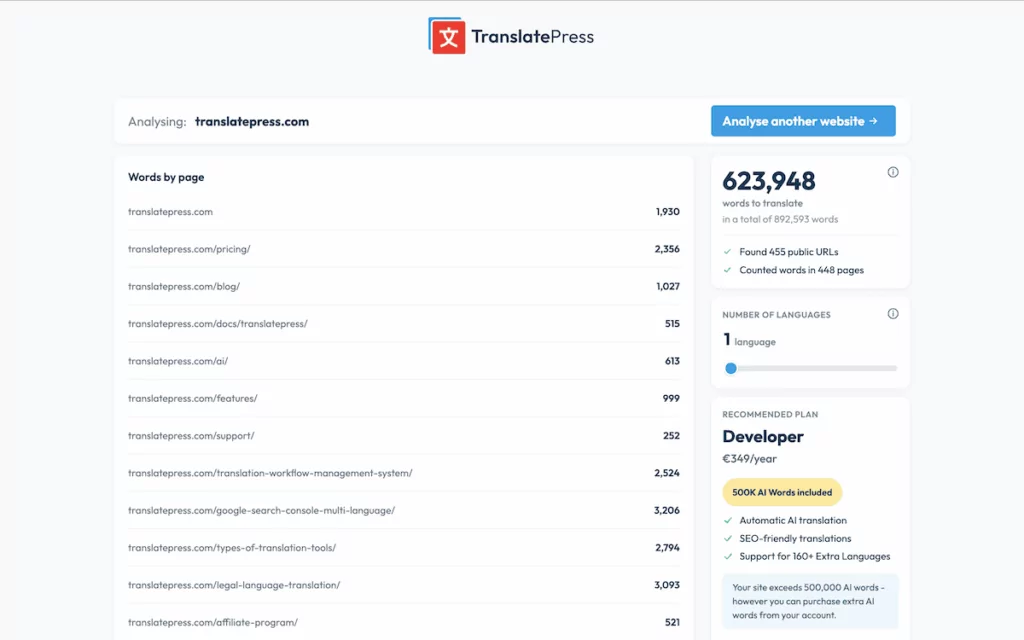
Once you enter your site, the tool will count the number of translatable words for each page. It will also give you a running total of the overall word count for your site. For such a simple-looking screen, it offers a lot of detail:
- Word counts for each post and page on your site.
- A grand total of translatable words, along with the total number of words on your site.
- The number of public URLs you have as well as how many of those pages the Website Word Counter is including in the overall total.
- A slider to select the number of languages you intend to translate into. Moving this will increase the overall word count accordingly.
There’s also a recommendation of which TranslatePress plan will suit your needs based off of the analysis.
TranslatePress Multilingual
Given that the tool is free, you can run this for as many sites as you need. This is going to be useful if you’re currently making sweeping changes to your content, are thinking of going multilingual soon, or need to assess whether you’re on the right TranslatePress plan.
1. Ahrefs WordCounter
Ahrefs, known for its comprehensive SEO toolkit, offers a free word counter that provides detailed content analysis with search in mind.
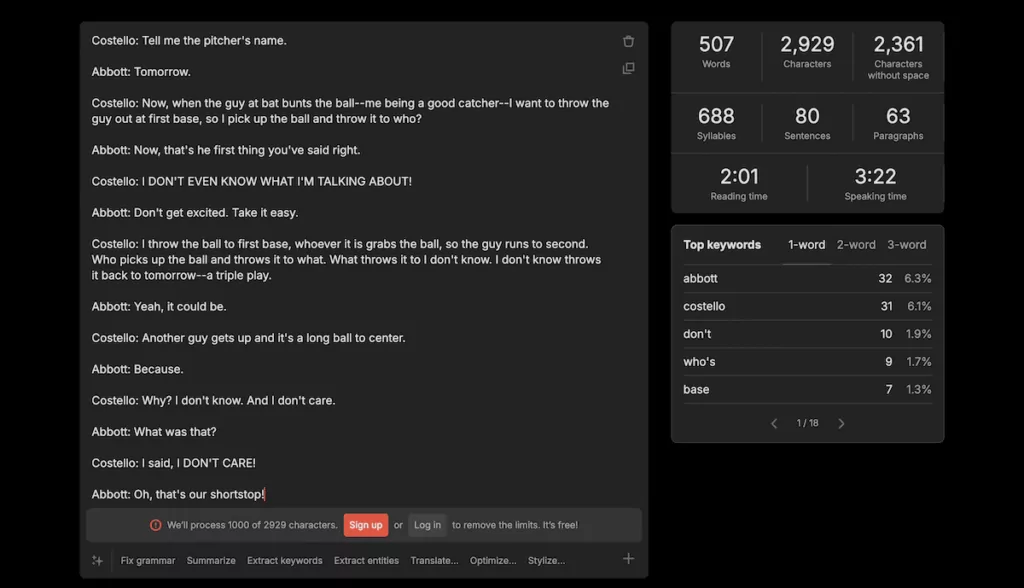
The tool goes further than basic counting to analyze your text for readability, keyword usage, and structure in myriad ways. For multilingual SEO, Ahrefs WordCounter has value because it helps you understand how your content might perform in search results.
Here’s a quick look at some of its key functionality:
- All-encompassing text analysis showing word count, character count, sentence count, and paragraph count in real-time.
- Reading and speaking time estimates to help you gauge content length appropriateness.
- Keyword density analysis to prevent over-optimization.
- The ability to fix grammar, extract data from the text, and even use a URL as the input content.
Overall, Ahrefs WordCounter stands out thanks to its ability to provide SEO-focused insights that you can apply across different language versions of your content. This can help to ensure consistency in your multilingual SEO strategy.
2. The Word Counter
The Word Counter offers an intuitive interface with aspects that you’ll like for creating content across multiple platforms and languages.
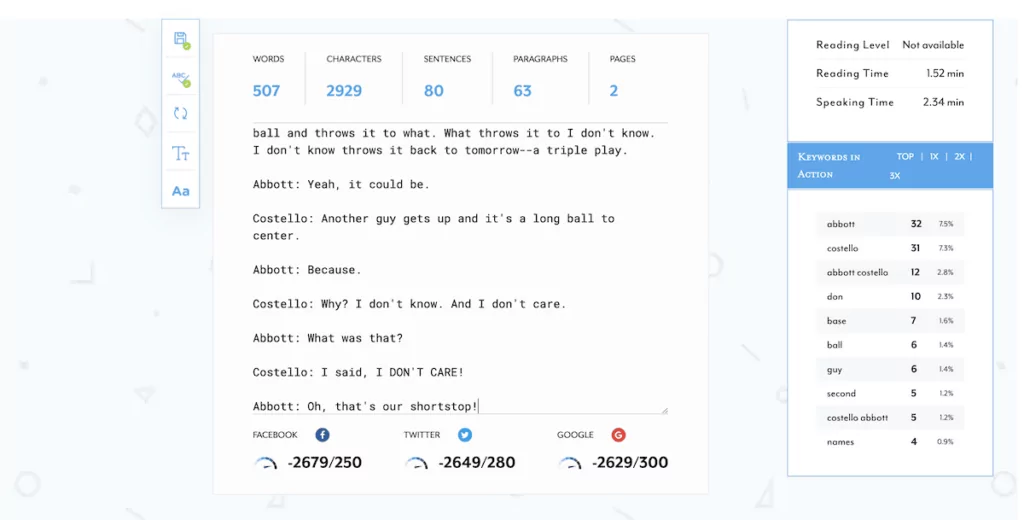
This tool combines word counting with grammar checking to provide versatility in preparing your content pre-translation. While the ‘blurb’ for The Word Counter talks about spotting plagiarism, it didn’t detect my example text of Abbott and Costello’s famous, Who’s On First? Routine.
However, I do appreciate the tool’s focus on different content types and specific word counts for social media channels. Here’s an overview of what The Word Counter provides:
- It counts words, characters, sentences, paragraphs, and pages in real-time.
- You have dedicated counts for social media platforms for Twitter (X), Facebook, and Google’s meta descriptions.
- The tool assesses the reading level, reading time, and speaking time estimates for presentations in different languages.
- There’s keyword frequency tracking to help you maintain consistent terminology.
Finally, the social media counting feature is a valuable for multilingual campaigns. For example, it can help you adapt content length for different platforms while considering how translations might expand or contract your text.
3. WordCounter.net
WordCounter is my personal go-to for tallying the length of content when I need more details. It offers one of the most complete analysis packages available, which is ideal for detailed content optimization across languages.
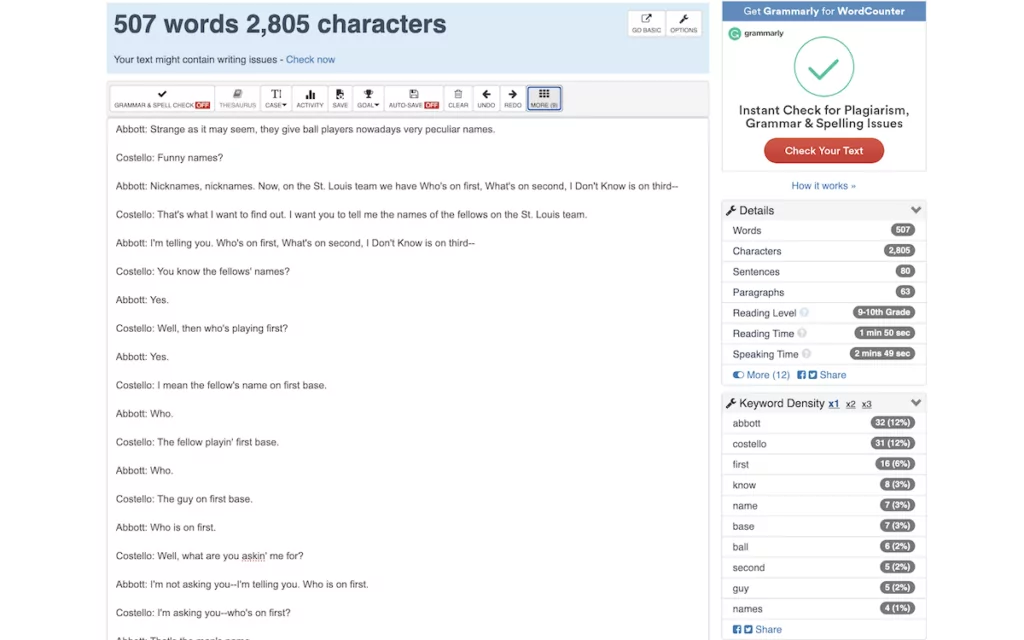
The interface is clean, but falls behind some of the other more modern displays. Regardless, it belies powerful functionality that provides insights into content quality and SEO potential. For multilingual work, its detailed statistics will help you understand how your content structure varies between languages.
There’s more that WordCounter can offer too:
- A keyword density analysis dialog that highlights top keywords.
- Reading level assessment to ensure appropriate complexity for your target audiences.
- Auto-save functionality to preserve your work across sessions.
- Comprehensive options to let you set up WordCounter to your exact needs.
I like WordCounter’s keyword density analysis as it shows frequency percentages. This can help me identify any potential over-optimization issues, and for you, it will be beneficial for content writing across different languages and search engines.
4. Word Counter
First off, Word Counter is different to the last entry on this list, despite the similar names. This tool is simpler, yet still offers the functionality you need in a clean, distraction-free interface. It’s near-perfect for focused writing and editing sessions.
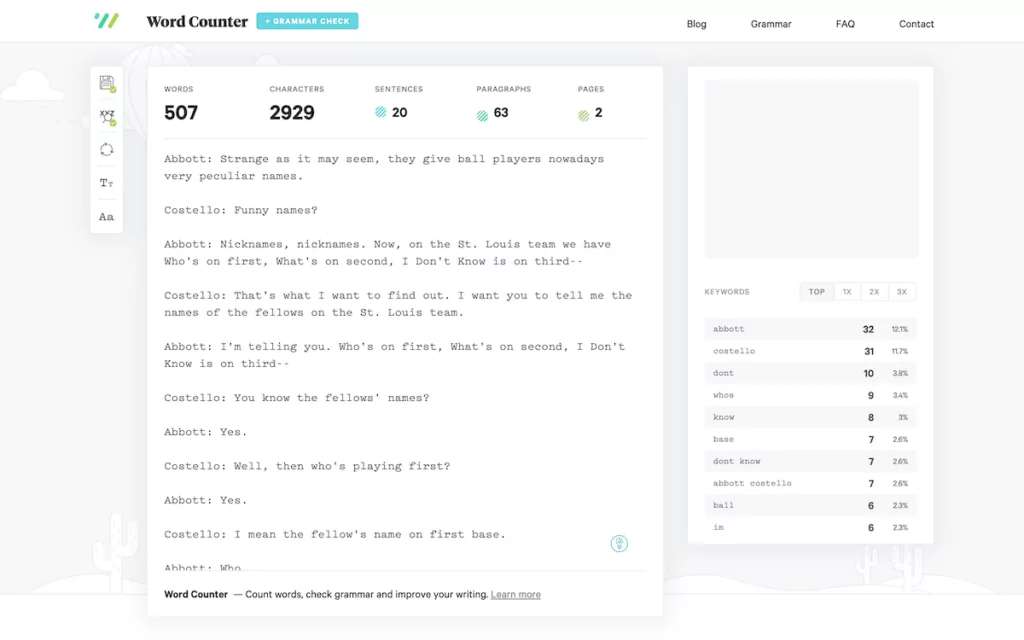
Here’s what you get when using Word Counter:
- A clean, minimalist interface for distraction-free writing and analysis.
- Percentages for keyword density, much like with WordCounter.
- The ability to toggle grammar checking and autosaving.
- Basic customizations to the font size and style for easier readability.
Word Counter isn’t going to be the tool for every job, but it does the core functionality well. I’d turn to it based on its keyword density recognition.
5. ToolSpert
The final entry on this list of online word counter tools is ToolSpert’s offering. It offers a clean and user-centric interface with the right blend of analysis that makes it near-perfect for optimizing multilingual content.
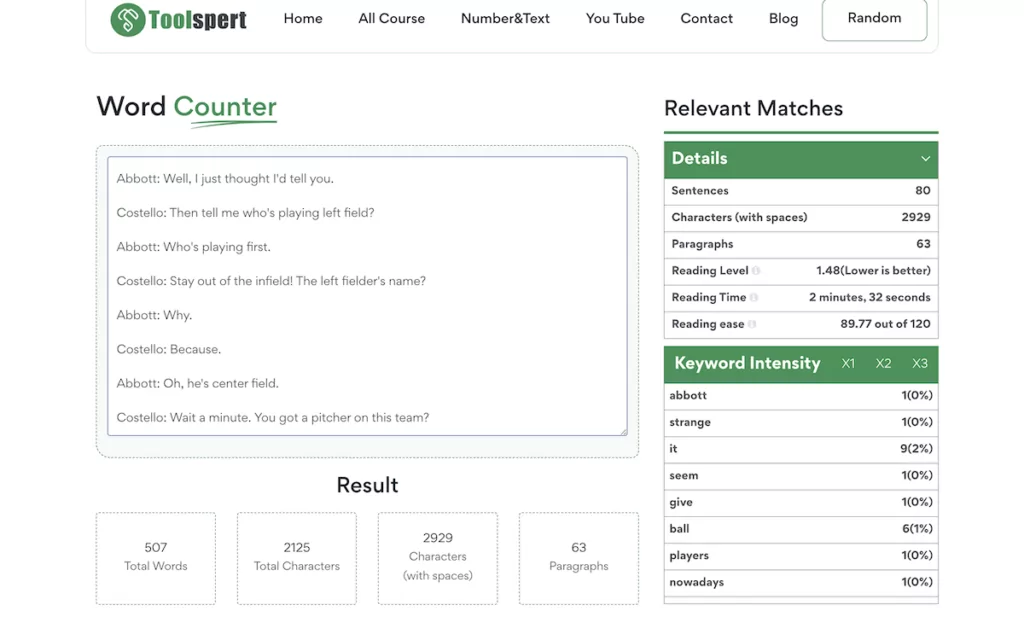
It doesn’t do anything in addition to the other tools on this list, which might not tempt you at first. However, the app is highly readable, which I like. Some tools (even my favorite WordCounter) can strain the eyes, but it’s not the case with ToolSpert.
Here’s a summary of what you get:
- A clear and detailed analysis dashboard showing counts, reading metrics, and keyword statistics.
- Keyword intensity tracking across multiple levels (such as single words and phrases).
- A reading ease calculation to ensure you’re writing accessible content.
- Character counting with spaces, which is important for languages with different character systems.
I like the clarity ToolSpert offers, as it gives you indications of whether a particular metric is optimal. For instance, for the reading level metric it told me that, “Lower is better”. Sometimes, these short and generalist phrases can be helpful while you’re working on content. After a first pass, you can dig into the statistics to further optimize.
On the whole, ToolSpert gives you lots of statistics in an easy-to-understand format, with special attention to keyword density and content structure. For multilingual SEO, these insights could help to ensure you optimize content in an appropriate way for each target language.
How an Online Word Counter Can Help With Your Multilingual SEO
As I mention, word counters don’t simply count words. Instead, they offer a few specific benefits for multilingual SEO. For starters, different languages require varying amounts of space: German typically runs longer than English, while character-based languages such as Chinese often require less room.
Word counters can help you anticipate layout adjustments, plan User Interface (UI) elements that accommodate text expansion, and ensure a consistent user experience across all language versions.
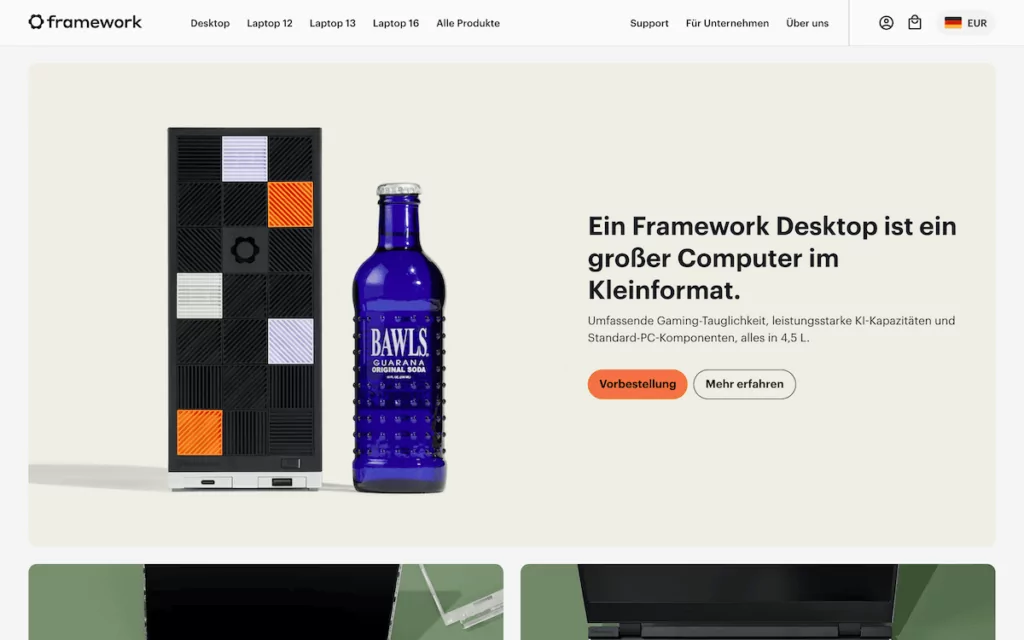
From a practical perspective, these tools can also help you control translation costs. Since many translation services charge by the word or character count, you can budget accurately and prioritize content efficiently before you start.
When it comes to technical SEO, word counters have value for optimizing meta tags across languages. Search engines often impose specific character limits for titles (such as 50-60 characters) and meta descriptions (150-160 characters).
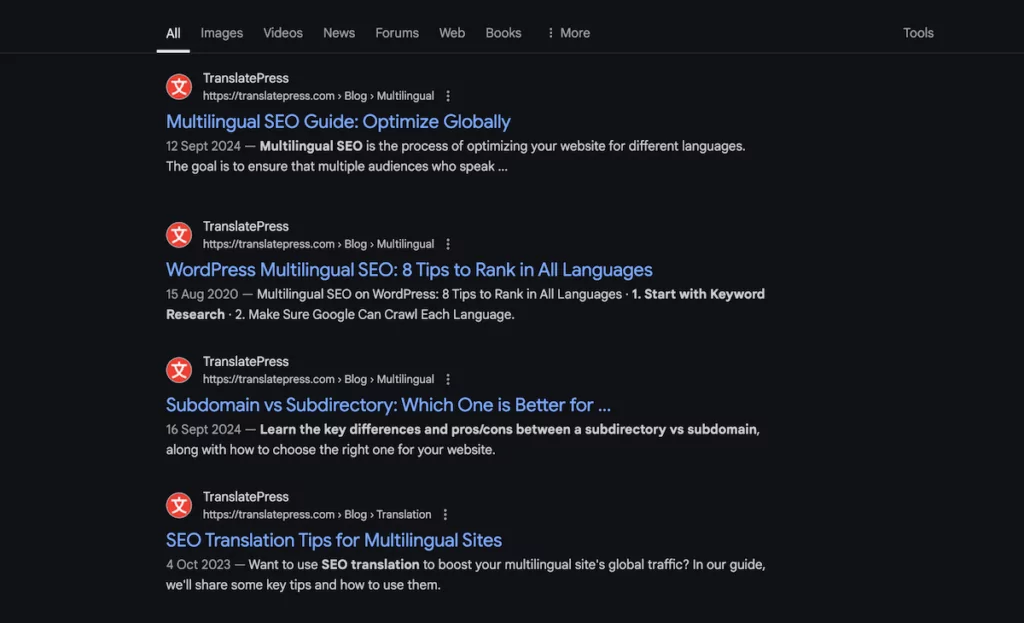
As such, an online word counter ensures you translate meta content within an optimal range without losing critical information. TranslatePress’s SEO Pack add-on complements this, as it lets you craft ideal meta tags for each language.
Those keyword density panels will also help you optimize across languages. Keyword patterns can vary between languages with different structures (such as compound words in German), so this is vital. It means you can prevent over-optimization while ensuring your content ranks well and sounds natural to native speakers.
TranslatePress: Your Ideal Companion for Multilingual SEO
While the Website Word Counter can provide valuable insights for your multilingual content strategy, implementing those insights still requires the right translation tool.
TranslatePress offers the perfect companion solution for WordPress sites, with functionality that will complement your word counter analysis:
- A visual translation interface that shows exactly how your translated content will appear.
- Cost-effective AI translations, with clear prices based on your website’s word count needs.
- The SEO Pack add-on for optimizing multilingual meta tags and URLs.
- Support for all WordPress themes and plugins, including WooCommerce.
- Automatic language detection to guide users to their preferred language version.
Together, a word counter and TranslatePress can create the ideal toolkit for undertaking multilingual SEO. You can analyze your content with precision using word counters, then implement optimized translations with TranslatePress!
FAQ
As I come to the end of this post, I’m going to highlight some questions and answers you might have about online word counters. Of course, for any more queries you can pop it in the comments section at the end of the post and we’ll find the answer!
Why is an online word counter necessary for multilingual websites?
Depending on the tool you choose, you can gauge the length of your content down to the character level. This can help you write suitable copy for different languages to fit your design constraints. For example, German is known for its word length. As such, a phrase translated from English can take up much more space and cause design errors.
Is there a difference between online word counter tools?
Yes, because each tool will have a different goal. For instance, while most will give you a breakdown of the word count and reading time, some also offer plagiarism detectors and other related functionality. The option you choose links with your own needs.
What does the TranslatePress Website Word Counter do?
The Website Word Counter does exactly what it says! It analyzes your website to fetch the word counts for every URL. Then, it gives you a running total so you know the exact number of translatable words across your site. From there, you can account for the number of languages you’re translating into and choose a suitable TranslatePress plan for the job.
What’s the most optimal way to use multiple online word counter tools?
Combining functionalities is the best approach. For instance, if you need to manage multichannel content lengths, you might want to take the solid summary of WordCounter.net and combine this with the plagiarism detector and social media tallies of The Word Counter. Of course, if your needs differ, another ‘blend’ could suit you better.
How should I combine TranslatePress’ word counter with my favorite from this list?
My advice is to use the TranslatePress Website Word Counter as a first line analysis of your site’s word count. In my opinion, it’s the only solution that can do this. Once you understand the word counts of your whole site and individual pages, you can bring in another ‘macro-level’ word counter tool to assess and optimize each page you translate.
Enhance the Best Online Word Counter with TranslatePress
Choosing an online word counter tool might seem simple at first glance, but each one can offer many benefits for multilingual SEO. You can manage translation costs, optimize meta tags, ensure a consistent user experience across languages, and more.
By incorporating word counters into your multilingual content creation workflow and bringing a translation app such as TranslatePress into the mix, you’ll have the equipment to create content that resonates with international audiences and perform well in search results across your target markets.
TranslatePress Multilingual
Which online word counter tool do you think will suit your multilingual SEO strategy and workflow? I’d love to hear about your experiences in the comments section below!