
In this post
In this post
If you’re translating your website into multiple languages but leaving your metadata untouched, you’re missing one of the biggest opportunities to grow traffic and conversions.
Metadata translation isn’t just a technical SEO task. It’s what helps search engines understand your content in each language and helps real users decide whether to click, read, and convert.
In this guide, we’ll break down:
- What metadata is and how each type works
- Why translating metadata is critical for multilingual SEO and accessibility
- How metadata translation directly impacts traffic and conversions
- Best practices for translating metadata correctly
- How to implement metadata translation easily, both manually and automatically
Whether you’re just starting your business or planning your first multilingual website, this article will give you a clear, practical roadmap.
What Is Metadata (And Why It Matters)?
Metadata is information about your page that helps search engines and users understand what your content is about, without being part of the visible page content itself.
Let’s look at the most important types of metadata you should translate.
SEO Titles
SEO titles, also called title tags, are the clickable headlines that appear in search engine results. They tell search engines what your page is about and heavily influence whether someone clicks on your result or scrolls past it.
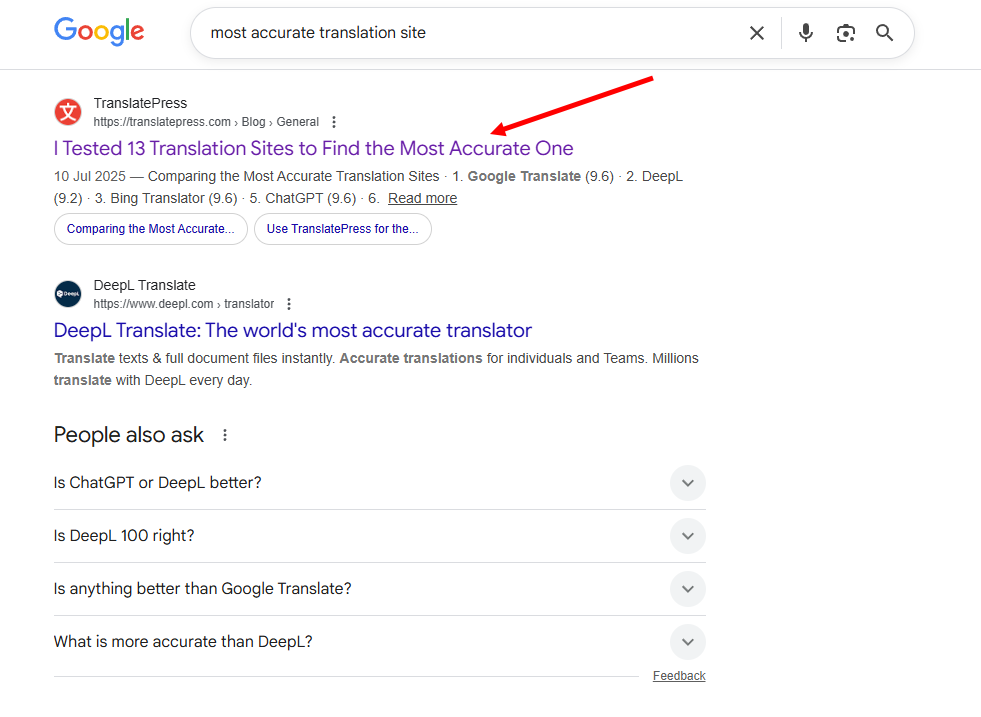
When your site is multilingual, SEO titles need to exist in each language. Search engines index and rank content per language and region, so a page with an English title but translated content may struggle to rank properly in other markets. Even worse, users searching in their native language may see a title they don’t fully understand, which reduces trust and click-through rates.
A translated and localized SEO title signals relevance both to search engines and to users. It helps your page appear in the right searches and makes it more likely that people will choose your result.
Meta Descriptions
Meta descriptions appear right below the SEO title in search results. While they don’t directly affect rankings, they play a key role in convincing users to click.
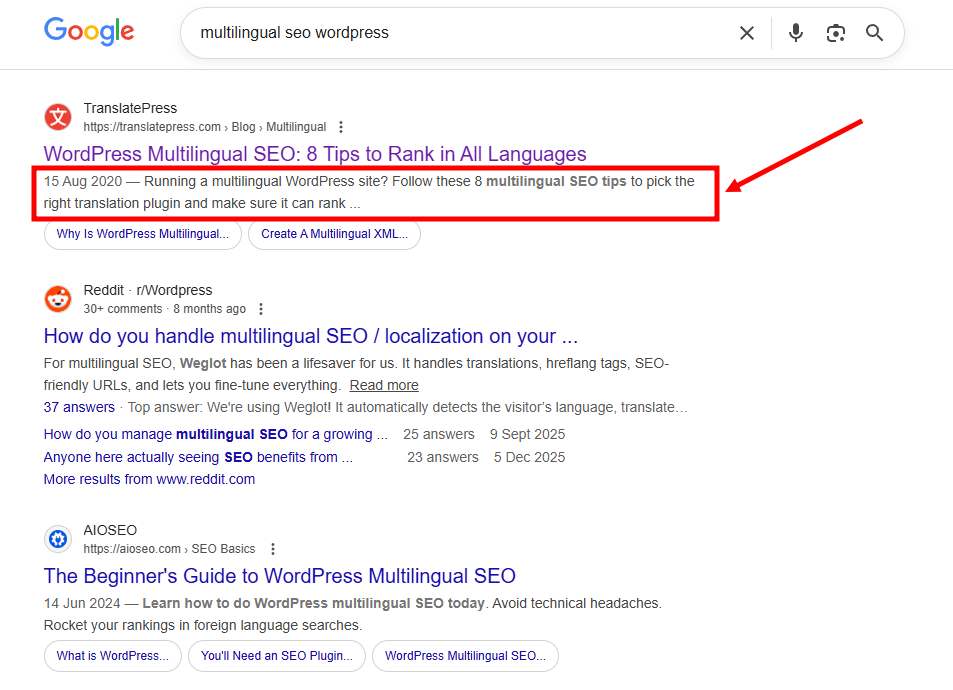
For multilingual sites, meta descriptions should always be translated. Even though Google may sometimes rewrite them, having accurate, localized descriptions improves consistency and increases the chances that users will engage with your content.
A description written in the user’s language feels more trustworthy and more relevant. It sets the right expectations before someone even lands on your site, which often leads to better engagement and lower bounce rates.
Image Alt Text
Alt text describes the content of an image in words. It is used by screen readers for visually impaired users, and by search engines to understand what an image represents.
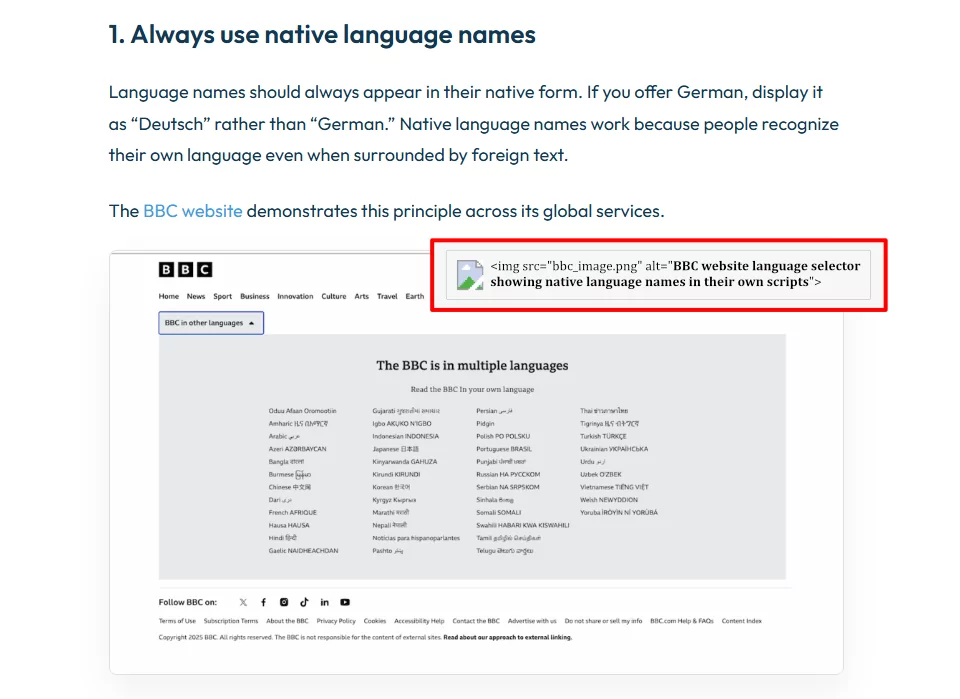
When alt text is translated, you’re improving both accessibility and SEO. Screen readers will correctly describe images in the user’s language, and search engines can associate your images with relevant queries in different languages. This is especially important for eCommerce sites, blogs, and landing pages where images play a major role in conveying information.
Leaving alt text untranslated creates gaps in accessibility and limits your visibility in image search results across languages.
How Metadata Translation Impacts Traffic & Conversions
When metadata is translated properly, three important things happen:
- Better rankings in local search results: Search engines can correctly index and rank your pages for each language.
- Higher click-through rates: Users click results that speak their language and match local search intent.
- Increased trust & conversions: A fully localized experience, including metadata, feels more professional and credible.
In short: translated metadata helps the right users find your site and feel confident engaging with it.
Translating Metadata the Right Way (Don’t Skip These Tips!)
1. Don’t Translate Word-for-Word
A direct translation often misses local search intent.
Example:
You have an English article targeting the keyword “cheap hosting” and you want to translate it to Spanish. Now, the literal translation to Spanish is “alojamiento barato”, but of course, no Spanish person would ever search that in their browser. They will likely search for something like “hosting económico” instead.
The same goes for words or phrases that might have both a technical and semantically correct translation, but are not naturally used that way by the people in a specific region.
For example, the word “autunno” in Italian can be translated to “autumn” in English. Although this is a technically and semantically correct translation, it might not be the most natural word for an American to use when searching the web. People living in the USA would probably search for phrases containing the word “fall” when looking for season-specific outfits or recipes rather than “autumn”.
Always adapt, don’t just translate. Which leads me to my next point.
2. Do Keyword Research in the Target Language
Once you move past literal translations, the next crucial step is understanding how people actually search in that language. So before translating SEO titles and descriptions:
- Research keywords in the target language
- Check search volume and intent
- Look at local competitors’ SERPs
Example:
Let’s say your original English page targets the keyword “email marketing tools.” A quick translation into French might give you “outils de marketing par e-mail.” While that translation is technically correct, it doesn’t automatically mean it’s the phrase people use most often when searching.
After doing keyword research, you might discover that French users search more often for “logiciel email marketing” or “outil emailing”, so these keywords have a higher search volume. If your SEO title sticks to a direct translation, you could end up missing out on traffic, even though your content is relevant. This is why keyword research should always be done in the target language, before finalizing SEO titles and meta descriptions.
Some helpful tools:
- Google Keyword Planner
- Ahrefs / SEMrush
- Ubersuggest
- Google autocomplete & “People also ask”
The goal is simple: make sure your metadata reflects what users are actually typing into Google, not just what sounds correct when translated.
3. Keep Titles & Descriptions Natural
Even when you’re using the right keywords, how you put them together matters just as much.
A common mistake is trying to squeeze too many keywords into a translated title or meta description. This often leads to text that sounds robotic or unnatural, especially in languages where sentence structure differs from English. So basically, avoid keyword stuffing and write metadata for humans first, search engines second.
A good translated title should:
- Sound natural in the target language
- Match cultural tone and expectations
- Clearly communicate value
For example, an English title like:
“Best CRM Software for Small Businesses in 2026”
If translated too literally and overloaded with keywords, the result might sound awkward or forced in another language. A better approach is to rewrite the title so it flows naturally, while still keeping the main keyword intact.
The same applies to meta descriptions. Instead of listing features or repeating keywords, focus on clearly communicating value. Ask yourself: “If I saw this snippet in Google, would I want to click it?”.
4. Translate Alt Text with Context
Alt text plays a bigger role than many people realize. It helps search engines understand what an image is about, and it’s essential for accessibility, especially for users who rely on screen readers.
Alt text shouldn’t be generic, like “product image”, which doesn’t help anyone. A better version would be something descriptive, such as “blue running shoes for beginners.”
When translating alt text, context is everything. The translated version should still clearly describe the image and make sense in the target language, without stuffing keywords unnaturally.
For example, if the image shows a person wearing running shoes on a trail, the alt text should reflect that scenario, not just repeat the product name. This improves image search visibility and ensures that visually impaired users get meaningful descriptions in their own language.
How to Translate Metadata Easily with TranslatePress
Once you understand what to translate and how to do it correctly, implementation should be simple.
Manual Metadata Translation
With TranslatePress and the SEO Pack add-on, you can:
- Translate SEO titles and meta descriptions visually
- Edit URL slugs per language
- Translate image alt text
- Preview metadata per language in real time
This gives you full control over SEO for every language.
All you have to do is install TranslatePress on your website, activate the SEO Pack add-on, and open any page you want to translate. From the frontend, click “Translate Page” in the WordPress admin bar.
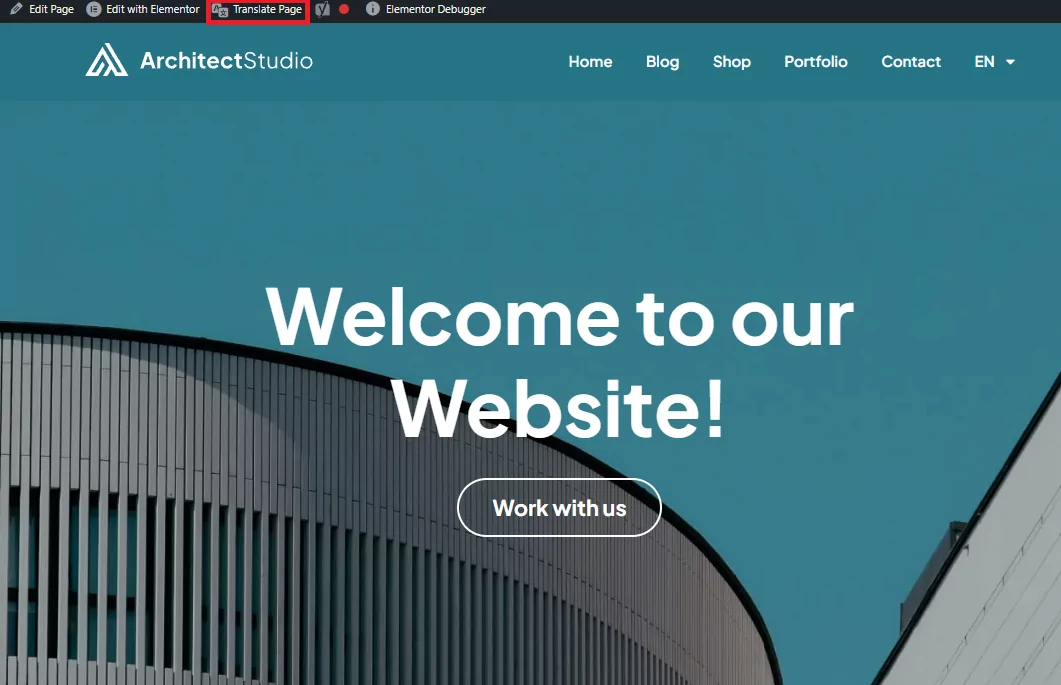
Once the visual translation editor opens, you’ll be able to select and edit SEO titles and meta descriptions for each language.
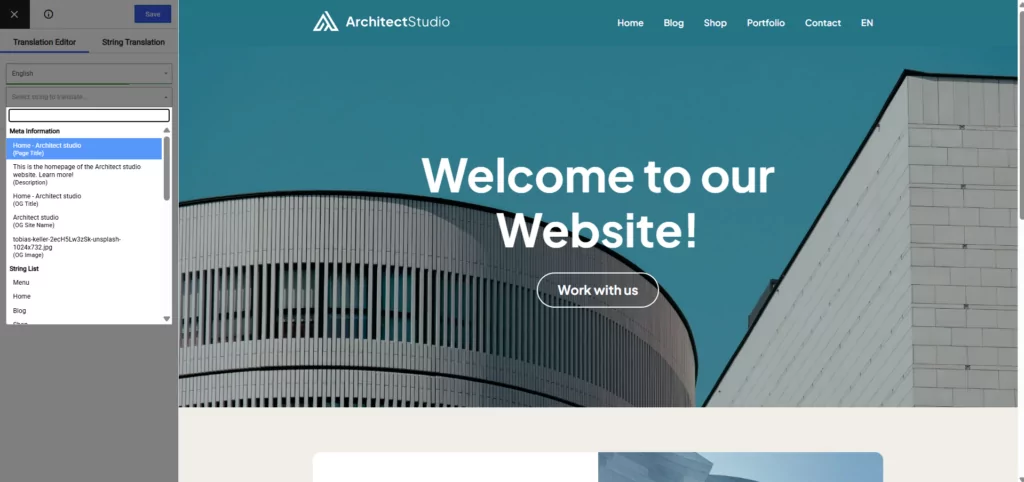
You can translate the URL slug of each page in the same way.
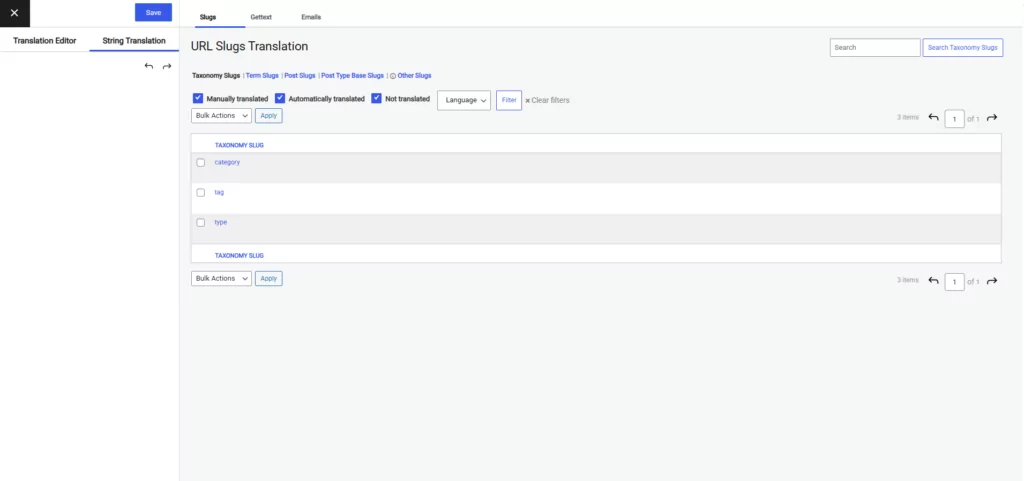
However, if you want a way to see all your slugs in the same place, to make sure you don’t miss any, you can also go to the String Translation. Here, you can see all slugs on your site in a list and translate them.
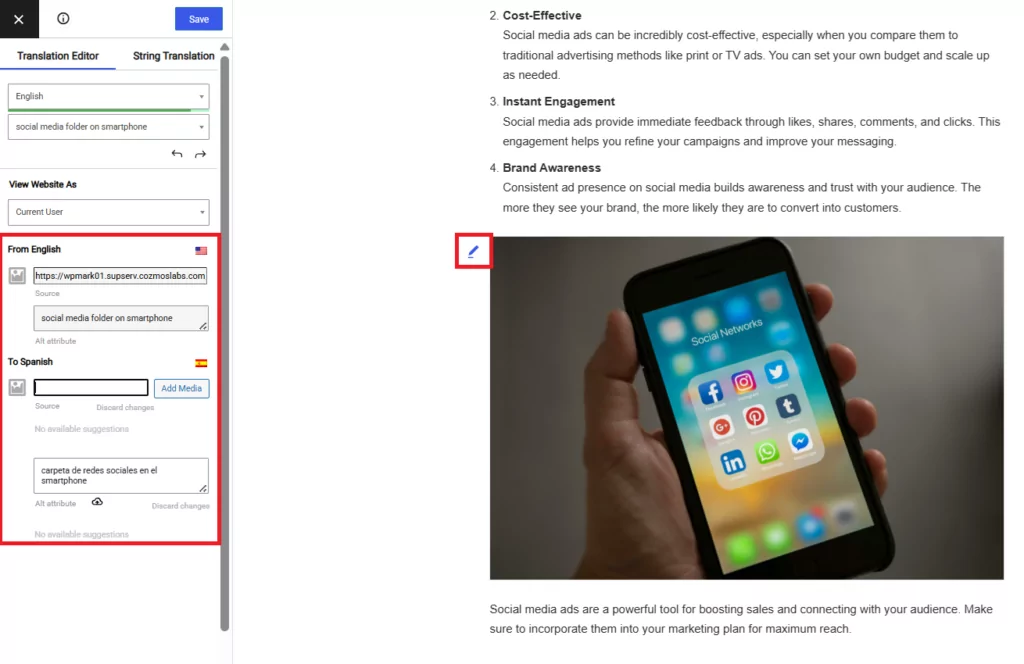
You can even update image alt text for any image on your site, giving you the option to change the images completely if you need to.
This approach gives you full control over your multilingual SEO, without forcing you to jump between dashboards or work with complicated settings.
Automatic Metadata Translation (Optional)
If you’re short on time, TranslatePress also supports automatic translation using:
As long as your metadata exists in the default language, translations can be generated automatically and then manually refined through the manual editor if needed.
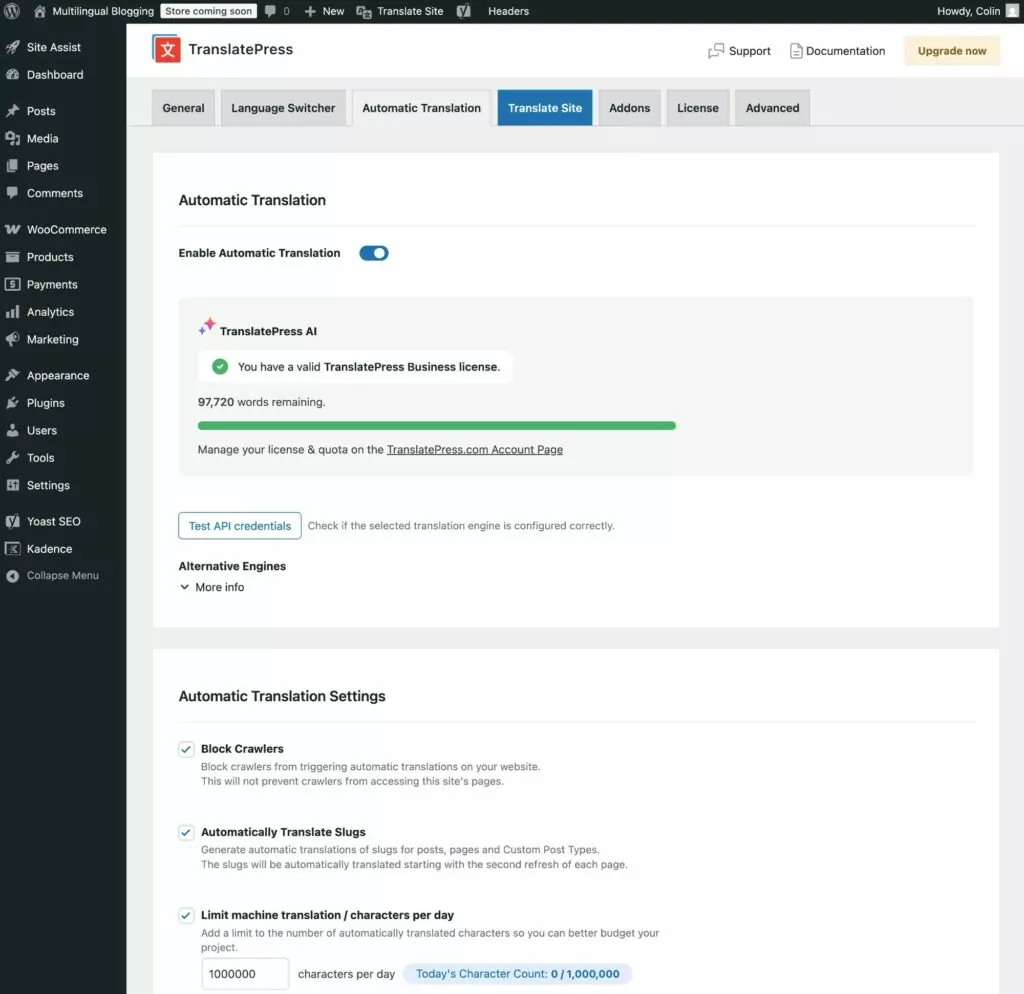
TranslatePress AI is free to use within a 2,000 translated word limit, and Google Translate is also available in the free version of the plugin. For wider TranslatePress AI limits and DeepL usage, you can always upgrade to a paid license.
Start Translating Your Metadata Now
Metadata translation is not a nice-to-have feature for multilingual websites; it’s essential.
It helps search engines understand your content in every language, helps users find and trust your site, and plays a direct role in driving traffic and conversions. When metadata is localized thoughtfully and implemented correctly, it turns translated pages into high-performing ones.
If you’re just starting out, focus on clarity, relevance, and user intent. With the right strategy and tools, metadata translation becomes one of the most powerful ways to grow your site internationally.